EasyManua.ls Logo

LG WD1402CRD6 - User Manual

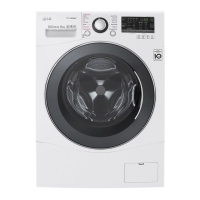
LG WD1402CRD6
40 pages
Print Icon
To Next Page IconTo Next Page
Loading...
OWNER’S MANUAL
WASHING MACHINE
WD1402CRD6
P/No.: MFL67645602
www.lg.com
Before beginning installation, read these instructions carefully.
This will simplify installation and ensure that the washer is installed
correctly and safely. Leave these instructions near the washer
after installation for future reference.

Questions and Answers

  • L
    lopeztoddJul 31, 2025
    Why won't my LG WD1402CRD6 Washer start?
    • M
      Miguel LiJul 31, 2025
      Your LG Washer might not start for several reasons. Ensure the power cord is securely plugged into the wall outlet. Check your house fuse or circuit breaker, and reset it if necessary. Also, make sure the water supply tap is turned on and that the washer door is firmly shut. Press the Start/Pause button after closing the door.
  • J
    James SmithAug 4, 2025
    What to do if my LG WD1402CRD6 is leaking water?
    • M
      Michael FinleyAug 4, 2025
      If your LG Washer is leaking water, first check that the fill and drain hoses are tightly connected at both the tap and the washer. Make sure your house drain pipes aren't clogged. Ensure the water supply is adequate and the tap is fully open. Also, inspect the water inlet hoses and drain hose for any kinks or clogs. Clean and straighten the drain hose, and check the filter of the inlet hose.
  • R
    richard71Aug 10, 2025
    How to fix a noisy LG WD1402CRD6 Washer?
    • T
      thollandAug 10, 2025
      If your LG washer is making rattling, clanking, thumping, or vibrating noises, here's what to check: * Stop the washer and inspect the drum and drain filter for foreign objects like coins or safety pins. * If you have a heavy wash load, this can cause a thumping sound, which is usually normal. If the sound persists, stop the washer and redistribute the load. * Ensure all transit bolts and packing have been removed. Refer to the Installation guide if needed. * Make sure all the feet are resting firmly on the ground. An unevenly distributed wash load can also cause noise; stop the washer and rearrange the load.
  • A
    Angela BakerAug 14, 2025
    What to do if LG Washer load is out of balance?
    • A
      Ashley NelsonAug 14, 2025
      If the load in your LG Washer is out of balance, the appliance has an imbalance detection and correction system. Try adding one or two similar items to help balance the load, or rearrange the load to allow proper spinning.
  • S
    Stacy PatrickAug 19, 2025
    What to do if my LG WD1402CRD6 overfills with water?
    • J
      James MasseyAug 19, 2025
      If your LG Washer overfills with water due to a faulty water valve, close the water tap, unplug the power plug, and call for service.
  • T
    Timothy WoodsAug 25, 2025
    Why is my LG Washer not drying clothes properly?
    • H
      Holly BondAug 26, 2025
      If your LG Washer is not drying clothes properly, avoid overloading it. Also, verify that the washer is draining correctly to remove enough water from the load. If the clothes load is too small, add a few towels to improve tumbling.

Summary

Important Safety Instructions

Safety Alert Symbols

Explains safety alert symbols (DANGER, WARNING, CAUTION) and their meanings for hazard communication.

Basic Safety Precautions

Operational Safety Rules

Guidelines for safe operation, including drum access, door use, and hot surfaces.

Electrical Safety Measures

Unplugging for maintenance, cord care, and avoiding electrical hazards.

Additional Safety Precautions

Hose Sets and Grounding

Recommendations for water hose sets and importance of proper electrical grounding.

Safety Instructions for Use

Flammable and Chemical Hazards

Precautions for drying items soiled with oils, solvents, gasoline, or other hazardous substances.

Installation Guide

Removing Transit Bolts

Steps to remove transit bolts to prevent vibration, noise, and malfunction.

Installation Site Requirements

Location and Clearance

Requirements for level floor, power outlet proximity (1.5m), and air circulation clearance (10cm rear, 2cm sides).

Positioning Guidelines

Install on flat floor, avoid carpets, never use wood for leveling, keep away from heat sources.

Electrical Connections

Power Cord and Outlet Safety

Prohibits extension cords, mandates proper grounding, and protects cords from damage.

Temperature and Repair Safety

Avoid freezing temperatures and ensure repairs are done by qualified personnel.

Connecting Water Supply Hose

Water Pressure and Hose Fitment

Ensure water pressure is 100-800 kPa; use rubber seals; hand-tighten connections.

Hose Connection Types

Instructions for screw-type hose connections to taps with and without threads.

Connecting Water Supply Hose (cont.)

One-Touch Hose Connection

Guide for connecting one-touch type hoses, ensuring a watertight seal.

Connecting Hose to Washer

Connect hoses to the washer, noting red connector for hot water if applicable.

Drain Hose Installation

Drain Hose Placement and Height

Ensure drain hose is not higher than 100cm; secure it to prevent floor damage.

Leveling the Washer

Leveling Procedure

Use adjustable feet to level the washer on a solid floor for stability and reduced vibration.

Floor Type Considerations

Operating the Washing Machine

Step-by-Step Operation Guide

Guide covering sorting, loading, selecting program, adding detergent, and starting the cycle.

Preparation Before Washing

Dryer Operation Guide

Automatic Drying Cycles

Using automatic drying cycles with sensor adjustments for temperature and time.

Manual Drying and Fabric Care

Detergent and Softener Usage

Detergent Dosage and Types

Regular Maintenance

Drain Pump Filter Care

Dispenser Drawer Cleaning

Washer Cleaning and Care

Troubleshooting Common Issues

Diagnosing Operational Problems

Table of common symptoms like noise, leaks, and water issues with causes and solutions.

Troubleshooting Operational Faults

Washer Start and Spin Problems

Solutions for the washer not starting, not spinning, or the door not opening.

Error Code Troubleshooting

Understanding Error Messages

Explanation of error codes displayed on the panel and their corresponding solutions.

Smart Diagnosis Feature

LG WD1402CRD6 Specifications

General IconGeneral
Washing Capacity10.5 kg
Drying Capacity7 kg
Spin Speed1400 RPM
Dimensions (H x W x D)850 x 600 x 610 mm
Weight73 kg
ColorWhite
Programs14
Inverter MotorYes
Smart DiagnosisYes
Child LockYes
TypeFront Load Washer
Delay StartYes

Related product manuals