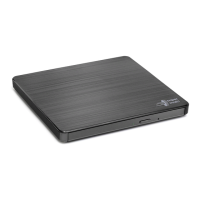
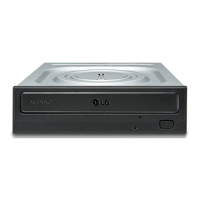
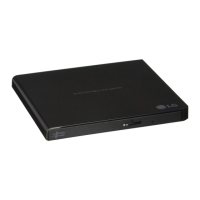
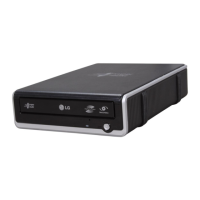
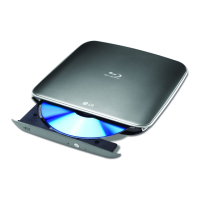
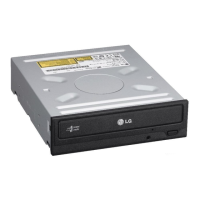
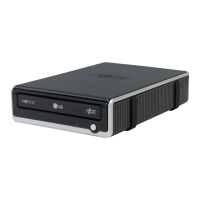
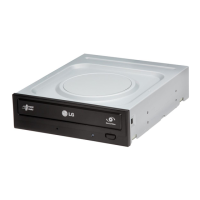
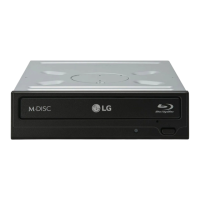
This document is the owner's manual for the LG WH14NS40 Blu-ray Disc Rewriter, a versatile optical drive designed to read and write various disc formats. To ensure optimal performance and longevity of the product, users are advised to read the manual carefully and completely before installation and operation.
Function Description
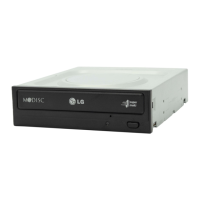
The LG WH14NS40 Blu-ray Disc Rewriter is an internal optical drive that connects to a host computer via a Serial ATA (SATA) interface. Its primary function is to read and write data to and from a wide range of optical discs, including CD-R/RW, DVD-R/RW/+R/RW/+/-R DL, DVD-RAM, BD-R (SL/DL/XL (3 Layer)/XL (4 Layer))/RE(SL/DL/XL (3 Layer)), and BD-R (SL LTH). It is also compatible with CD Family, DVD-ROM, and BD-ROM discs for reading.
Key features include power tray loading and ejection, with a manual eject option available for emergencies. The drive supports Regional Playback Control Phase II for DVD-Video, which is important for playing region-coded DVD movies. It incorporates automatic buffer underrun error prevention technology to ensure reliable writing processes. Furthermore, the drive is capable of playing BD 3D movies, offering an enhanced multimedia experience.
Usage Features
The drive is designed for easy installation into a 13.34 cm (5.25-inch) half-height bay within a personal computer. Installation involves connecting the SATA power cable (15-pin) and SATA data cable (7-pin) to the drive and the PC's motherboard. Users should ensure proper orientation of the connectors to avoid damage and voiding the warranty.
For Windows users, the drive is plug-and-play, meaning no special device drivers are required for Windows XP SP3, Vista, or Windows 7. The system will automatically recognize and load native software drivers upon power-on and boot-up after installation. Users can verify proper installation by checking for the drive in the Device Manager. If the drive is not recognized, troubleshooting steps include checking for indicators in the IDE ATA/ATAPI controllers section of Device Manager or running "Add New Hardware" in Control Panel.
The retail version of this drive typically comes with CD/DVD/BD authoring software. It is recommended to uninstall any previous burning software before installing the included application software to prevent compatibility issues. Users should also check for software updates for all writing software to ensure the best performance.
When handling discs, it is crucial to avoid attaching stickers or labels, as this can cause read/write errors and data loss. The drive operates at high speeds, so only undamaged, uncracked, and unwarped discs should be used to prevent damage to the optical unit. Non-standard shaped discs should also be avoided.
An emergency eject feature is provided for situations where the drive fails or there is a power outage. This involves turning off the power, inserting a fine-tipped object into the emergency eject hole, and gently pulling out the disc tray. This feature should only be used in emergencies to prevent malfunction.
Maintenance Features
To ensure the longevity and proper functioning of the drive, several precautions are outlined. Users should avoid placing the drive in locations subject to high humidity, high temperature, excessive dust, mechanical vibration, or direct sunlight. The drive is recommended for use in a horizontal or vertical position, not tilted.
Sudden temperature changes, such as moving the drive from a cold to a warm place, should be avoided as condensation can occur, leading to abnormal operation. Before moving the drive, the disc should always be removed to prevent damage and data loss. Care should be taken to prevent foreign objects, liquids, or metal from entering the drive. Interrupting the electric power while the drive is operating should also be avoided.
When handling the drive, especially during installation, attention should be paid to Electrostatic Sensitive Devices. Anti-static products like wrist straps, heel straps, or mats can be used to protect against electrostatic discharge.
For troubleshooting, a checklist is provided to address common issues such as lack of power, system not starting, or inability to read/write discs. This includes checking power and SATA cable connections, disc condition (dirt, scratches, orientation), and system environment (CPU, hard disk). If issues persist, users are advised to contact service and provide detailed information about the problem.
The drive supports Regional Playback Control Phase II for DVD-Video with CSS. If a certain MPEG decoder card or software without regional code setting causes issues with reading DVD-Video with CSS discs, the drive allows changing the regional code up to 5 times.
The manual emphasizes that the manufacturer does not offer any warranty against data loss due to inappropriate installation or handling, or direct or indirect damages caused by the product or its malfunction. Therefore, backing up all important data is strongly recommended as a protection against data loss. Regular visits to www.lgservice.com are encouraged for automatic firmware downloads and updates.


 To Next Page
 General
 Weight and Dimensions