EasyManua.ls Logo

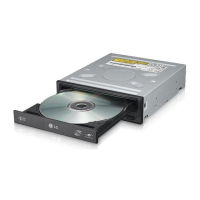
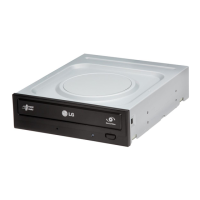
LG GH24NS50 - User Manual

LG GH24NS50
13 pages
Print Icon
To Next Page IconTo Next Page
Loading...
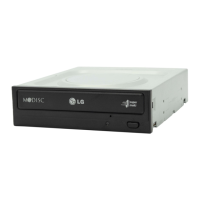
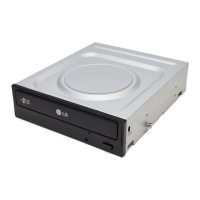
Super Multi DVD Drive
GH24
English Français Español
Português

Questions and Answers

  • A
    Arthur ThompsonJul 30, 2025
    What to do if my LG GH24NS50 DVD Drive cannot read or write discs?
    • B
      Brianna Holmes DDSJul 30, 2025
      If your LG DVD Drive is unable to read or write discs, consider the following: * Ensure the overall system (CPU, hard disk, etc.) is functioning correctly. * Check the disc for dirt or scratches. * Avoid running screen savers or other applications while writing to the disc. * Verify sufficient free space on the disc. * Check if writing fails even during a simulation test. * Make sure the disc is loaded correctly (label up). * Confirm the drive is installed in the correct orientation. * If the drive or disc has been moved from a cold to a warm environment, condensation may have formed on the lens or disc surface.
  • S
    Steven FloresAug 9, 2025
    Why doesn't my LG DVD Drive have power?
    • M
      Michelle FrazierAug 9, 2025
      If your LG DVD Drive isn't receiving power, ensure the power supply cable from the host computer is properly connected. Also, verify that the Power Connector is securely attached to the drive.
  • M
    Melissa Lang MDAug 19, 2025
    What to do if LG DVD Drive causes the system doesn’t start?
    • J
      Juan Davis DDSAug 19, 2025
      If your system fails to start with the LG DVD Drive installed, check the following: 1. Ensure the power and SATA cables to the PC are correctly connected. 2. Verify the SATA cable's total length is 20 inches or less. 3. Confirm each connector is completely attached. 4. Check for any other connections that may have been dislodged during the drive installation.

Summary

Safety and Compliance Information

Laser Safety Precautions

Warnings about laser exposure and avoiding electric shock.

Regulatory Statements

Industry Canada and FCC compliance statements for the device.

Important Precautions for Use

Handling and Environment

Guidelines for safe handling, storage, environmental conditions, and movement to prevent damage.

Data Protection and Backup

Recommendation to back up important data and protect against loss.

Power Interruption Warning

Warning against interrupting power while the drive is operating.

Product Features

Capabilities and Technologies

Details on supported disc formats, drive functions, and LightScribe technology.

System Requirements

Computer Specifications and Media

Required system specifications and recommended media for optimal performance.

Drive Controls and Connections

Front Panel Controls

Description of controls on the front of the DVD drive, like disc tray and eject button.

Rear Panel Connections

Identification of connectors on the rear of the drive, such as SATA power and data.

Installing the DVD Drive

Preparation for Installation

Tools and steps needed before installing the drive, including safety measures.

Mounting the Drive Unit

Instructions on physically installing the drive into a computer's bay.

Connecting the Drive to the PC

SATA Power Cable Connection

Guide on how to correctly connect the SATA power cable to the drive and PC.

SATA Data Cable Connection

Instructions for connecting the SATA data cable between the drive and motherboard.

Device Driver Installation

Driver Installation and Recognition

Info on automatic driver loading and troubleshooting recognition issues.

Software and Updates

Usage Software and Firmware

Guidance on installing authoring software and updating drive firmware.

Using Discs with the Drive

Disc Handling and Care

Instructions on proper disc handling, avoiding labels, and using compatible discs.

Emergency Eject Procedure

Steps for manually ejecting a disc in case of power failure or drive malfunction.

Troubleshooting Common Issues

Pre-Service Checks

Checklist of common problems like no power or read/write errors before calling for service.

DVD-ROM Region Code Issues

Explanation of how MPEG decoder cards and region codes affect DVD-ROM playback.

Technical Specifications

Supported Media and Speeds

Details on supported disc types, write/read speeds, and interface.

Performance and Environmental Data

Information on data transfer rates, access times, buffer capacity, MTBF, and operating conditions.

Disc Safety and Handling Precautions

Handling Precautions and Risks

Warning about disc shatter risk and advice on proper disc handling and storage.

Firmware Update Utility

LG Update Utility

Instructions for using the LG ODD Online program to update the drive's firmware.

LG GH24NS50 Specifications

General IconGeneral
BrandLG
ModelGH24NS50
CategoryDVD Drive
LanguageEnglish

Related product manuals