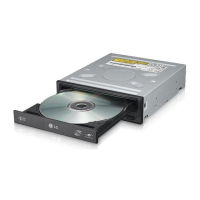
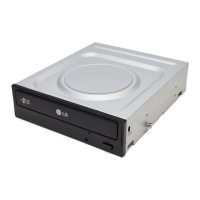
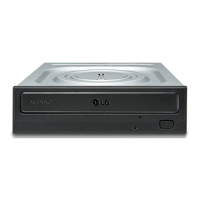
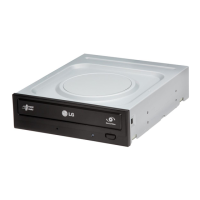
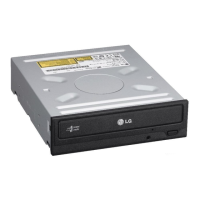
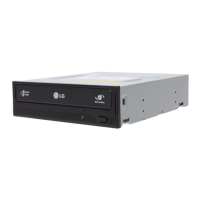
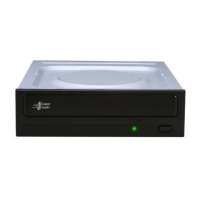
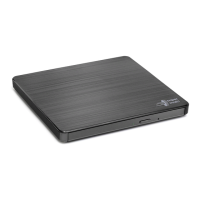
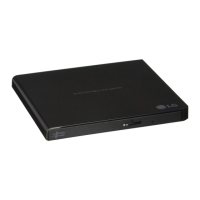
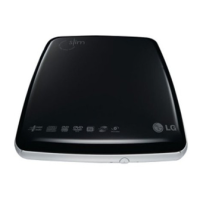
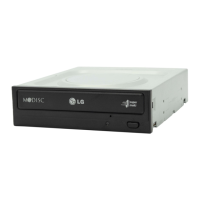
The LG Super Multi DVD Rewriter is an internal optical disc drive designed for personal computers, offering comprehensive read and write capabilities across various CD and DVD formats. This device allows users to enjoy, create, and manage their digital media, supporting a wide range of discs including CD-R/RW, DVD-R/RW, DVD-R DL, DVD+R/RW, DVD+R DL, and DVD-RAM. Its versatility makes it a central component for data backup, software installation, multimedia playback, and disc burning tasks.
The drive connects to the computer's motherboard via a Serial ATA (SATA) interface, ensuring fast data transfer rates and easy integration into modern PC systems. For power, it utilizes a standard +5V/+12V power socket. The physical installation requires a 12.34 cm (5.25-inch) half-height drive bay, a common size in most desktop computer cases. The installation process involves removing the computer cover, securing the drive into an available bay, and connecting both the SATA data cable and the SATA power cable. Users are advised to consult their PC's hardware manual for specific instructions, as computer configurations can vary. Care should be taken to avoid applying excessive pressure to internal cables and to ensure proper cable orientation to prevent damage and voiding the warranty.
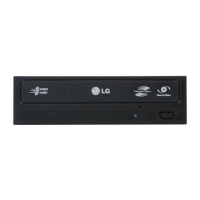
One of the key usage features of this Super Multi DVD Rewriter is its support for power tray loading and ejection of discs. This mechanism provides a smooth and convenient way to insert and remove media. In the event of a power outage or drive malfunction, an emergency eject hole is provided on the front panel, allowing manual disc removal using a fine-tipped object like a straightened paper clip. This feature is intended for emergency use only, as excessive use may lead to malfunction. The drive also includes a drive activity indicator light on the front panel, which illuminates to show when the drive is actively reading or writing data.
The device incorporates automatic buffer underrun error prevention technology, which is crucial for reliable disc burning. This technology helps prevent errors that can occur when the data stream to the burner is interrupted, ensuring a higher success rate for creating discs. The drive also supports Region Playback Control Phase II, which is relevant for DVD-ROM disc playback. Users should be aware that certain MPEG decoder cards or software without regional code settings might prevent the drive from reading DVD-ROM discs. The drive allows for changing the regional code up to five times.
For optimal performance and to fully utilize the drive's capabilities, users are encouraged to install appropriate CD Recording Authoring Software. It is recommended to uninstall any previous CD burning software before installing new applications to prevent compatibility issues. Keeping the software updated by visiting the manufacturer's service website (www.lgservice.com) is also advised, as updates can resolve problems and improve functionality. The drive is designed to work seamlessly with Windows XP, Vista, and Windows 7, with native software drivers loading automatically upon system boot-up. If the drive is not recognized, users should check device manager settings and potentially update IDE controller drivers from their PC or motherboard manufacturer.
Maintenance and handling precautions are important for the longevity and proper functioning of the drive and the integrity of the data. Users should avoid placing the drive in environments with high humidity, high temperature, excessive dust, mechanical vibration, or direct sunlight. The drive should ideally be used in a horizontal or vertical position, not tilted. Sudden temperature changes should be avoided to prevent condensation, which can lead to abnormal operation. When moving the drive, it is essential to remove any disc inside to prevent damage and data loss. Foreign objects, especially liquids or metal, must be kept away from the drive. Interrupting the electric power while the drive is operating should also be avoided.
When handling discs, it is crucial not to attach stickers or labels, as this can cause read and write errors and potentially damage the disc. Only use undamaged, uncracked, and unwarped discs, as the drive operates at very high speeds, and damaged discs could shatter, harming the optical unit. Non-standard shaped discs, such as heart-shaped or business card-shaped discs, should not be used. To prevent disc damage, users should remove discs from the drive when not in use and store them in their original packaging, away from direct sunlight and heat sources.
The Super Multi DVD Rewriter is designed for use with UL listed personal computers that provide installation instructions for card cage accessories. It is not intended for use by young children or infirm persons without supervision. The manufacturer emphasizes that it does not offer warranty against data loss due to inappropriate installation, handling, or direct/indirect damages, and bears no responsibility for damages caused by product malfunction or data loss. Therefore, backing up important data is always recommended. Users should also be mindful of electrostatic discharge when handling internal components and consider using anti-static products.


 To Next Page

 General