20
DVD Micro Hi-Fi System ] USER GUIDE
USB DIRECT RECORDING
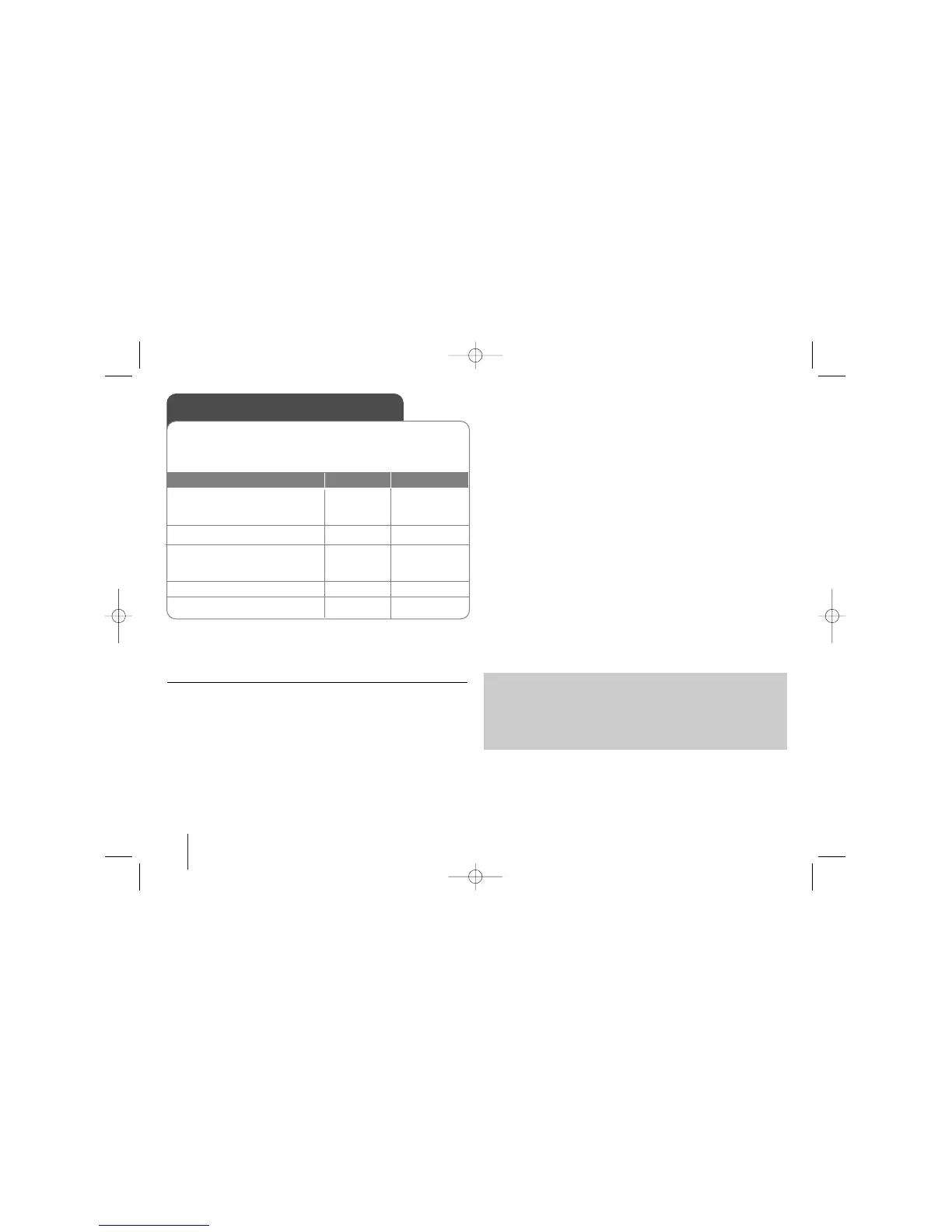
Record AUDIO CD source to USB
This function enable you to record music to a connected USB storage
device from Audio CD
1. Select the DVD/CD mode:
2. Select the track (file) :
3. Press Appears “USB REC”or
“TAPE REC” on the display win-
dow.
4. Selects “USB REC” :
5. To stop a Recording:
ON PLAYER
FUNC.
./>
USB Rec.
USB Rec.
xx
ON REMOTE
FUNCTION
./>
z/[]
z/[]
xx
STOP
NOTES :
- When you start the USB direct recording ,you can check the Recording
percentage rate for the USB record on the display window during the
recording.
- During the recording is no sound and not operate for volume .
- When you stop recording during playback ,the file that has been recorded
at that time will be stored
- If you disconnect the USB without STOP button while recording ,the file
can not delete in the PC.
- It is impossible to record from “ MIC IN”
- Playable USB REC. Bit rate : 96/128kbps (Refer to the SET UP page)
- During USB record can not operate Pause key for Audio CD only.
- Multicard reader device can not be use for USB record.
- USB port of the unit can not be connected to PC. The unit can not be
used as a storage device.
- If the USB can not record appears “NO USB”.“ERROR”,“USB FULL” ,
“NO REC” on the display window.
- File will be stored to CD_REC folder in a format “TRK-001.mp3”.
- In the state CD-G ,USB direct Recording is not operated.
- If you record more 999 files on CD_REC folder appears “ERROR” on the
display.
- New files are numbered in numeric sequence. if the total number of the
files are more than 999, delete some or store some in PC.
- External HDD,Card reader, Locked device and MP3 player is not support-
ed.
The making of unauthorized copies of copy-protected material, including
computer programs, files, broadcasts and sound recordings, may be an
infringement of copyrights and constitute a criminal offence.
This equipment should not be used for such purposes.
Be responsible
Respect copyrights
USB Direct Recording - more you can do
Record AUDIO CD source to USB
One track recording : If the usb recording is played during playback of
the cd, the only track would be recording into the USB
All track recording: If the usb REC button is pressed at the CD stop, all
track would be recording.
Program list recording: USB Records after selecting the tracks pressing
the PROG./MEMO. button if you want to record the track you want.


 To Next Page