6
DVD Micro Hi-Fi System ] USER GUIDE
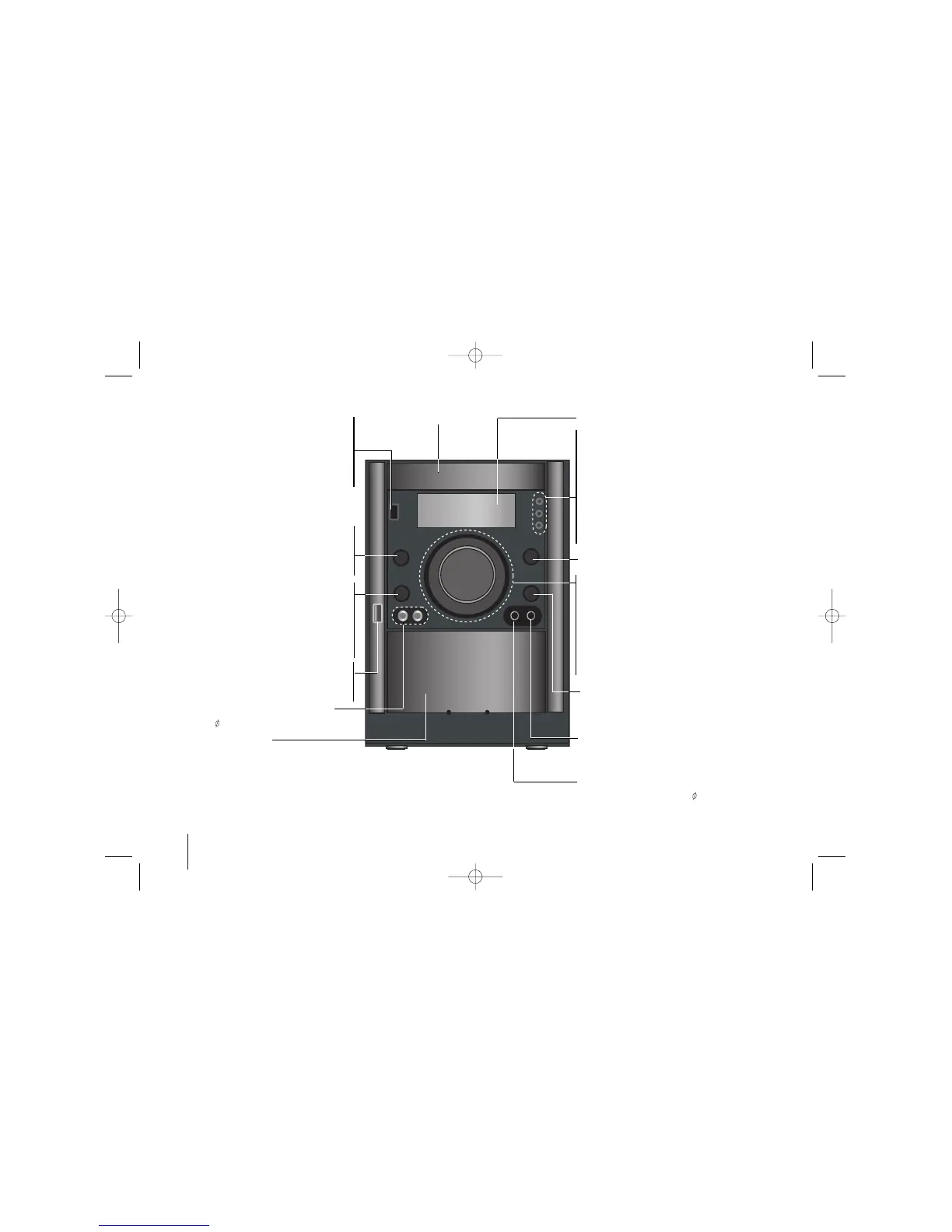
Main unit
POWER
You can set up the unit into an economic
power save mode. In the power-on status,
press and hold 1/] (POWER) for about 3
seconds. To cancel power save mode, press
1/] (POWER).
Headphone jack
Connect a headphone plug ( 3.5 mm) into the
jack to listen to the sound through head-
phones (not supplied).
USB Rec. /DEMO
USB Record (Page 20)/TAPE Record
(Page18)
Press DEMO in power off state to demon-
strate the function on display window. To can-
cel it, press
11
/
]]
or USB Rec./ DEMO again.
Disc tray
VOLUME Adjustment
Moves the volume control knob with your finger to
right or left .
• TUN.(-/+) - AUTO TUNING -TUNER/ REWIND or
FAST FORWARD (
..
or
>>
) -TAPE/ SKIP or
SCAN (
..
or
>>
) buttons -CD
FORWARD / REVERSE PLAY (
BB
) -TAPE
BB
PLAY or X1.5 play- CD (Page 14)
x STOP button
USB connector
Connect a remote USB compatible player
here.
PORT. IN For connecting a portable device
and playing it through the system’s speaker
PUSH EJECT- TAPE
XDSS Plus (
MP3 Optimizer)
Reinforce the treble, bass and surround
effect,XDSS ON will show in the display,press
again for NORMAL (Page 13)
MIC1/MIC2 Connect the microphone
- Optional
( 3.5 mm)
Display window
• TIMER
• CLOCK
• SET confirms the time you have selected when
setting the clock.
- CD]] CD PAUSE
- RDS (OPTIONAL) shows information about radio
stations. (see listening to the radio)
- CD SYNC. CD to Tape Synchronized Recording
- REVERSE MODE Scroll through a selection of
cassette playing options.
Z OPEN/CLOSE
FUNC.
To select the Functions press
FUNC..
(DVD/CD
→
USB
→
TV-- AUDIO (Optional)
→
PORTABLE
→
TAPE
→
FM
→
AM)


 To Next Page