4
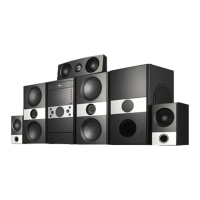
DVD Micro Hi-Fi System ] USER GUIDE
4
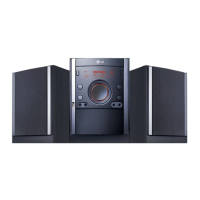
Welcome to your new DVD Micro Hi-Fi System
Contents
Safety Precaution . . . . . . . . . . . . . . . . . . .2
Types of Playable Discs . . . . . . . . . . . . . .3
Setting up . . . . . . . . . . . . . . . . . . . . . . . . .5
Main Unit . . . . . . . . . . . . . . . . . . . . . . . . .6
Hooking up the unit -I . . . . . . . . . . . . . . . .7
Hooking up the unit -II (Optional) . . . . . . . .8
Remote control . . . . . . . . . . . . . . . . . . . . .9
OSD Initial language setting (Optional) . .10
Initial Setting the Area Code (Optional) . .10
Adjust the setting . . . . . . . . . . . . . . . .10-11
Displaying Disc Information . . . . . . . . . . .12
Setting the clock . . . . . . . . . . . . . . . . . . .12
Use your player as an alarm clock . . .12-13
Setting the sound mode . . . . . . . . . . . . . .13
Playing a Disc . . . . . . . . . . . . . . . . . . . . .14
Playing a DivX Movie file . . . . . . . . . . . . .15
Listening to Audio CD,MP3 or WMA files . .15-16
Viewing photo files . . . . . . . . . . . . .16-17
Listening to the radio . . . . . . . . . . . . . . . .17
Listening to the cassette tapes . . . . . . . .18
Tape recording . . . . . . . . . . . . . . . . . . . .18
CD Synchronized Recording . . . . . . . . . .19
Listening to music from your portable
player . . . . . . . . . . . . . . . . . . . . . . . . . . .19
Connecting your portable USB player . . . . .19
USB DIRECT RECORDING . . . . . . . . . . . .20
Language Codes . . . . . . . . . . . . . . . . . . . .21
Area Codes . . . . . . . . . . . . . . . . . . . . . . . .21
Troubleshooting . . . . . . . . . . . . . . . . . . . . .22
Specifications . . . . . . . . . . . . . . . . . . . . . . .23
Power Save Mode
You can set up the unit into an economic power save mode.
In power-on status, press and hold 1/] (POWER) button for about 3
seconds.
- Nothing is displayed in the display window when the unit is turned off.
To cancel, press 1/] (POWER) , CLOCK, TIMER or USBRec./DEMO.


 To Next Page