36
4 - SETTING THE OPERATING PARAMETERS
By simultaneously pressing the “+” and “-” buttons the increase Step value is set.
The increase value will alternatively change from 0.1 to 1.0.
By holding pressed the “X” button for 3 seconds, the minimum value that the
parameter can take is set.
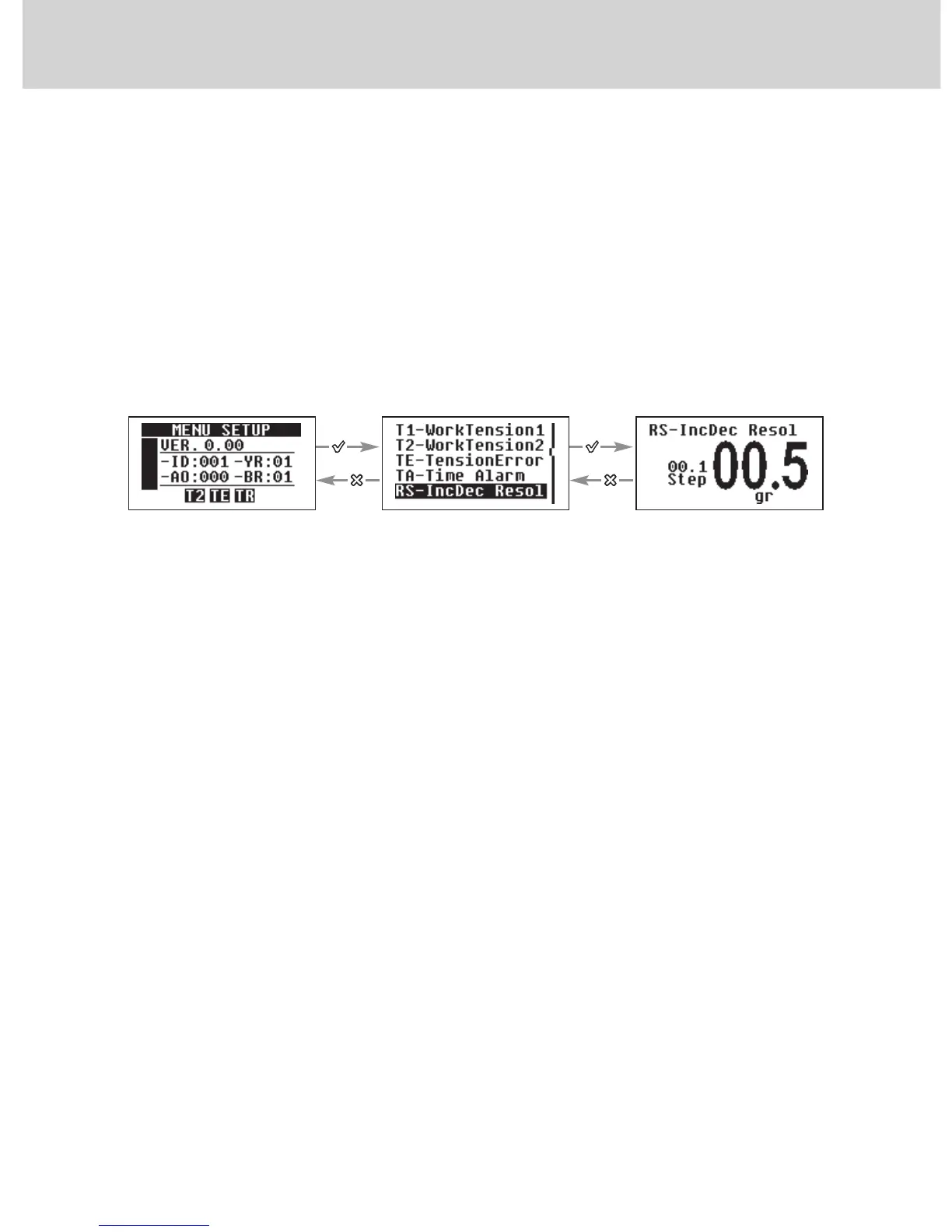
4.2.5 “RS-IncDec Resol”
This is the tension value by which the reference tension is increased / decreased
every time the “INC” / ”DEC” signal is ON.
Note:
The INC and DEC pulse time shall be at least greater than 10ms.
Typically, when parameter “AO-Advanced Options” is set to the default value,
the accumulated increases/decreases are zeroed upon passing from T1 to
T2. However, by enabling/inhibiting the related option in “AO-Advanced
Options”, this feature (increase/decrease zeroing mode) can be changed.
The accumulated increases/decreases are always zeroed upon powering off
both the device Hardware and Software (see chapter 5). By simultaneously
pressing the “+” and “-” buttons the increase Step value is set.
The increase value will alternatively change from 0.1 to 1.0.
This value can be set from 0.1 gr up to 25 gr.
The default setting of this value is 0.1 gr.
By holding pressed the “X” button for 3 seconds, the minimum value that the
parameter can take is set.
Use + or - to set the
desired value
Scroll the parameters by
using + or -


 To Next Page