35
4 - SETTING THE OPERATING PARAMETERS
On the contrary, if parameter “TA-Time Alarm” is set to “OFF”, the icon will
not show up in the “SETUP MENU” and the Tension Error alarm will NEVER
be actuated.
Typically, when parameter “AO-Advanced Options” is set to the alarm default
value, TE is only actuated when you work with T1, not with T2. However,
by enabling/inhibiting the related options in “AO-Advanced Options”, you can
change its operation (actuation and alarm reset modes).
Examples:
− if the reference tension is set to 4 gr and TE is set to 0.5 gr, the alarm will
be actuated, after the “TA-Ti me Alarm” delay, with tension values greater
than 4.6 gr or smaller than 3.4 gr.
− If the reference tension is set to 1 gr and TE is set to 2 gr, the alarm will
be actuated, after the “TA-Time Alarm” delay, with tension values greater
than 3.1 gr or smaller than 0.4 gr.
The value can be set from 0.1 gr up to 50 gr.
By default, this value is set to 1 gr.
By simultaneously pressing the “+” and “-” buttons the increase Step value is
set. The increase value will alternatively change from 0.1 to 1.0.
By holding pressed the “X” button for 3 seconds, the minimum value that the
parameter can take is set.
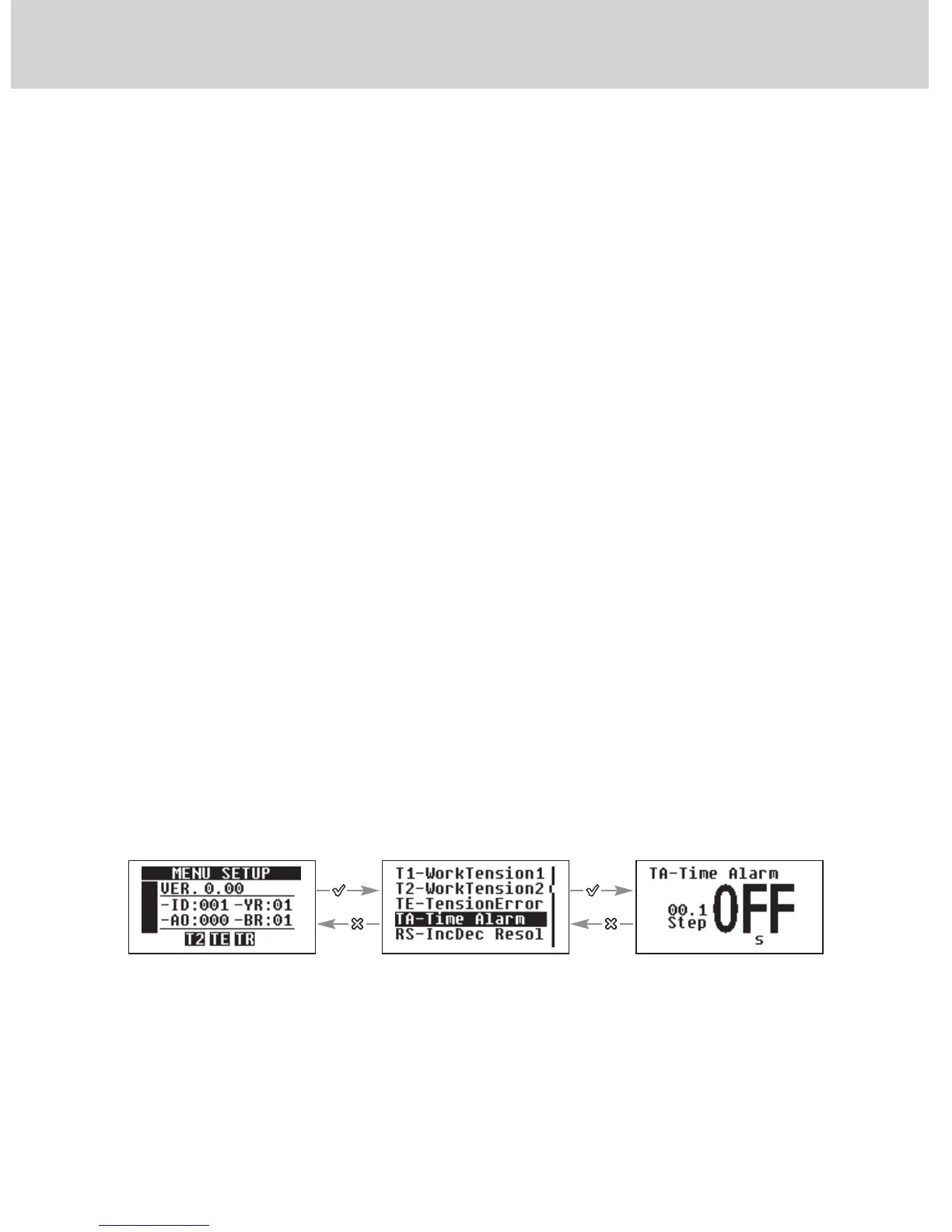
4.2.4 “TA-Time Alarm”
This is the minimum time during which the yarn tension must exceed the
limits set by “TE” (see previous paragraph) in order to actuate the “Error
Tension” alarm.
If the yarn tension exceeds the admitted limit values (set tension + or - TE
value) for a time shorter than the TA setting, the “Error Tension” alarm will
NOT be actuated.
The default setting of this value is “OFF”.
Use + or - to set the
desired value
Scroll the parameters by
using + or -


 To Next Page