40
4 - SETTING THE OPERATING PARAMETERS
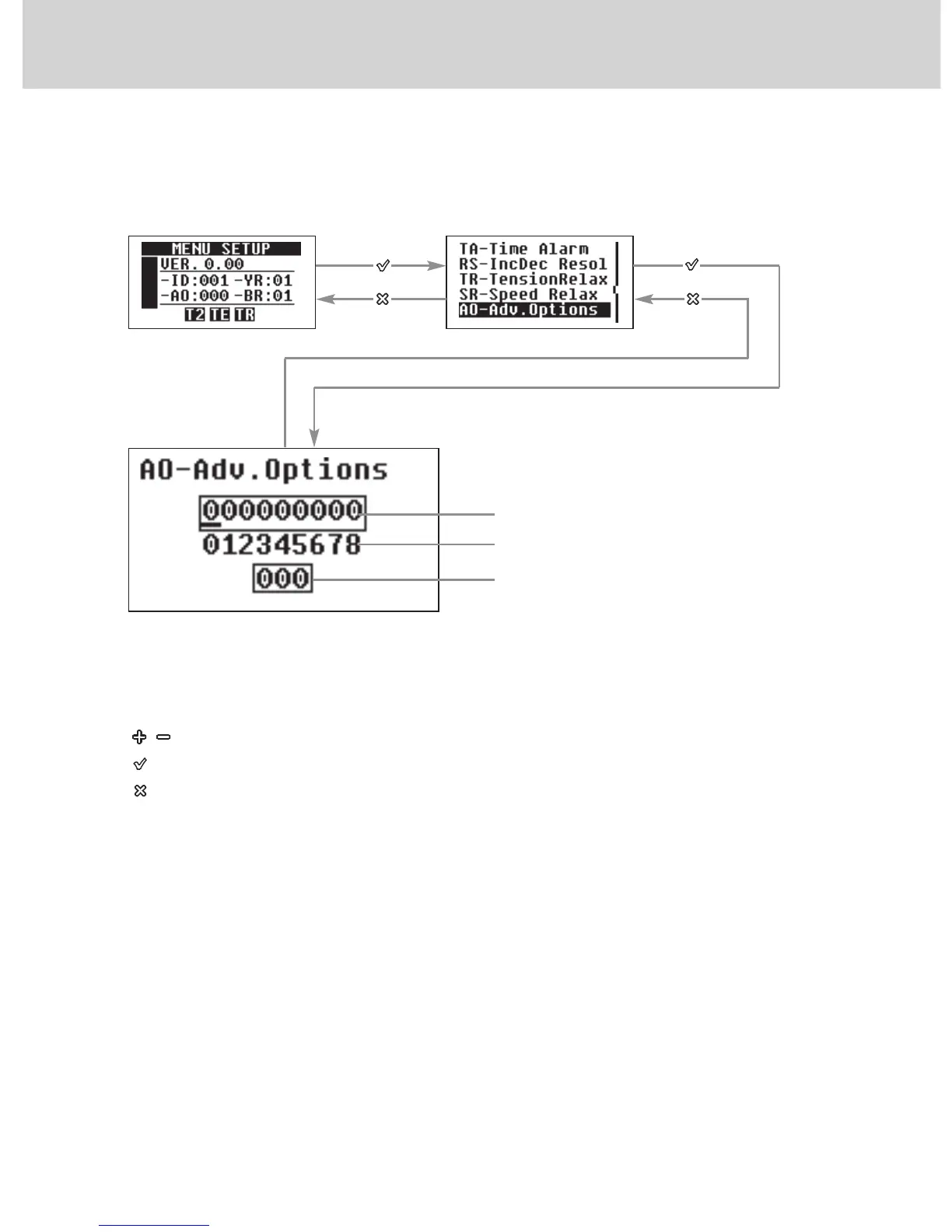
4.2.9 “AO-Adv.Options” (Advanced Options)
This parameter provides 8 programmable switches (0-1).
Commands:
To move the cursor among the switches.
To toggle the switch state (0 to 1 or 1 to 0).
To confirm the selection displayed and go back to the previous page.
Quick mode to load default options:
Hold pressed the “X” button for about 3 seconds to zeroes all options (default
value).
N.B: When the devices are managed from the Pocket unit or from the
KYC unit, the value of “AO-Adv.Options” shall be written in hexadeci-
mal characters.
E.g.: If I want to set DS1, I need to write 128 in the programming se-
quence code (the corresponding hexadecimal number).
Scroll the parameters by
using + or -
Programmable switches
Switch number
Programming sequence
code



 To Next Page