49
This menu is used to perform the zero (or Offset) calibration of the mea-
suring cell.
Depending on the position the SPIN has on the machine, the ZERO point of
the measuring cell may vary due to the actual weight of the cell. To reset the
cell weight, the zero calibration needs to be performed. The zero calibration
process is performed by positioning the SPIN in the desired required work
position, by removing the yarn or any other body possibly coming into con-
tact with the measuring cell and then pressing the “ √ ” button to actuate the
automatic zero calibration (or calibration offset) procedure.
N.B.: The Offset procedure can be simultaneously carried out on all of
the devices if they are linked to the “LGL Pocket” or the “LGL Connect”
in a serial connection, by setting the “Command” parameter to “1”.
WARNING!!!
Prior to performing the zero calibration, ensure that the SPIN is
temperature-stabilised with its surroundings. If necessary,
check temperature again and repeat the zero calibration proce-
dure 15 minutes after power-on, if it has just been removed from
its packing.
In cases when the device remains switched off for a long time (a few days)
and during that time the room temperature has undergone major changes
(changes greater than 8/10°C), it is good rule to switch on the device, let it
reach the required temperature for at least 20 minutes and then perform the
offset calibration procedure before starting the work cycle.
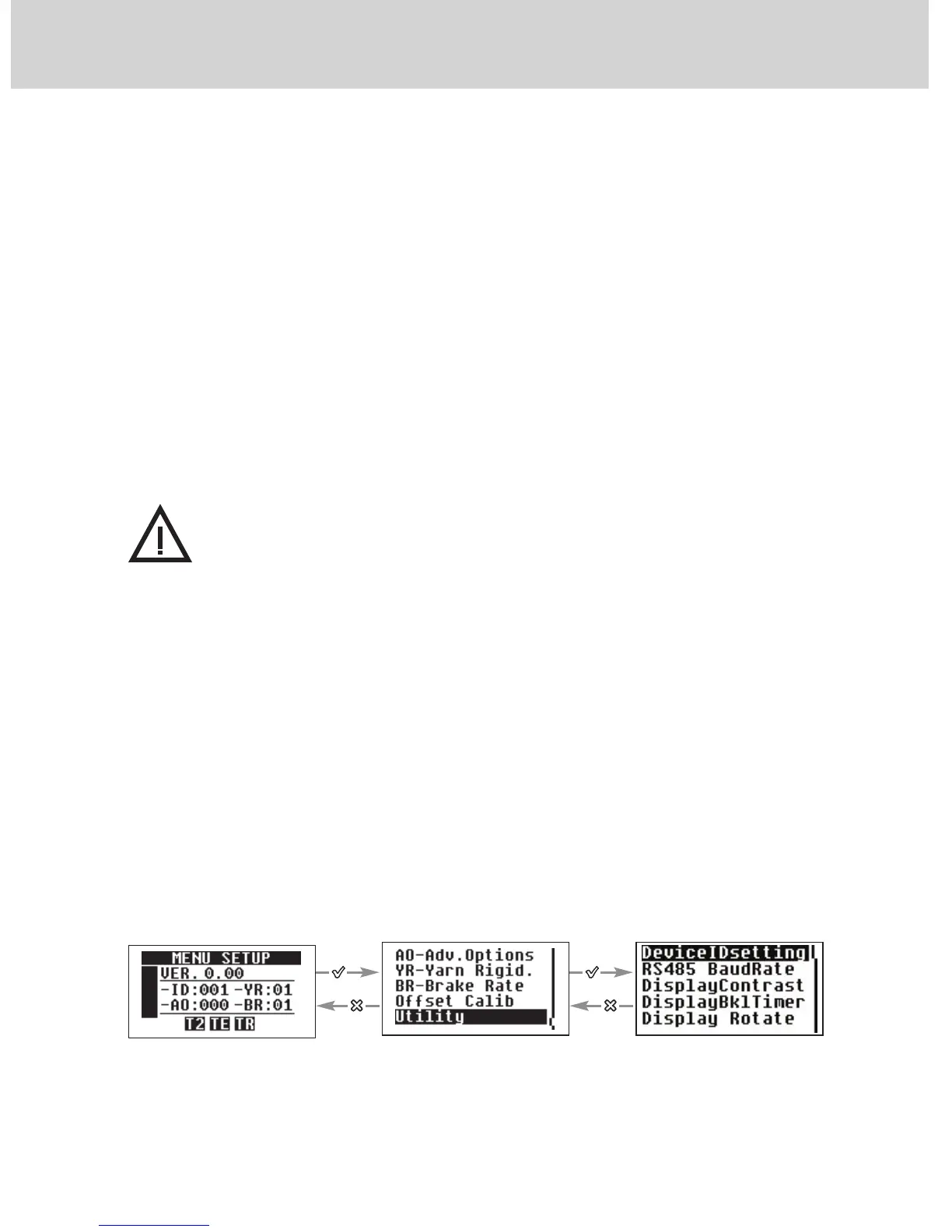
4.2.13 “Utility”
In the “Utility” submenu, a number of settings can be made in connection with
device management, as described in the following paragraphs.
4 - SETTING THE OPERATING PARAMETERS
Use + or - to set the de-
sired value and select by
pressing √
Scroll the parameters by
using + or -


 To Next Page