Leak Test
Follow these steps to perform the leak test:
1
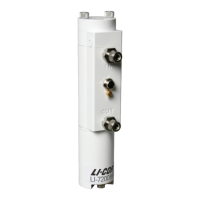
Attach the sensor head to the Analyzer Control Unit.
2
Remove the tubing from the pressure inlet on the sensor head. It is attached to the small hose
barb between the Air IN and Air OUT ports.
3
Cut a short length (6” or so) of 1/16” I.D. tygon tubing.
There is a length of tubing in the spares kit (part number 222-09579). Attach this
short length of tubing to the pressure inlet hose barb on the sensor head.
4
Connect the instrument to your computer with the Ethernet cable.
Open the LI-7200/RS PC software and Connect to the instrument.
5
Display Head Pressure (kPa)in the software dashboard.
To change the variable displayed in the main data windows, click on the data value
and select Head Pressure (kPa) from the list.
6
Gently blow into the length of tubing connected to the pressure inlet.
You should see a negative pressure displayed at Head Pressure in the dashboard.
Alternatively, if you inhale, you should see a positive pressure. You can also push or
pull air through the tubing using a syringe.
7
Observe the Head Pressure reading over about 5 seconds.
If the reading changes by an integer or more during this time (e.g. from -10.625 to
-9.625), the sensor head may have a leak. Disassemble the sensor head optical
bench and make sure the o-rings are seated properly. Repeat the leak test until the
reading is stable within one integer over 5 seconds.
8
Zero and span the instrument as described in User Calibration on page4-1.
Software Updates for Gas Analyzers
We recommend running the most current software at all times, including both the
embedded instrument software for the LI-7500A/RS or LI-7200/RS and the GHG
Windows interface software. Check the installed version of the embedded analyzer
software by clicking the Diagnostics tab at the top of the GHG Windows Interface
software.
You can view the latest version numbers and acquire the software from the LI-COR
web site: www.licor.com/env/support.
Section 5. Maintenance
5-11Leak Test


 To Next Page
 Loading...










