Configure the Heated Intake Tube
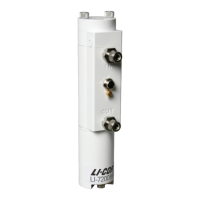
If you are using the Heated Intake Tube, configure the power setpoint. Click the
LI-7200/RS menu and select Intake Tube... and set the power setpoint.
l Status: Indicates whether the heated intake tube is detected [OK, Unknown, or
None].
l Board temperature (C): Temperature measured on the heated intake tube circuit
board.
l Voltage input (V): Voltage measured at the heated intake tube.
l Power setpoint (Watts): Desired power to be delivered to the heated intake
tube. Typically 4 W. In tropical and other extremely humid environments, use 6
W. A setting as low as 0.5 W can prevent condensation in the tube, but 4 W
will improve frequency response.
l Show advanced options: Use this if you need to upload new firmware to the
heated intake tube.
Entering LI-7700 Information
An LI-7700 Open Path CH
4
Analyzer can be connected directly to the LI-7550 Ana-
lyzer Interface Unit or to a network switch. This enables you to log LI-7700 data in
the same dataset collected by the CO
2
/H
2
O analyzer.
Section 3. Operation
3-33Configure the Heated Intake Tube


 To Next Page
 Loading...










