EasyManua.ls Logo

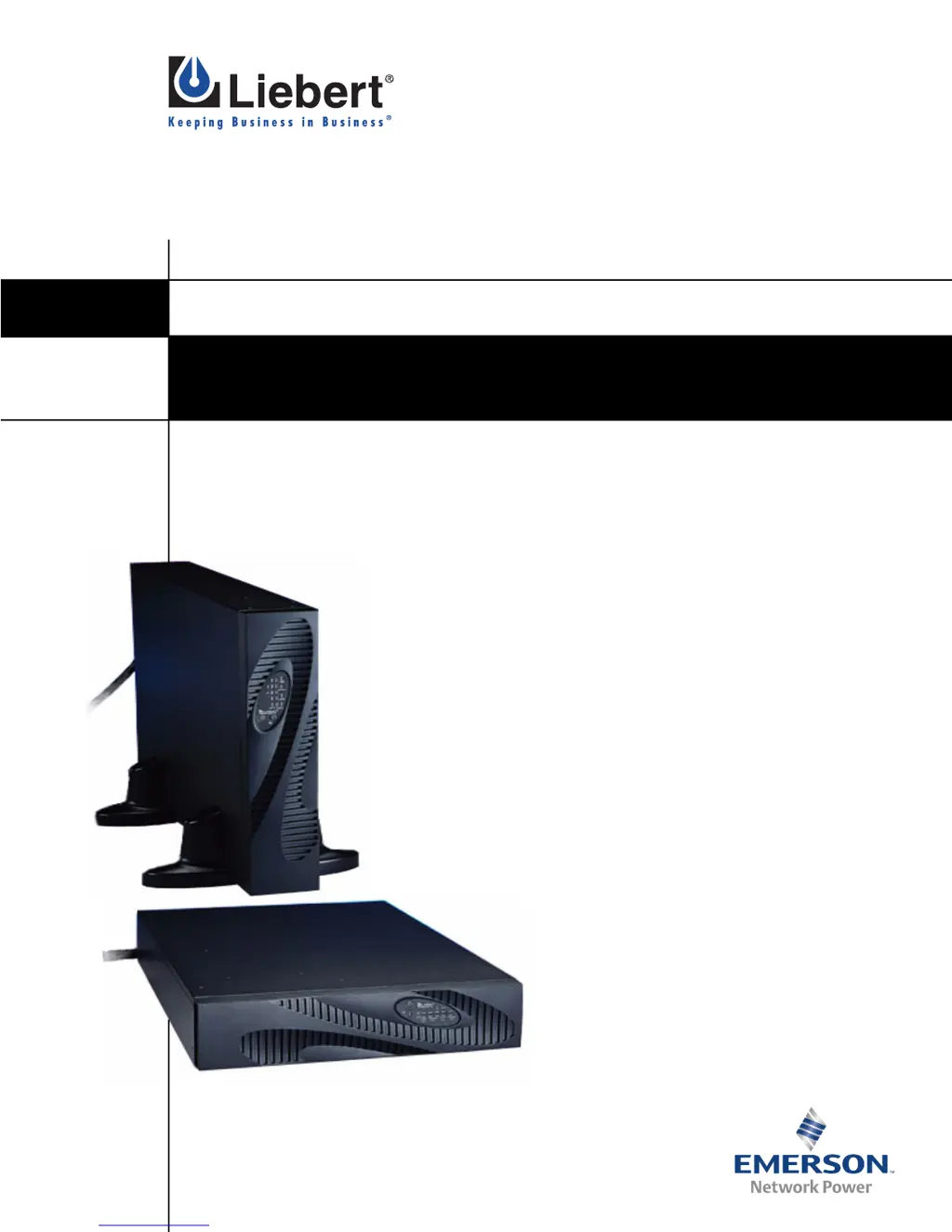
Liebert PowerSure PSI - User Manual

Liebert PowerSure PSI
38 pages
Print Icon
To Next Page IconTo Next Page
Loading...
POWER AVAILABILITY
PowerSure PSI™
USER MANUAL
1000 - 3000VA
120V

Table of Contents

Questions and Answers

  • E
    Erin WolfAug 16, 2025
    What to do if my Liebert PowerSure PSI UPS shuts down due to overload?
    • P
      Paul GonzalesAug 16, 2025
      If your Liebert UPS shuts down and all Load Level Indicators are illuminated with a continuous beep, it means the load has exceeded the UPS capacity (110%). Check the load level display and remove non-essential loads. Recalculate the load and reduce the number of devices connected to the UPS, ensuring that the total wattage of your equipment does not exceed the UPS capacity.
  • S
    Scott McguireAug 19, 2025
    Why my Liebert UPS starts on battery but won't switch to AC?
    • B
      bobbycooperSep 12, 2025
      If your Liebert UPS starts on battery but doesn't switch to AC power, make sure the power cord is securely plugged in. Also, check if the circuit protector has tripped and reset it if necessary. The issue could also be due to input voltage being below threshold or AC overvoltage. In such cases, wait until the voltage rises or lowers to an appropriate level, or have the utility power checked by a qualified electrician.
  • J
    Janice MillsAug 21, 2025
    What to do if my Liebert PowerSure PSI UPS shuts down due to overheating?
    • L
      lynn60Aug 22, 2025
      If your Liebert UPS shuts down accompanied by the Over Temp Indicator lit and a continuous beep, it indicates an over-temperature shutdown. Ensure that the UPS is operating within the temperature range of 32°F to 104°F (0°C to 40°C) and has adequate ventilation.
  • S
    Sarah TorresAug 25, 2025
    Why is the battery indicator amber on my Liebert UPS?
    • M
      Melissa KnightAug 26, 2025
      If the Battery Indicator on your Liebert UPS is illuminated amber and you hear a long beep every minute, it means the UPS has failed the battery test, the batteries are weak, or the batteries need to be replaced. Try initiating the battery test again or recharge the batteries. If the problem persists, replace the batteries.
  • T
    Tammy HooverAug 28, 2025
    How to troubleshoot a Liebert PowerSure PSI that will not start?
    • C
      Christopher StevensonAug 28, 2025
      If your Liebert UPS will not start, it could be due to a short circuit or a disconnected/completely discharged battery. Check the circuit protector on the rear of the UPS and reset it if it's tripped. Also, check for proper connection of the battery or batteries.
  • M
    Mark ThomasAug 31, 2025
    What does it mean when the AC input is flashing on my Liebert UPS?
    • R
      rachel84Aug 31, 2025
      If the AC Input is flashing on your Liebert UPS, it means the UPS has detected a site wiring fault, such as a line-to-neutral reversal or a loss of proper grounding. Have the utility checked by a qualified electrician.
  • A
    Alexis AlvarezSep 2, 2025
    Why is the over temp indicator flashing on my Liebert UPS?
    • D
      Devin BoothSep 2, 2025
      If the Over Temp Indicator is flashing on your Liebert UPS and you hear a beep every half second, it indicates an over-temperature warning. Make sure that the UPS is operating in 32°F to 104°F (0°C to 40°C) and that it has adequate ventilation.
  • T
    Tiffany WilliamsSep 5, 2025
    What to do if all battery level indicators are flashing on my Liebert PowerSure PSI UPS?
    • J
      Jason WhiteheadSep 5, 2025
      If all Battery Level Indicators are flashing on your Liebert UPS, it means the UPS is unable to perform a manual or remote battery test. Check the battery connections, completely power down, and restart the UPS. If the battery circuit opens while the UPS is running, it will be detected when the next battery test is performed.
  • J
    Justin GatesSep 8, 2025
    What does it mean when the fault indicator is lit on my Liebert UPS but it's still on?
    • F
      fwardSep 8, 2025
      If the Fault Indicator is lit on your Liebert UPS but the UPS is on, it indicates a fault warning. Reset the UPS.
  • J
    James HamiltonSep 12, 2025
    Why did my Liebert PowerSure PSI shut down after receiving a command from the communication port?
    • D
      Dennis GomezSep 12, 2025
      If your Liebert UPS shuts down due to a command from the communications port(s) and the Load Level 0-25% Indicator is illuminated, it means your UPS has received a signal or command from the attached computer. If this was inadvertent, ensure the communication cable used is correct for your system. For assistance, contact your local dealer, Liebert representative or the Liebert Worldwide Support Group.

Summary

IMPORTANT SAFETY INSTRUCTIONS

Safety Precautions

Essential safety guidelines for operating and installing the UPS to prevent hazards.

Conditions of Use

Guidelines for proper operating environment, load limits, and placement of equipment.

CAUTION BATTERY HANDLING PRECAUTIONS

FCC Compliance Note

Information regarding FCC compliance and radio frequency interference.

GLOSSARY OF SYMBOLS

INTRODUCTION

Product Overview

Introduction to the Liebert PowerSure PSI UPS, its features, and benefits.

Front Panel Controls and Indicators

Overview of status indicators, buttons, and controls on the front panel.

MAJOR COMPONENTS

Surge and Interference Filters

Components that protect against power surges and interference.

Relay Function

Function of the relay in passing AC power or switching to battery.

Automatic Voltage Regulator (AVR)

How the AVR compensates for voltage fluctuations.

Battery Charger Operation

Function of the battery charger in maintaining battery charge.

Battery Type and Maintenance

Details on the valve-regulated, nonspillable, lead acid batteries used.

Model-Specific Converters and Inverters

Operation of converters and inverters for specific models.

WHATS INCLUDED

INSTALLATION

Installation Preparation

Steps for inspecting and preparing the UPS for installation.

Tower Configuration Installation

Instructions for setting up the UPS in a tower configuration.

Rack-Mount Installation

Steps for converting and installing the UPS in a rack.

Rack Rail and Slide Assembly

Details on attaching and using rack mounting rails and slide assemblies.

Power Connection and Startup

Steps for connecting the UPS power cord and powering on the unit.

Data Line Protection

Protection for phone, fax, DSL, and modem lines.

Communication Interface Options

Overview of different communication methods available for the UPS.

REPO Switch Functionality

Information about the Remote Emergency Power Off (REPO) switch.

External Battery Cabinet Installation

Connecting External Batteries

Procedure for connecting external battery cabinets to the UPS.

CONTROLS AND INDICATORS

ON;Alarm Silence;Battery Test Button

Functions and operation of the ON/Alarm Silence/Battery Test button.

OFF Button Operation

How to use the OFF button to shut down the UPS.

Voltage Programming Control

Using the button to select nominal utility voltage settings.

Load Level Indicators

Explanation of the indicators showing electrical load levels.

Battery Level Indicators

Understanding the indicators for approximate battery capacity.

Input and Status Indicators

Meaning of AC Input, Buck/Boost, and Battery indicators.

Over Temp and Fault Indicators

Meaning of the Over Temp and Fault indicators for warnings and errors.

MODES OF OPERATION

Normal Operation Mode

How the UPS operates in normal utility power conditions.

Buck;Boost Operation Mode

Operation when compensating for voltage sags or surges.

Battery Operation Mode

How the UPS operates when on battery power.

Battery Recharge Process

Process of the UPS recharging its batteries after power restoration.

COMMUNICATIONS

DB-9 Serial Communication

Details on the DB-9 connector for status communication and remote shutdown.

DB-9 Shutdown Pin Configurations

Specific DB-9 pin configurations for different shutdown modes.

USB Communication Port

Using the USB port for UPS communication and management.

Data Line Surge Protection

Protection for phone, fax, DSL, and modem lines.

Intellislot Intelligent Communications

Overview of Intellislot port and advanced communication options.

VOLTAGE PROGRAMMING PROCEDURE

Using Load Indicators for Voltage Selection

Using load level indicators to select voltage settings during programming.

Voltage Setting Options

Table detailing input and output voltage settings for programming.

MAINTENANCE

UPS Cleaning Procedures

Guidelines for cleaning the UPS unit.

Battery Health Maintenance

Best practices for maintaining battery health and lifespan.

Battery Replacement Safety

Safety precautions and procedures for replacing UPS batteries.

Internal Battery Replacement Steps

Step-by-step guide for replacing internal UPS batteries.

TROUBLESHOOTING

Status Indicators for Diagnostics

Explanation of diagnostic indicators for troubleshooting UPS issues.

Troubleshooting Common Problems

Guide to identifying and resolving common UPS problems.

Troubleshooting: UPS Will Not Start

Causes and solutions for the UPS failing to start.

Troubleshooting: Battery to AC Switch Failure

Troubleshooting steps for issues with switching to AC power.

Troubleshooting: UPS Shutdowns

Diagnosing and resolving UPS shutdown events.

Troubleshooting: Flashing AC Input

Meaning and resolution for a flashing AC Input indicator.

Troubleshooting: Flashing Battery Indicators

Troubleshooting when all battery indicators are flashing.

Troubleshooting: Amber Battery Indicator

Interpreting an amber battery indicator and associated alarms.

Troubleshooting: Flashing Over Temp Indicator

Resolving issues indicated by a flashing Over Temp indicator.

Troubleshooting: Fault Indicator Lit

Troubleshooting when the Fault indicator is lit and UPS is on.

SPECIFICATIONS

General UPS Specifications

Detailed technical specifications for different PowerSure PSI models.

Environmental Operating Conditions

Operating and storage environmental requirements for the UPS.

Battery Cabinet Specifications

Technical specifications for compatible external battery cabinets.

Battery Run Time Data

Table showing battery run times at various loads and configurations.

Product Warranty Registration

Technical Support and Service Information

Liebert Website and Monitoring Support

Liebert website for product information and monitoring system support.

UPS and Environmental Systems Support

Contact details for UPS and environmental systems technical support.

Global Support Locations

Contact addresses for Liebert offices in different regions.

Liebert PowerSure PSI Specifications

General IconGeneral
Frequency50/60 Hz
Battery TypeSealed Lead-Acid (SLA)
RuntimeVaries by model and load
Form FactorTower
DimensionsVaries by model
WeightVaries by model
Efficiency>95%
Communication PortsUSB
Operating Temperature0°C to 40°C

Related product manuals