EasyManua.ls Logo

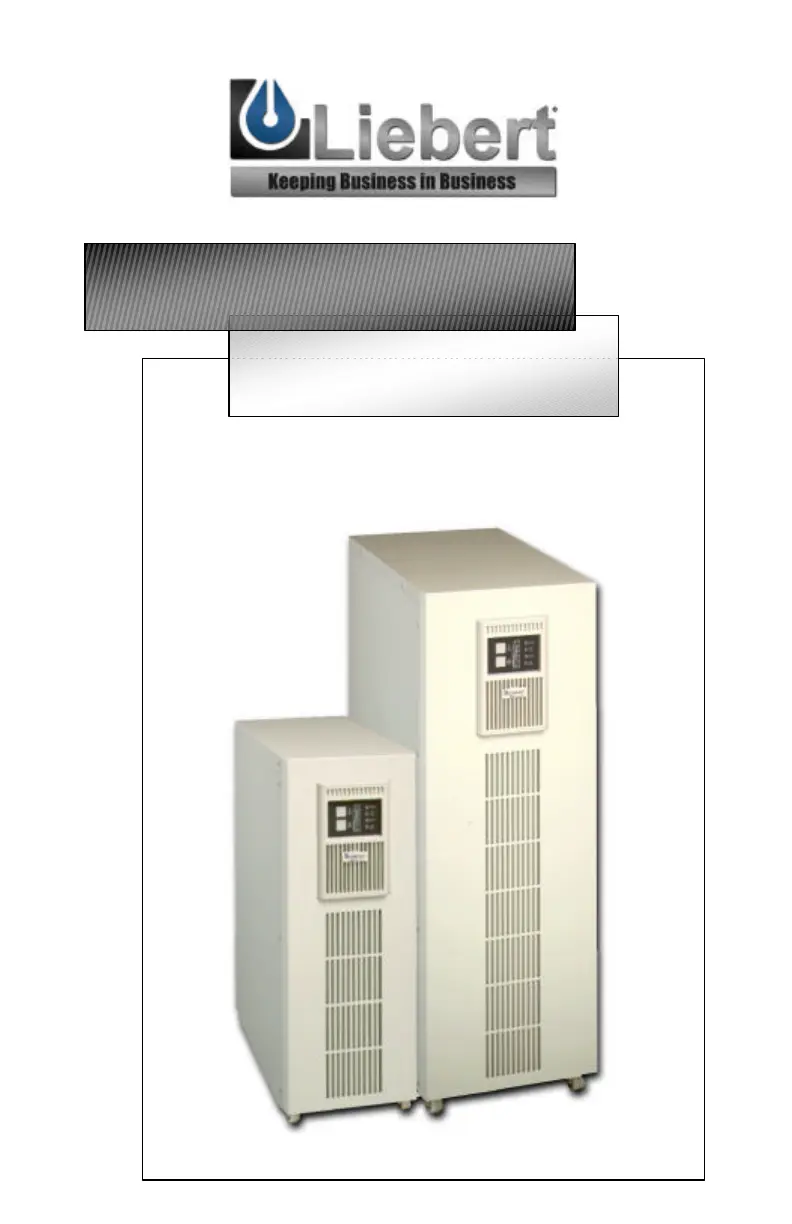
Liebert UPS - User Manual

Liebert UPS
37 pages
Print Icon
To Next Page IconTo Next Page
Loading...
USER M
ANUAL
English
6 & 10 kVA
208V & 240V
UPStation GXT™

Questions and Answers

  • M
    Michael HaleJul 25, 2025
    Why does my Liebert have reduced battery time?
    • M
      Michael AdamsJul 26, 2025
      There are several reasons why your Liebert UPS might have reduced battery time. It could be that the batteries are not fully charged; in this case, apply input voltage for at least 24 hours to recharge them. The UPS might be overloaded, so check the load level display and reduce the load. Finally, the batteries may not be able to hold a full charge due to age.
  • K
    knightkylieAug 4, 2025
    What to do if the battery indicator is illuminated on my Liebert UPS?
    • A
      Adriana ClarkeAug 5, 2025
      If the battery indicator is illuminated on your Liebert UPS, it means the UPS is operating from battery mode. First, ensure the UPS is securely connected to the power source. If the input protection has opened, save your data, close applications, replace the UPS input fuse or reset the input breaker, and then restart the UPS. Also, check that the utility supply voltage is within acceptable limits for the UPS.
  • S
    Sheila CollinsAug 15, 2025
    How to fix a Liebert that fails to start?
    • T
      tayloranthonyAug 16, 2025
      If your Liebert UPS fails to start when you press the power button, it could be due to several reasons. First, ensure the UPS is off, disconnect all loads, and make sure nothing is lodged in the output terminal block. Also, ensure that the loads are not defective or shorted internally. Another cause may be that the breaker is not closed or has tripped; in this case, close the breaker or remove the overload.

Summary

Key Safety Instructions

General Safety Precautions

Essential safety guidelines for operating and installing the UPS unit.

Major UPS Components

UPS Installation Guide

Electrical Installation Considerations

Technical guidance for wiring and electrical setup of the UPS.

Electrical Connections

Details on connecting input, output, and battery cables.

GXT6000 T;10000 T - 208 UPS Connections

GXT6000 T;10000 T - 208 X UPS Connections

GXT6000 T;10000 T - 240 X UPS Connections

Commissioning the UPS

Output Voltage Selector Switches

Details on selecting the desired output voltage for the UPS.

Controls and Indicators Overview

Front Panel Buttons

Functions of the UPS ON/Alarm Silence/Manual Battery Test and Output Off/Bypass buttons.

UPS Operating Modes

Normal Mode Operation (UPS Mode)

Describes UPS operation when utility power is available and stable.

Battery Mode Operation

Explains UPS operation during utility power failure.

Bypass Mode Operation

Details operation when the UPS bypasses utility power to the load.

Output Off Mode Operation

Describes the state where UPS output is disabled.

Manual Operation with Utility

UPS Communications

Communications Interface Port

Troubleshooting Guide

Audible Alarm Conditions

List of audible alarms and their corresponding causes.

Troubleshooting Problem;Cause;Solution

Table of common problems, causes, and solutions.

UPS Maintenance

UPS Specifications

Liebert UPS Specifications

General IconGeneral
BrandLiebert
ModelUPS
CategoryUPS
LanguageEnglish

Related product manuals