EasyManua.ls Logo

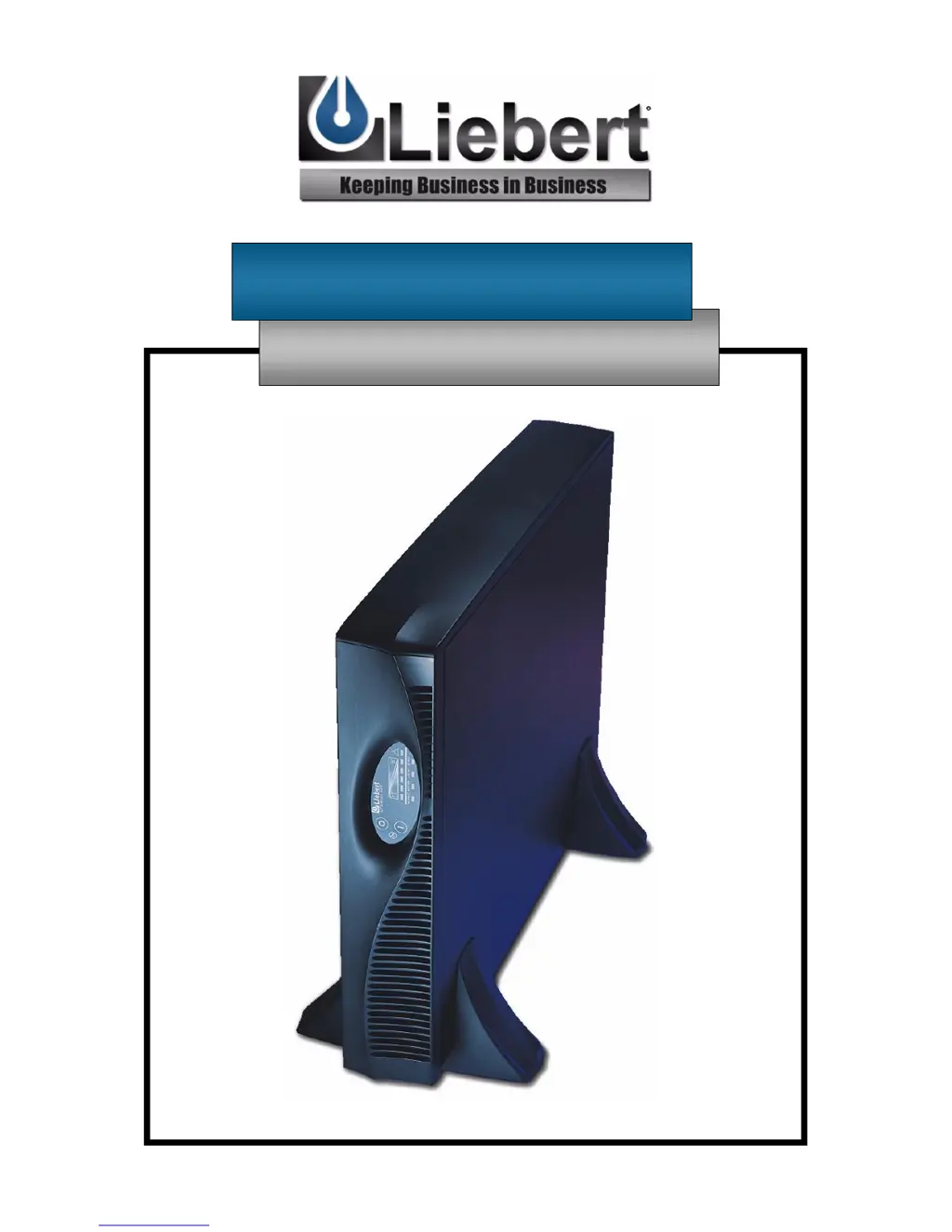
Liebert UPStation GXT 2U - User Manual

Liebert UPStation GXT 2U
41 pages
Print Icon
To Next Page IconTo Next Page
Loading...
UPStation GXT 2U
700 - 3000 VA 230V
User Manual
English

Questions and Answers

  • M
    melvin27Sep 23, 2025
    What does it mean when Fault, Bypass LEDs and diagnostic LEDs C and E are illuminated on Liebert UPStation GXT 2U?
    • C
      Cindy CarsonSep 23, 2025
      If the Fault and Bypass indicator LEDs and diagnostic LED C and E are illuminated on your Liebert UPS, it means the UPS shutdown due to a command from the communications port(s). Your UPS has received a signal or command from the attached computer. If this was inadvertent, ensure the communication cable used is correct for your system. For assistance, contact your local dealer, Liebert representative or the Liebert Worldwide Support Group.
  • B
    Brittney MunozAug 25, 2025
    What to do if my Liebert UPStation GXT 2U has reduced battery time?
    • D
      Daniel HamptonAug 25, 2025
      Reduced battery time in your Liebert UPS can be due to several reasons: * **Batteries are not fully charged:** Keep the UPS plugged in continuously for at least 24 hours to recharge the batteries. * **UPS is overloaded:** Check the load level display and reduce the load on the UPS. * **Old batteries:** Batteries may not be able to hold a full charge due to age.
  • R
    Richard BradleyAug 25, 2025
    What does it mean when the battery LED is flashing on my Liebert UPStation GXT 2U UPS?
    • S
      Samantha RobertsonAug 26, 2025
      If the battery LED is flashing on your Liebert UPS and there is a continuous horn, it means the battery source is not available. Check the battery connections, completely power down, and then restart the UPS. Note that if the battery circuit opens while the UPS is running, it will be detected when the next battery test is performed.
  • A
    Ashley WongAug 26, 2025
    Why does my Liebert UPStation GXT 2U have reduced battery time?
    • M
      morrisondebraAug 27, 2025
      If the Liebert UPS has reduced battery time, it could be due to several reasons. First, the batteries may not be fully charged. To resolve this, keep the UPS plugged in continuously for at least 24 hours to recharge the batteries. Second, the UPS might be overloaded, so check the load level display and reduce the load on the UPS. Finally, the batteries may not be able to hold a full charge due to age, in which case you should replace them.
  • E
    Emily RileyAug 27, 2025
    What does it mean when the fault and bypass indicator LEDs and all load level LEDs are illuminated on my Liebert UPS?
    • C
      Christine GoldenAug 27, 2025
      This indicates that the Liebert UPS is overloaded or the connected load equipment is faulty. Check the load level display and remove non-essential loads. Recalculate the load VA and reduce the number of loads connected to the UPS. Also, check the connected equipment for faults.
  • M
    Michael MatthewsSep 15, 2025
    What does it mean when the AC LED is flashing on my Liebert UPS?
    • A
      Antonio BrownSep 15, 2025
      If the AC LED is flashing on your Liebert UPS, it means the UPS has detected a line-to-neutral reversal or a loss of proper grounding. In this case, you should contact a qualified electrician to verify the site wiring.
  • T
    tanner94Sep 12, 2025
    How to fix a Liebert UPStation GXT 2U that fails to start?
    • C
      christopher51Sep 12, 2025
      If your Liebert UPS fails to start when you press the ON button, it might be short-circuited or overloaded. To fix this, ensure the UPS is OFF, disconnect all loads, and make sure nothing is lodged in the output receptacles. Also, ensure that the loads are not defective or shorted internally.
  • Y
    ycruzSep 14, 2025
    What to do if Fault and Bypass LEDs and all load level LEDs are illuminated on Liebert UPStation GXT 2U UPS?
    • R
      Robert ClarkSep 14, 2025
      If the Fault and Bypass indicator LEDs and all load level LEDs are illuminated on your Liebert UPS, it indicates that the UPS is overloaded or the load equipment is faulty. You should check the load level display and remove non-essential loads. Recalculate the load and reduce the number of loads connected to the UPS, and check the load equipment for faults.
  • E
    Emily SmithSep 5, 2025
    What does it mean if AC LED is flashing on Liebert UPS?
    • J
      Jacqueline GlennSep 5, 2025
      If the AC LED is flashing on your Liebert UPS, it means the UPS has detected a line-to-neutral reversal or a loss of proper grounding. In this case, contact a qualified electrician to verify the site wiring.
  • C
    Christopher SmithSep 2, 2025
    What to do if fault and bypass indicator LEDs and all load level LEDs are illuminated on Liebert UPStation GXT 2U?
    • W
      Walter MartinezSep 3, 2025
      If the fault and bypass indicator LEDs and all load level LEDs are illuminated on your Liebert UPS, it indicates that the UPS is overloaded or the load equipment is faulty. Check the load level display and remove non-essential loads. Recalculate the load and reduce the number of loads connected to the UPS. Also, check the load equipment for faults.

Summary

Important Safety Instructions

Save These Instructions

Contains important safety instructions for UPS operation.

Introduction

Major Components

Transient Voltage Surge Suppression (TVSS) and EMI;RFI Filters

Provides surge and interference protection for sensitive equipment.

Rectifier;Power Factor Correction (PFC) Circuit

Converts AC to DC power and shapes input current for efficiency.

Inverter

Converts DC power to clean, regulated AC output power.

Battery Charger

Maintains battery charge by regulating mains power.

DC to DC Converter

Adjusts battery voltage for optimal inverter operation.

Battery

Describes the type and expected lifespan of the UPS batteries.

Dynamic Bypass

Provides an alternative path for mains power in case of UPS malfunction.

Installation

Tower UPS Installation

Instructions for setting up the UPS in a vertical tower configuration.

Rack UPS Installation

Instructions for mounting the UPS in a standard equipment rack.

Optional Rack Slide Installation

Details the process of installing optional rack slide hardware.

External Battery Cabinet Installation

Controls and Indicators

ON;Alarm Silence;Manual Battery Test Button

Describes the functions of the ON/Alarm Silence/Manual Battery Test button.

OFF; Manual Bypass Button

Details the functions of the OFF and Manual Bypass button.

Front Panel Status LEDs

Details the Load/Battery Level, Fault, Bypass, UPS ON, and Battery indicator LEDs.

AC Input Indicator LED and Output Voltage Selection

Explains the AC Input LED status and how to configure output voltage.

Operating Instructions

Normal Mode Operation

Describes the UPS operation when connected to mains power.

Battery Mode Operation

Explains UPS behavior during power outages or voltage issues.

Battery Recharge Mode

Details the battery recharging process after mains power is restored.

Communications

Communications Interface Port

Explains the UPS communication interface port and its pin assignments.

Remote Shutdown and Intelligent Communications

Covers remote shutdown features and advanced communication via Intellislot.

Intellislot Bay Options

Details available option cards for enhanced UPS communication and control.

Maintenance

Battery Replacement Overview and Procedures

Provides an overview and safety precautions for battery replacement.

Internal Battery Replacement Procedures

Step-by-step guide for replacing the UPS internal battery pack.

Troubleshooting

Alarm Conditions

Specifications

Battery Cabinet Specifications

Battery Run Times

Limited Warranty

Technical Support

The Company Behind the Products

Information about Liebert Corporation's history and product offerings.

Liebert UPStation GXT 2U Specifications

General IconGeneral
Product TypeUPS
Form Factor2U Rackmount
Frequency50/60 Hz
Input Voltage208V, 220V, 230V, 240V
Output Voltage208V, 220V, 230V, 240V
Battery TypeSealed Lead Acid
RuntimeVaries by load and battery configuration
Communication PortsUSB
Operating Temperature0° to 40°C (32° to 104°F)
Operating Humidity0 to 95% non-condensing

Related product manuals