Wellness Recovery 21 20 Axis User Manual Lifepro
CLEANING, STORAGE & MAINTENANCE
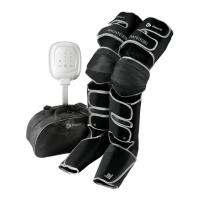
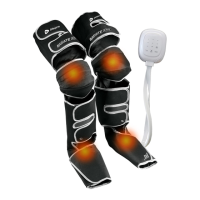
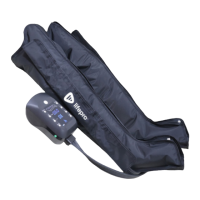
• Always use the compression boots over clean clothing to keep them clean.
• Always turn off the controller, unplug the charging adapter, and allow the
device to cool down before cleaning or storing.
• Wipe the controller and air hoses with a soft, dry cloth as needed.
WARNING! Do not allow water or other liquids to come into contact with
the controller, air hoses, or charging cable.
• Wipe the compression boots with a slightly damp cloth after each use. You
may wipe the boots with an alcohol wipe, if needed. Allow the boots to
completely dry before using again.
• Compression boots are not machine-washable.
• Do not use abrasive, corrosive, solvent, or chemical cleaners or harsh
detergents to clean the device.
• Store the device in a cool, dry, indoor location. Disconnect the controller
and charging adapter before storing.
• Do not store or transport the product beyond the specified temperature,
humidity, and atmospheric pressure ranges.
• Do not store other objects on top of the device. Store in the carrying case
to prevent damage to the air compression chambers and air hoses.
• Do not attempt to disassemble or repair the device; contains no user-
serviceable parts except the replaceable battery.
NOTICE
• Excessive force or weight applied to the device can crush or damage it.
• To avoid damaging the device, do not wrap the air compression hoses or
charging adapter cable around the boots or controller.
• To avoid damaging them, do not sharply fold the boots or air hoses.
• Keep away from sharp objects that could damage the device or hoses.
Never use pins or other metallic fasteners with this device. Never wear
pants with zippers, buttons, or snaps on the legs while using the device.
• Do not inflate the compression boots with the zippers open, as doing so
can damage the boots.
• Ensure your feet and legs are fully inserted into the boots and that the
boots are completely zipped before inflating. Do not inflate the boots when
empty.
• Do not insert objects into the air hoses or ports in the controller.
• Keep away from dust, lint, and dirt.
• Do not use during lightning and thunderstorms.
• Unplug the device immediately in the event of a power failure.
• Only use the provided accessories with the product, other accessories may
damage the product or interfere with the system functionality.
• Portable and mobile RF communication equipment may affect the product.
• This device is intended for in-home use only. Do not use in any commercial,
rental, institutional, or therapeutic setting.
• The controller’s lithium-ion batteries may not be disposed of in household
trash. They must be disposed of as hazardous waste in accordance with all
local and state regulations.
• The device will automatically power off after the set working time. For
best results, do not use continuously for more than 1 hour.
FCC STATEMENT
This device complies with part 15 of the FCC Rules. Operation is subject to the
following two conditions: (1) this device may not cause harmful interference, and (2)
this device must accept any interference received, including interference that may
cause undesired operation.
NOTE: Changes or modifications not expressly approved by the party responsible for
compliance could void the user’s authority to operate the equipment.
NOTE: This equipment has been tested and found to comply with the limits for a
Class B digital device, pursuant to part 15 of the FCC Rules. These limits are designed
to provide reasonable protection against harmful interference in a residential
installation. This equipment generates, uses and can radiate radio frequency
energy and, if not installed and used in accordance with the instructions, may cause
harmful interference to radio communications. However, there is no guarantee that
interference will not occur in a particular installation. If this equipment does cause
harmful interference to radio or television reception, which can be determined by
turning the equipment off and on, the user is encouraged to try to correct
the interference by one or more of the following measures:
• Reorient or relocate the receiving antenna.
• Increase the separation between the equipment and
receiver.
• Connect the equipment into an outlet on a circuit
different from that to which the receiver is
connected.
• Consult the dealer or an experienced radio/TV
technician for help.


 To Next Page
 Loading...