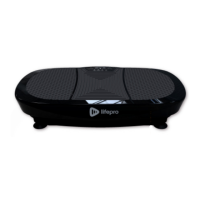
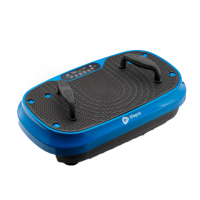
The Lifepro TrimLite Vibration Plate is a fitness device designed to enhance workouts and provide various health benefits through vibration therapy. It aims to boost metabolism, improve circulation, reduce joint and back pain, decrease stress, increase strength and flexibility, and develop stronger bones.
Function Description:
The TrimLite works by creating repetitive motions that cause muscles to contract repeatedly, engaging more muscle fibers than traditional exercise. This process is intended to burn more fat, reduce the appearance of cellulite, and accelerate fitness goals. The device also features magnetic-stone accupoints on its surface, offering magnetic therapy benefits such as increased relaxation, improved circulation, and reduced pain and swelling in the feet and lower extremities. It is suitable for in-home rehabilitation and general fitness, used by athletes, physical therapists, and rehabilitation centers.
Important Technical Specifications:
- Size: 23.0" (L) × 16.7" (W) × 41.3" (H)
- Handle Height:
- Minimum: 27.4"
- Maximum: 38.6"
- Net Weight: 24.0 lbs
- Power: 150W
- Voltage: 110 V
- Amplitude: 3 mm
- Max User Weight: 265 lbs
- Speed Levels: 1-99
- Auto Programs: P1-P9 (9 preset programs)
- Batteries Required (for remote control): 2 AAA Batteries (not included)
- Connectivity: Built-in Bluetooth speakers for connecting to smartphones or tablets to listen to music/videos or take calls during exercise.
Usage Features:
The TrimLite can be operated via a control panel on the machine or a remote control.
- On/Off: Powers the device on/off. The control panel automatically powers off after 1 minute of inactivity.
- Time Adjustment: Set workout duration from 1-15 minutes in 1-minute increments. Default is 15 minutes.
- Program/Mode Selection: Toggle through 9 preset programs (P1-P9) or select manual mode (HA).
- Speed Adjustment: Set vibration speed from 1-99 in increments of 1. Default speed is 1.
- Start/Stop/Pause: Start a selected program/mode, pause, and resume the workout.
- Remote Control Specifics:
- Quick Speed Buttons: "Walk" (speed 30), "Jog" (speed 60), "Run" (speed 90).
- Speed Toggle (M) Button: Toggles speed between 20, 50, and 80.
- Infrared Receiver Window: For remote control operation (effective distance approximately 6 feet).
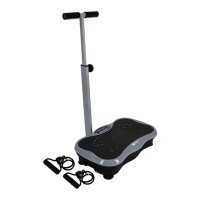
- Resistance Bands: Two metal resistance band bars are located on the underside of the machine, allowing for the attachment of included resistance bands to enhance workouts.
- Standing Positions: The intensity of vibrations can be adjusted by changing foot placement on the plate: feet close together for "easy," further apart for "medium," and widest apart for "intense" workouts.
- Workout Modes:
- Standby Mode: Control panel on, but no program active.
- Program Mode: Uses preset workout programs (P1-P9) with pre-programmed vibration speeds that can be adjusted.
- Manual Mode (HA): Allows users to set their own workout duration and vibration speed.
- Safety Tips:
- Do not get on or off until the machine is completely stopped.
- Adjust settings via remote control once exercise has begun to avoid accidents.
- Stand with a straight back, slightly bent knees, and heels slightly lifted.
- Avoid straight legs or arms to prevent vibrations from being directed to bones and brain.
- Shift position immediately if vibrations are felt in eyes, vocal cords, or head.
- Never place head or upper body directly on the machine.
- Do not jump on/off or turn around while in motion.
- Stop immediately and consult a doctor if experiencing fatigue, dizziness, nausea, pain, breathing difficulty, or abnormal heart rate.
- Do not perform other activities while using.
- Limit use to no more than 20 minutes per day to prevent damage from prolonged or over-intense exercise.
- Ensure the body is accustomed to vibrations before sitting on the machine.
- Setup Tips:
- Place on a level, non-slip floor, possibly with an exercise mat underneath.
- Ensure at least 5 feet of clearance on all sides.
- Plug into an easily accessible wall outlet.
- Exercise Tips:
- Start with 5-10 minute workouts and gradually increase duration and intensity.
- Beginners should stand with feet close together and gradually increase distance.
- Wear comfortable clothing and athletic shoes; removing shoes/socks can amplify vibrations but may cause slipping.
- Avoid jewelry, belts, loose clothing, or accessories that could get caught.
- Remove valuables and sharp objects from hands/pockets.
- Warm up before and cool down after workouts.
- Take sufficient breaks between exercises and sessions.
- Breathe evenly.
- Perform smooth, even movements.
- Consider placing a towel or mat on the machine if sitting, lying, or using hands/arms.
- Drink plenty of water.
- Avoid using on a full stomach; wait at least 80 minutes after eating.
Maintenance Features:
- Cleaning: Unplug the power cord immediately after use. Wipe away dirt or moisture with a slightly damp cloth or soft towel. Do not use abrasive, solvent, or chemical cleaners.
- Storage: Store indoors in a well-ventilated, dust-free area with low humidity, away from direct sunlight and heat sources. For long-term storage, remove batteries from the remote control and cover the machine.
- Inspection: Periodically inspect and tighten all external screws.
- Servicing: Do not remove the motor hood unless instructed by an authorized service representative.
- Electrical Safety: Unplug when not in use, use only the included power cord, plug into a properly grounded outlet, unplug by pulling gently from the plug (not the cord), do not operate with wet hands, place power cable to avoid tripping hazards, and keep away from sharp objects or hot surfaces.
- Battery Replacement: Replace dead or defective batteries immediately and dispose of them appropriately, keeping them out of reach of children.
The TrimLite is designed for in-home use and comes with a two-year warranty, requiring product registration within 14 days of purchase. Lifepro also provides a library of free workout videos on their website to guide users.

 Need help?
 General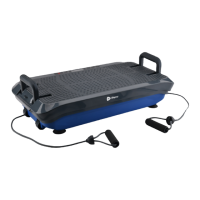







 To Next Page