EasyManua.ls Logo

Lifepro Turbo Boost 3D - User Manual

Lifepro Turbo Boost 3D
17 pages
Print Icon
To Next Page IconTo Next Page
Loading...
TURBO BOOST 3D VIBRATION PLATE
READY,
SET, PRO
USER MANUAL
Question and Answer IconNeed help?

Do you have a question about the Lifepro Turbo Boost 3D and is the answer not in the manual?

Summary

Get Started

Customer Support

Provides contact information and assistance for product setup and questions.

Easy-Start Setup Guide

Activate the Remote Control

Steps to prepare the remote control by inserting the battery and plastic insert.

Attach Resistance Bands

Instructions for attaching resistance bands to the unit for strength training.

Adjust Push-Up Handles

Guide on how to position the push-up handles for chest or triceps exercises.

Connect to Power

Steps to connect the power cord securely to the unit and an outlet.

Power On the Turbo Boost

Instructions on how to turn on the Turbo Boost unit using the power switch and button.

How It Works

Training Modes Explained

Overview of the three training modes: oscillation, pulsation, and 3D vibration.

Operating Instructions

Using the Display Panel

Detailed guide on operating the Turbo Boost using its control panel buttons.

Using the Remote Control

Instructions for controlling the Turbo Boost using the wireless remote control.

Setting Up a Workout Program

Program Mode Overview

Explanation of using preset programs (P1, P2, P3) for workouts.

Manual Mode Customization

Guide to creating custom workouts by selecting modes and setting time/speed.

Vibration Speed Intensities and Benefits

Details on speed levels, their corresponding intensities, and associated health benefits.

Tips for Using the Turbo Boost

Safety Tips Summary

Essential safety precautions to follow while using the vibration plate.

Setup Tips for Optimal Use

Recommendations for setting up the unit in a suitable environment.

Exercise Tips for Effective Workouts

Advice on performing exercises, posture, clothing, and warm-up/cool-down routines.

Lifepro Mini Bands

Amplify Your Workouts with Mini Bands

Benefits and versatility of using mini bands to enhance fitness routines.

How to Use the Turbo Boost

Basic Upright Stance

Demonstrates the fundamental standing position on the vibration plate.

Plank Exercise

Illustrates performing a plank exercise using the vibration plate.

Tricep Dips with Handles

Shows how to perform tricep dips using the machine's handles.

Upright Row Exercise

Demonstrates performing an upright row with the vibration plate.

Side Plank Exercise

Illustrates performing a side plank on the vibration plate.

Bicep Curls

Shows how to perform bicep curls using the vibration plate.

Shoulder Fly Exercise

Demonstrates performing a shoulder fly with the vibration plate.

Pelvic Lift Exercise

Illustrates performing a pelvic lift on the vibration plate.

Push Up with Handles

Shows how to perform push-ups using the machine's handles.

Exercise Quick Start Guide

How to Begin

Recommendations for starting slow and gradually increasing workout intensity.

Exercise Guide by Level

Chart detailing speed and duration for beginner, intermediate, and advanced levels.

Safety

Disclaimer

States that health benefits are not certified and use is at the user's discretion.

Responsibilities

Outlines owner's duty to inform users and specifies usage restrictions.

Electrical Safety

Precautions regarding power cord usage, connections, and handling.

Exercise Safety

Guidance for consulting medical professionals and safe exercise practices.

Cleaning, Storage, and Maintenance

Instructions for cleaning, storing, and maintaining the Turbo Boost unit.

Product Specifications

Troubleshooting Guide

Surger

Surger Benefits

Lists the advantages of using the Surger vibrating foam roller for fitness.

Agility

Agility Ball Benefits

Highlights the advantages of the Agility vibrating massage ball for muscle relief.

Sonic

Sonic Benefits

Outlines the benefits of the Sonic vibrating massage gun for pain relief.

Rhythm

Rhythm Benefits

Details the advantages of the Rhythm vibration platform for overall fitness.

Summary

Get Started

Customer Support

Provides contact information and assistance for product setup and questions.

Easy-Start Setup Guide

Activate the Remote Control

Steps to prepare the remote control by inserting the battery and plastic insert.

Attach Resistance Bands

Instructions for attaching resistance bands to the unit for strength training.

Adjust Push-Up Handles

Guide on how to position the push-up handles for chest or triceps exercises.

Connect to Power

Steps to connect the power cord securely to the unit and an outlet.

Power On the Turbo Boost

Instructions on how to turn on the Turbo Boost unit using the power switch and button.

How It Works

Training Modes Explained

Overview of the three training modes: oscillation, pulsation, and 3D vibration.

Operating Instructions

Using the Display Panel

Detailed guide on operating the Turbo Boost using its control panel buttons.

Using the Remote Control

Instructions for controlling the Turbo Boost using the wireless remote control.

Setting Up a Workout Program

Program Mode Overview

Explanation of using preset programs (P1, P2, P3) for workouts.

Manual Mode Customization

Guide to creating custom workouts by selecting modes and setting time/speed.

Vibration Speed Intensities and Benefits

Details on speed levels, their corresponding intensities, and associated health benefits.

Tips for Using the Turbo Boost

Safety Tips Summary

Essential safety precautions to follow while using the vibration plate.

Setup Tips for Optimal Use

Recommendations for setting up the unit in a suitable environment.

Exercise Tips for Effective Workouts

Advice on performing exercises, posture, clothing, and warm-up/cool-down routines.

Lifepro Mini Bands

Amplify Your Workouts with Mini Bands

Benefits and versatility of using mini bands to enhance fitness routines.

How to Use the Turbo Boost

Basic Upright Stance

Demonstrates the fundamental standing position on the vibration plate.

Plank Exercise

Illustrates performing a plank exercise using the vibration plate.

Tricep Dips with Handles

Shows how to perform tricep dips using the machine's handles.

Upright Row Exercise

Demonstrates performing an upright row with the vibration plate.

Side Plank Exercise

Illustrates performing a side plank on the vibration plate.

Bicep Curls

Shows how to perform bicep curls using the vibration plate.

Shoulder Fly Exercise

Demonstrates performing a shoulder fly with the vibration plate.

Pelvic Lift Exercise

Illustrates performing a pelvic lift on the vibration plate.

Push Up with Handles

Shows how to perform push-ups using the machine's handles.

Exercise Quick Start Guide

How to Begin

Recommendations for starting slow and gradually increasing workout intensity.

Exercise Guide by Level

Chart detailing speed and duration for beginner, intermediate, and advanced levels.

Safety

Disclaimer

States that health benefits are not certified and use is at the user's discretion.

Responsibilities

Outlines owner's duty to inform users and specifies usage restrictions.

Electrical Safety

Precautions regarding power cord usage, connections, and handling.

Exercise Safety

Guidance for consulting medical professionals and safe exercise practices.

Cleaning, Storage, and Maintenance

Instructions for cleaning, storing, and maintaining the Turbo Boost unit.

Product Specifications

Troubleshooting Guide

Surger

Surger Benefits

Lists the advantages of using the Surger vibrating foam roller for fitness.

Agility

Agility Ball Benefits

Highlights the advantages of the Agility vibrating massage ball for muscle relief.

Sonic

Sonic Benefits

Outlines the benefits of the Sonic vibrating massage gun for pain relief.

Rhythm

Rhythm Benefits

Details the advantages of the Rhythm vibration platform for overall fitness.

Overview

The Lifepro Turbo Boost 3D Vibration Plate is a fitness and recovery device designed to enhance workouts, aid in rehabilitation, and improve overall well-being through advanced vibration and oscillation technology. It features dual motors that produce three distinct training modes: pulsation, oscillation, and 3D vibration, allowing users to customize their experience based on their fitness goals and physical needs.

Function Description:

The primary function of the Turbo Boost is to stimulate muscles through repetitive contractions caused by its 3D vibration and oscillation. This unique motion works more muscle fibers than traditional exercise, aiming to double results with less effort. The device is particularly beneficial for boosting metabolism, increasing circulation, and reducing the appearance of cellulite. For individuals recovering from injuries or experiencing joint and back pain, the vibration plate can provide relief and help prevent future issues, making it a valuable tool in rehab routines.

The transformative power of the Lifepro Turbo Boost extends to several key areas:

  • Joint- and Back-Pain Relief: Improves core strength and circulation, which can alleviate discomfort.
  • Metabolism Boost: Encourages the body to burn fat more efficiently.
  • Stress Reduction: Increases serotonin and decreases cortisol levels, promoting a sense of well-being.
  • Improved Circulation: Helps decrease blood pressure.
  • Increased Strength & Flexibility: Enhances stability and range of motion.
  • Stronger Bones: Increases bone density, which is particularly beneficial for those with osteoporosis, osteoarthritis, or sarcopenia, and for older users looking to improve balance.

Usage Features:

The Turbo Boost offers both program and manual modes to cater to various fitness levels and preferences.

Getting Started:

  1. Unboxing: Remove the Turbo Boost and all accessories from the packaging.
  2. Manual Review: Read the user manual and safety instructions thoroughly.
  3. Product Registration: Register the product online within 14 days of purchase to activate the lifetime warranty.
  4. Easy-Start Setup: Follow the setup guide to prepare the device for use.

Accessories:

The device comes with several accessories to enhance the workout experience:

  • Power Cord
  • Wireless Remote Control (with shell and wristband)
  • Exercise Mat
  • Floor Mat
  • 2 Resistance Bands
  • 4 Lifepro Mini Bands
  • User Manual

Remote Control Activation:

The remote control requires a 3V CR2032 battery. Users need to remove the back, insert the battery, and replace the back to activate it.

Resistance Bands:

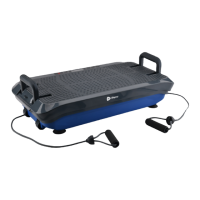
Two resistance bands can be attached to metal bars under the front edge of the unit. These bands allow users to incorporate strength training into their vibration workouts by looping the band through the metal bar and threading the handle through the loop.

Adjustable Push-Up Handles:

The unit includes adjustable push-up handles that can be rotated into a vertical position and pressed firmly into either inner slots (targeting triceps) or outer slots (targeting chest muscles) for upper body strength training.

Power Connection:

The power cord is inserted firmly into the power cord jack at the front of the unit until a click is felt, ensuring a secure connection. It then plugs into an AC outlet.

Power On:

The device is powered on by flipping the Power switch on the front to the ON position and then pressing the power button on the Turbo Boost's display.

Standing Positions:

The intensity of the vibrations can be adjusted by changing foot placement on the non-slip rubber surface. Feet close together provide an "easy" workout, while feet further apart offer "medium" and "intense" workouts.

Operating Instructions (Display Panel):

  • On/Off Button: Powers the control panel on/off.
  • Mode Button: In standby (manual mode), toggles through oscillation, pulsation, and 3D training modes.
  • Program Button: Toggles through preset programs (P1, P2, P3) and manual mode.
  • Speed/Time +/- Buttons: In standby (manual mode), adjusts time duration (1-15 minutes). During a manual workout, adjusts vibration speed (1-60).
  • Start/Stop Button: Starts or pauses the selected program/workout.
  • Program Indicators: Lights indicate which preset program (P1, P2, P3) is selected. No light indicates manual mode.
  • Time/Speed Indicator: Shows workout duration (manual mode default: 15 minutes) and alternates with current vibration speed during a workout.
  • Training Mode Indicators: In standby (manual mode), lights indicate the selected training mode (oscillation, pulsation, or 3D).

Operating Instructions (Remote Control):

  • Increase Time/Speed (Λ) Button: Increases time duration (1-15 minutes) in standby (manual mode) or increases speed (1-60) during a manual workout.
  • Power/Start/Stop Button: Powers on the control panel, starts a program/workout, stops a workout, or powers off the control panel.
  • Program (P) Button: Toggles through preset programs (P1, P2, P3) and manual mode.
  • Mode (M) Button: In standby (manual mode), toggles through oscillation, pulsation, and 3D training modes.
  • Decrease Time/Speed (V) Button: Decreases time duration (1-15 minutes) in standby (manual mode) or decreases speed (1-60) during a manual workout.

Workout Modes:

  • Standby Mode: Control panel is on, but no workout is active.
  • Program Mode: Offers three preset 15-minute programs (P1: oscillating motor, P2: pulsating motor, P3: both motors) with speed changes every five seconds. Speed, time, and training mode cannot be adjusted in preset programs.
  • Manual Mode: Allows custom workouts by selecting a training mode (oscillation, pulsation, or 3D) and setting a time duration (1-15 minutes) and vibration speed (1-60). The default time is 15 minutes, and speed starts at level 1.

Vibration Speed Intensities and Benefits (Manual Mode):

  • Easy (Speeds 1-20): Great for beginners, focusing on detoxification, increased bone density, improved balance, lymphatic drainage, and postural control.
  • Intermediate (Speeds 21-40): Ideal for individuals with arthritis and fibromyalgia, promoting joint maintenance, improved postural control & balance, fat loss, increased bone density, and cellulite removal.
  • Advanced (Speeds 41-60): For increased intensity, targeting fat loss, muscle growth, highly increased bone density, power accumulation, and HGH release.

Exercise Quick Start Guide:

Users are encouraged to start slowly (5-10 minute workouts) and gradually increase intensity over several weeks. The manual provides an exercise guide with recommended hold times for stretches and exercises at different speed levels (Beginner, Intermediate, Advanced). A FREE library of personal training videos is available online at turboboost.lifeprofitness.com.

Safety Tips:

  • Always wait for the unit to stop completely before getting on or off.
  • Use the remote control for adjustments during a workout to prevent accidents.
  • Maintain a straight back, slightly bent knees, and slightly lifted heels while standing.
  • Avoid straight legs or arms to prevent vibrations from being directed to bones and brain.
  • Shift position immediately if vibrations are felt in eyes, vocal cords, or head.
  • Never place head or upper body directly on the machine.
  • Do not jump on or off, or turn around while the unit is in motion.
  • Stop exercising if feeling faint, dizzy, nauseous, or experiencing pain/difficulty breathing.
  • Do not use for more than 15 minutes at a time, or 20 minutes total per day, to prevent damage to health.
  • Ensure body is accustomed to vibrations before sitting on the machine.
  • Avoid use after alcohol or medication that affects balance.

Setup Tips:

  • Place the unit in an area with at least 5 feet of clearance on all sides.
  • Plug into an easily accessible wall outlet.

Exercise Tips:

  • Start with 5-10 minute workouts and gradually increase duration and intensity.
  • Beginners should stand with feet close together and gradually widen stance.
  • Keep wrists flat when using resistance bands.
  • Wear comfortable clothing and athletic shoes.
  • Remove shoes and socks to amplify vibrations, but avoid socks/slippers to prevent slipping.
  • Avoid jewelry, belts, or loose clothing that could get caught.
  • Warm up before and cool down after workouts.
  • Take sufficient breaks between exercises and workout sessions.
  • Perform exercises with smooth, even movements.
  • Breathe evenly: exhale during exertion, inhale on relaxation.
  • Drink plenty of water.
  • Avoid use on a full stomach; wait at least 30 minutes after eating.

Maintenance Features:

Cleaning, Storage, and Maintenance:

  • DANGER: Always unplug the power cord after use, before cleaning, moving, storing, or performing maintenance. Allow the unit to cool.
  • Cleaning: Use a slightly damp cloth or soft towel to wipe away dirt/moisture. Avoid abrasive, solvent, chemical cleaners, harsh detergents, or metal brushes.
  • Storage: Store in a dry, clean, dust-free place with low humidity, at room temperature, and out of direct sunlight.
  • Long-Term Storage: Remove batteries from the remote control and cover the unit to protect from dust and dirt.
  • Protection: Protect the unit from shocks, falling, dust, moisture, direct sunlight, and extreme temperatures.
  • Foreign Objects: Never insert or drop objects into openings.
  • Screws: Inspect and tighten all external screws periodically (do not remove the motor hood).
  • Motor Hood: Never remove the motor hood unless instructed by an authorized service representative. All servicing beyond the manual's procedures should be performed by an authorized service representative.

Lifepro Turbo Boost 3D Specifications

General IconGeneral
TypeVibration Plate
Max User Weight330 lbs
Weight33 lbs
Remote ControlYes
Speed Settings99
Programspreset programs

Related product manuals