EasyManua.ls Logo

LifeSpan BOOST-R - Control Button Functions

LifeSpan BOOST-R
44 pages
To Next Page IconTo Next Page
To Previous Page IconTo Previous Page
Loading...
17
BOOST-R
8
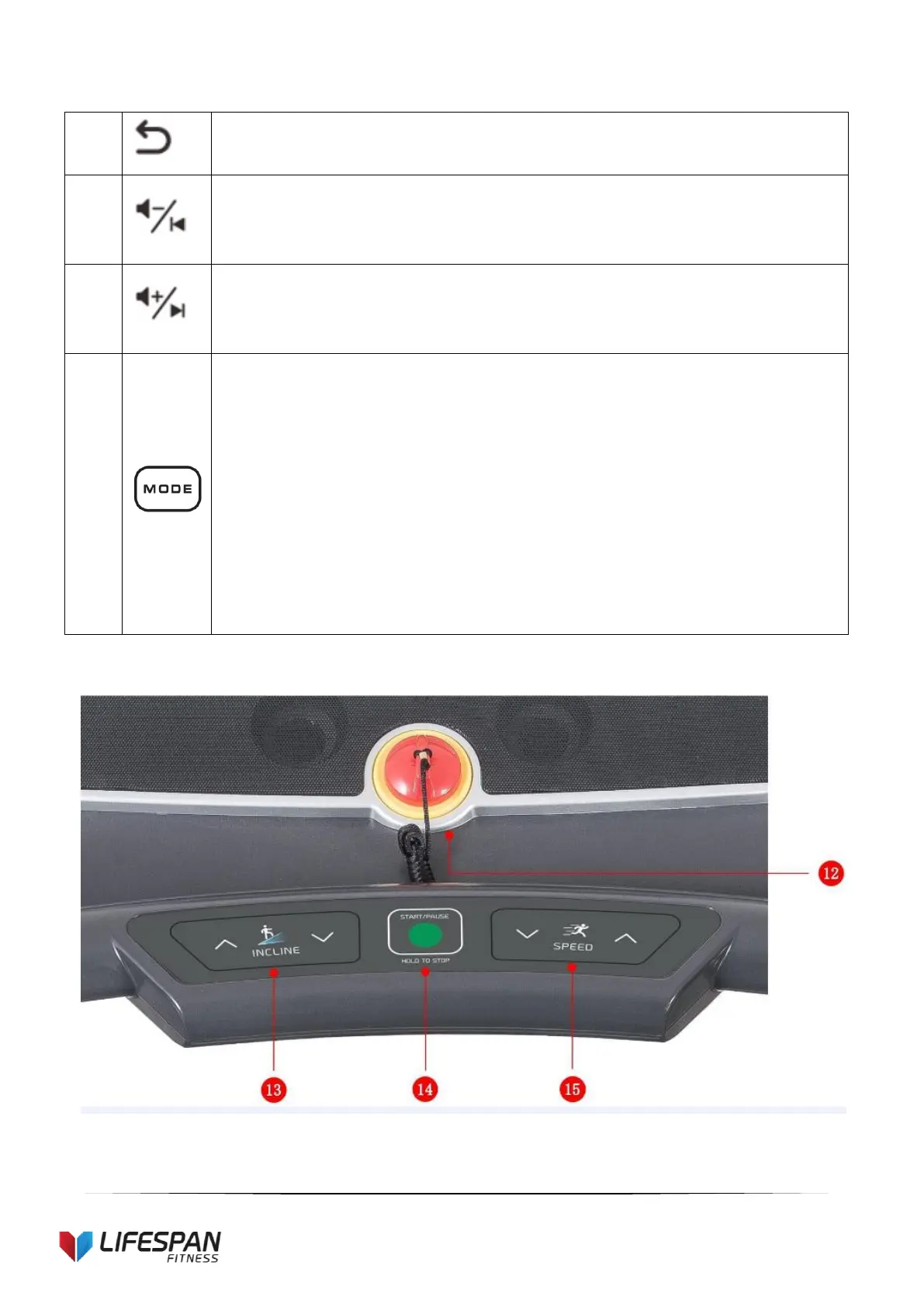
Switch button: You can press this button to choose between standby mode, music
and video.
9
VOL+/ UP button:
Long pres: increase volume.
Short press: next song.
10
VOL-/ DOWN button:
Long press: reduce volume.
Short press: previous song.
11
“Mode” button: Press this button to cycle through different countdown
modes:
1. “15:00” flashing window is time countdown
2. “1.0” flashing window is distance countdown
3. “50” flashing window is calories countdown
4. Match Run mode
After you choose a mode, press “incline+” “incline or “speed+” “speed –
to set countdown value. If you do not choose any mode, exit to back to
standby mode.

Related product manuals