16
8. OPERATION GUIDE
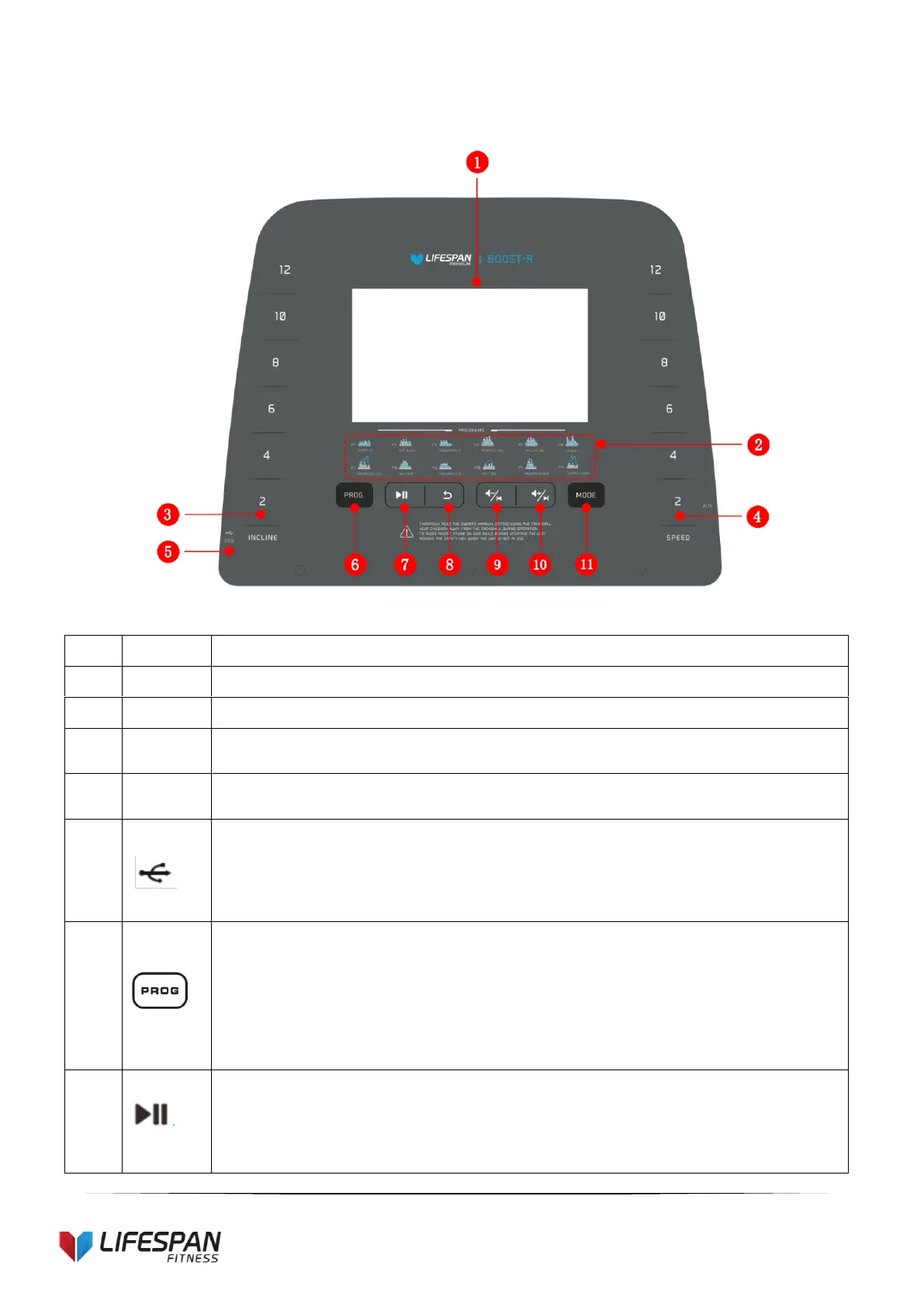
1. CONSOLE OVERLAY DISPLAY
“Incline:2, 4, 6, 8, 10, 12”: Incline shortcut button;
“Speed:2, 4, 6, 8, 10, 12”: Speed shortcut button;
“USB slot”: Insert a USB memory stick into this slot to play music.
“Program” button: Press the PROG key and the machine will show:
P1-P24: Preset Programs
U1-U3: User-Defined Programs
HP1-HP2: Heart Rate Control Programs (if applicable)
FAT: body fat test function
Play/Pause button: To start or pause music or video.


 To Next Page