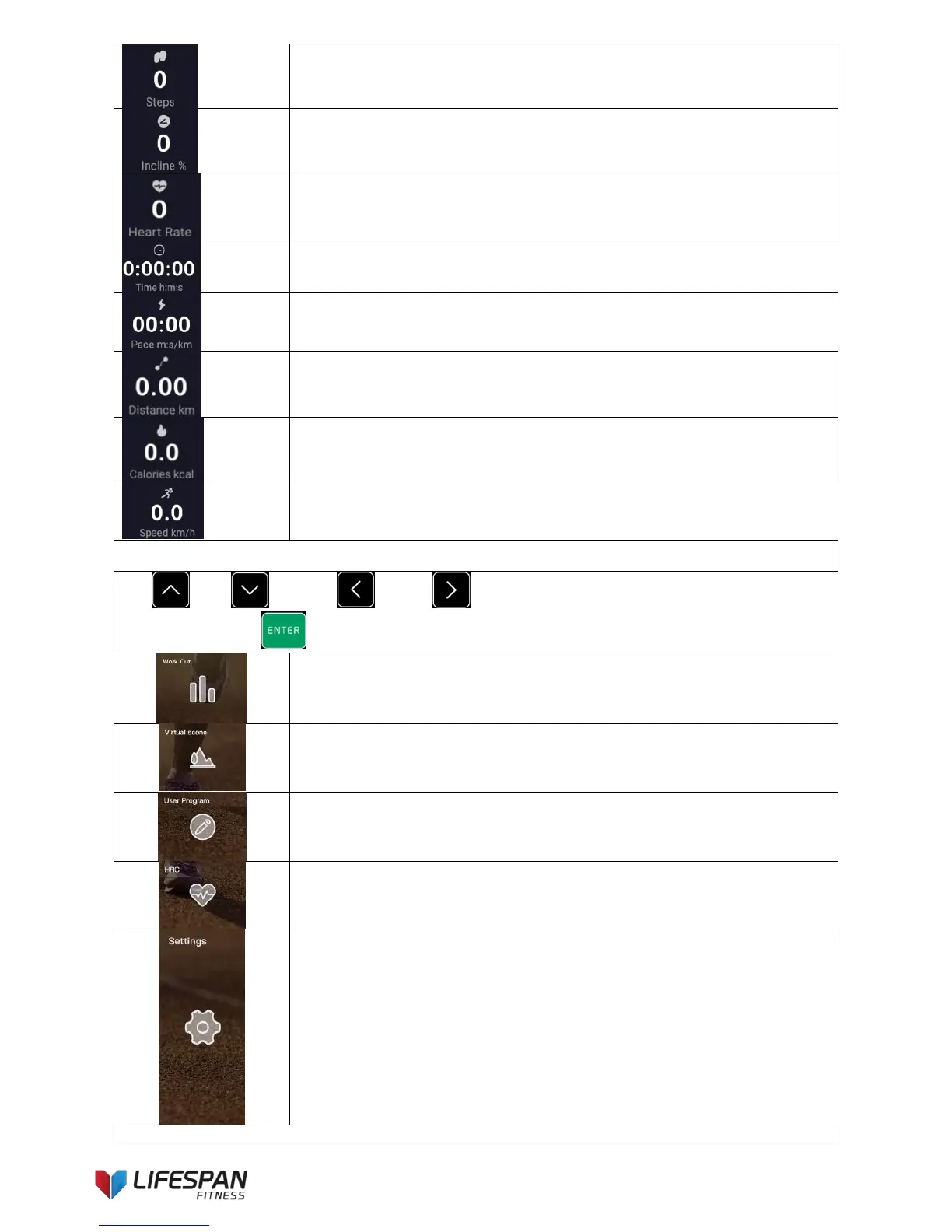
Steps: Indicates the cumulative number of steps.
Incline: Indicates the current incline value; unit%.
Heart rate: Indicates the currently detected heart rate value;
unit bpm, times/minute.
Time: Indicates the current running time value; unit h:m:s (hour:minute:second).
Pace: Indicates the average running pace.
Distance: Indicates the current running mileage value; unit km,
kilometer.
Calorie: Indicates the current amount of calorie consumed;
unit kcal, kilocalorie.
Speed: Indicates the current running speed value; unit km/h,
kilometer per hour.
② Sports function icons description
Use “UP”, “DOWN”, “LEFT”, “RIGHT” buttons to select the
icons then press “ENTER” button.
Program workout: Built-in 12 workouts.
Virtual scene workout: Built-in 6 videos, including Xiamen Huandao Road,
Sichuan-Tibet terrain video, virtual scene video supports loop playback. The video
playback speed is the same as the running speed.
User program: Built-in 6user custom programs, the user can set the speed/incline
value by himself. After setting up, the system will automatically save the data after
starting the treadmill.
HRC: Press ENTER button to enter the function selection interface, there are 2
built-in HRC modes.
Settings: Including Wi-Fi settings, backlight brightness settings, system upgrades
(including online upgrade and system restore), engineering mode, about the
system.
③ Media function icon description



 To Next Page