Cast screen: Use mobile phone for screen projection, it can be divided into mobile
phone projection and video projection.
Multimedia: Including local music and local video, you can readMP3 / WAV audio
format and MP4 / WKV / AVI video format from U-disk
(Note: whether audio or video can be played depends on the decoding method).
④ Status icons function description
: This feature is not available in this version; : Wi-Fi connected; : Wi-
Fi disconnected; : U-disk is working; : U-disk is not working; :
Bluetooth lighting status; : Bluetooth unlit status
(Note: the Bluetooth icon will not light up until the mobile phone is connected to
treadmill through Bluetooth and the treadmill is in operation)
Main Page Sports Icon Specific Functions
3. Quick Start
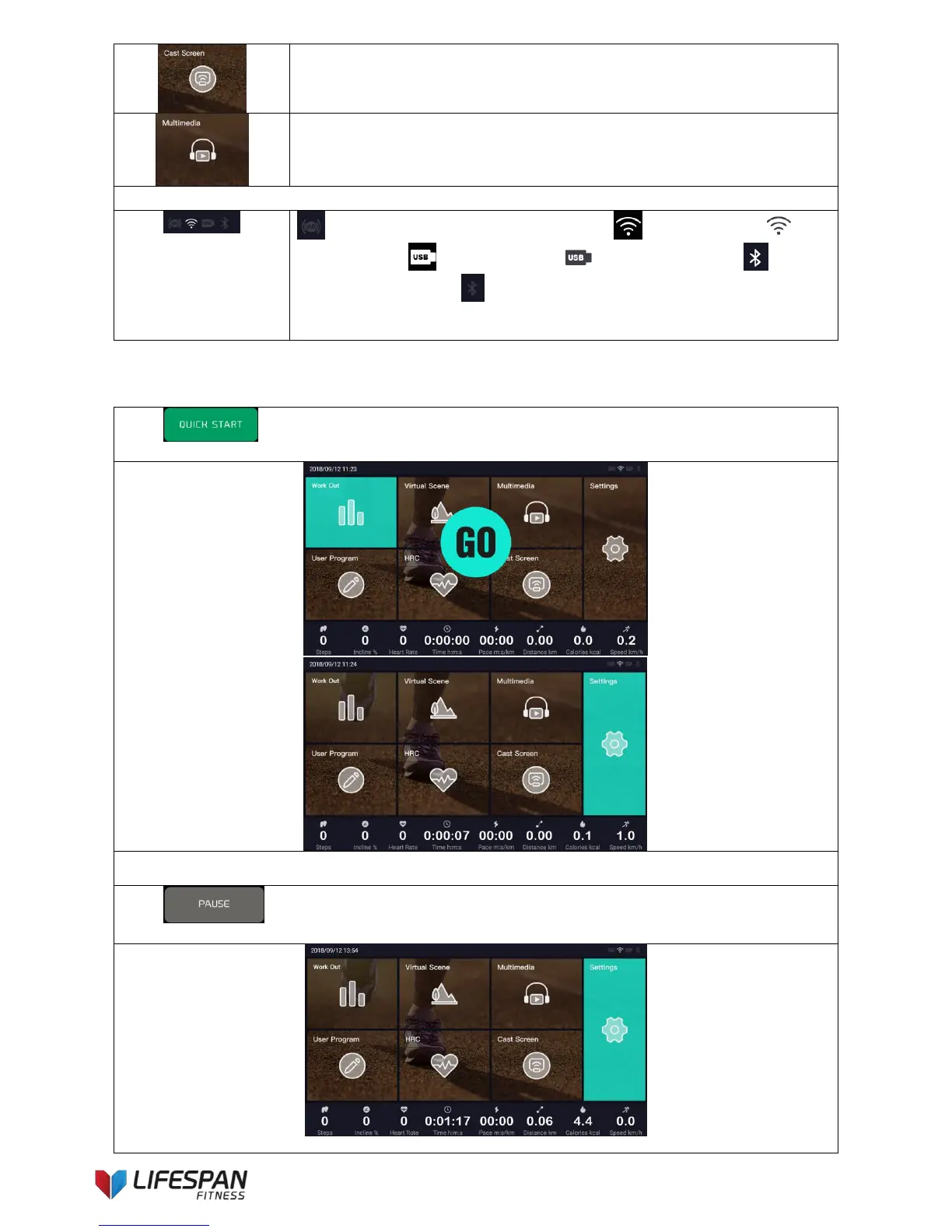
Press “QUICK START” button on the main page, the system enters into quick start mode after
“3, 2, 1, GO” countdown, the display interface is as follow:
The speed and incline values can be controlled by pressing the speed and incline adjustment buttons on the
keypad while exercising on the treadmill.
Press “Pause” button to pause the treadmill, the interface is as follows (this operation applies
to all sports functions):



 To Next Page