Start the treadmill again with “START” button, the speed and incline value will return to the minimum, other
parameters such as time, calories will continue to accumulate.
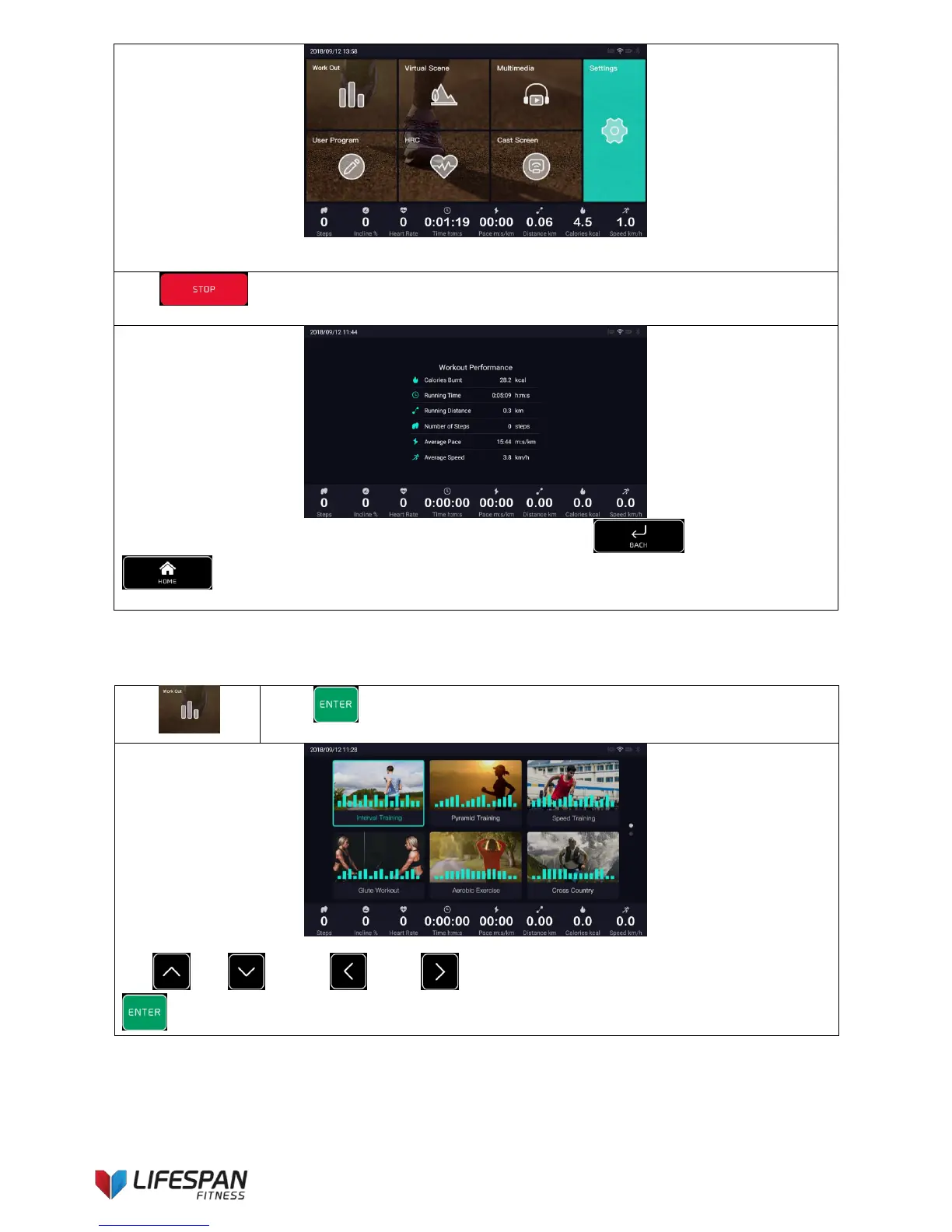
Press “STOP” button to stop the treadmill, the workout performance data pops up, the interface
is as follows (this operation applies to all sports functions):
Note: the result bar will automatically disappear after 20 seconds, or use “BACK” button or
“HOME” button to close it.
Press “ENTER” button to enter this category, take the Interval Training as an
example, the display interface is as follows:
Use “UP”, “DOWN”, “LEFT”, “RIGHT” buttons to select a workout program, press
“ENTER” to enter the setting interface, the display interface is as follows:



 To Next Page