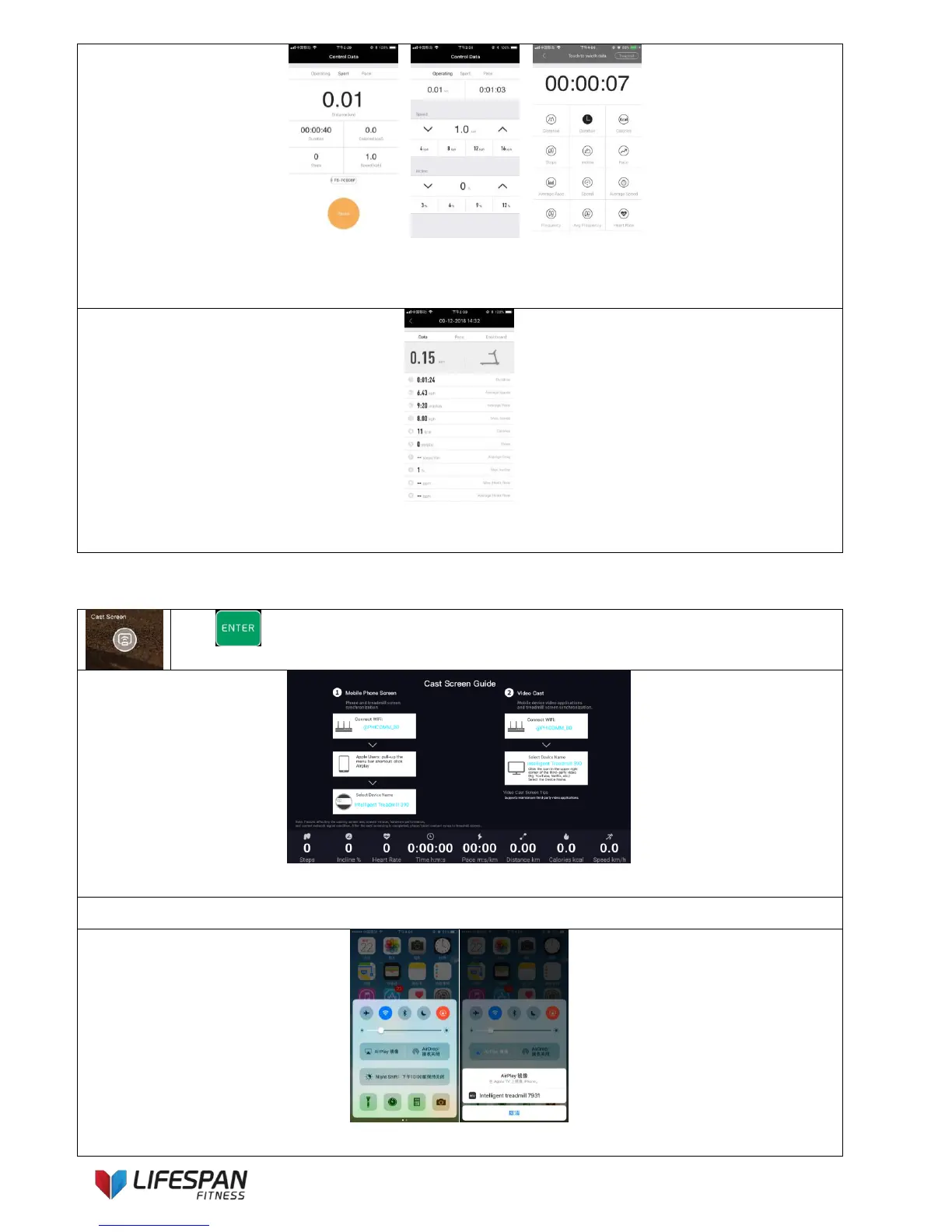
1. 2. 3.
Interface 1: the user can select “pause” to stop the treadmill;
Interface 2: the user can adjust speed and incline values through Fitlink APP
Interface 3: Select and switch between the parameters
The interface indicates the sports performance result
Note: After each exercise, the system will return to the Fitlink App main page, the user can re-select "Connect" to
use the Fitlink App.
Press “ENTER” button to enter this category, the display interface is as follows:
Method 1: Mobile phone direct projection (only supports Apple mobile phone)
Connect mobile phone and treadmill to the same WIFI signal, click AirPlay Mirroring on the phone’s drop-down
menu, select the name of the projection device to realize a direct phone projection (some third-party online videos



 To Next Page