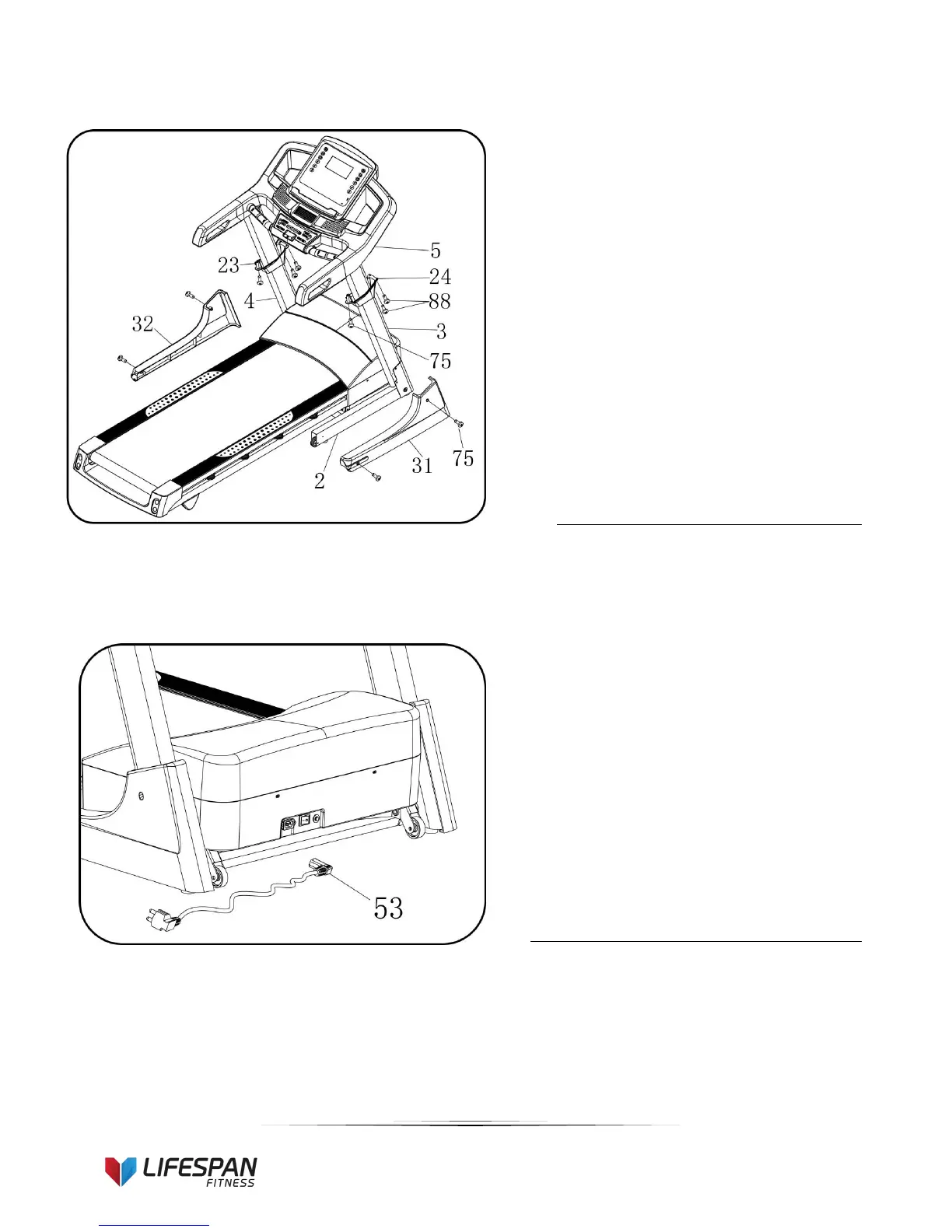
1. Attach the right upright cover to the
computer bracket with screw driver (12),
Bolt ST4.2*19 (75) and ST4.2*20 bolt
(88).
2. Attach the base cover (31) to the base
frame(2)using screw driver (12),
ST4.2*20 Bolt (88) and bolt (75).
3. Repeat above steps to assemble the left
side.


 To Next Page