15
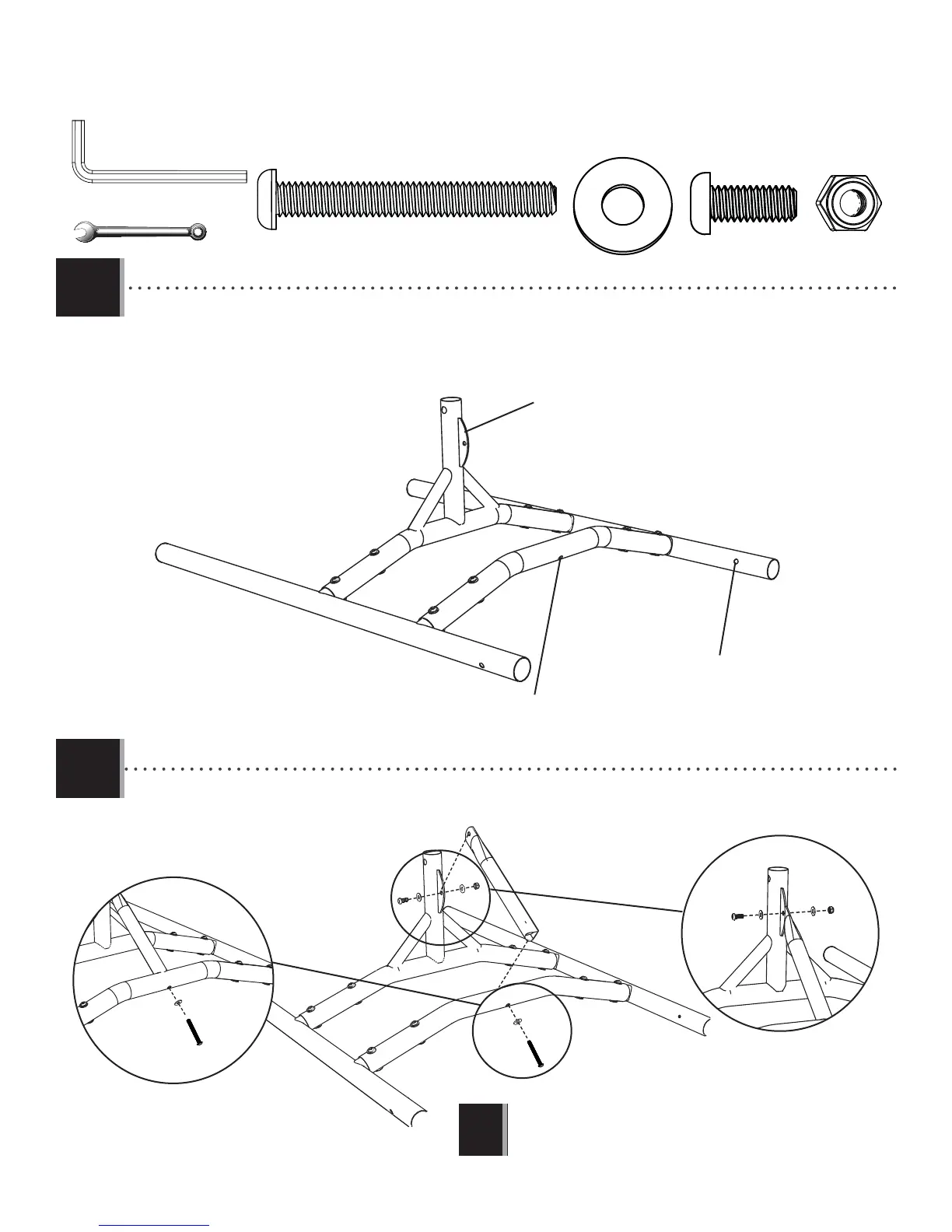
TOOLS AND HARDWARE REQUIRED
X SECTION 1 (CONTINUED)
1.3
CVZ (x3)
ARN (x1)
ASE (x1)
ARU (x1)
CVZ
ASE
ARN
CVZ
ARU
CVZ
1.
CPO
ARU
This hole should be facing down.
This bracket should be facing the direction shown.
This hole should be in the location shown.
• Make sure all parts are oriented correctly before continuing.
1.4
Attach this hardware fi rst.
Attach this hardware second.
2.
• Make sure all parts are oriented correctly before contimuing.
!
1/2 in/po (≈13 mm)
(1)
3/16 in/po (≈5 mm)
(2)







 To Next Page