EasyManua.ls Logo

liftup RAIZER - Charging of the Raizer

liftup RAIZER
44 pages
Print Icon
To Next Page IconTo Next Page
To Previous Page IconTo Previous Page
Loading...
Liftup Inc. | 3630 Peachtree Road NE | Suite 920 | Atlanta GA-30326 | T: +1 404-835-9421 | M: info@liftup.us | www.liftup.us
USER MANUAL RAIZER US VERSION 1.6
29
12. Charging of the Raizer
®
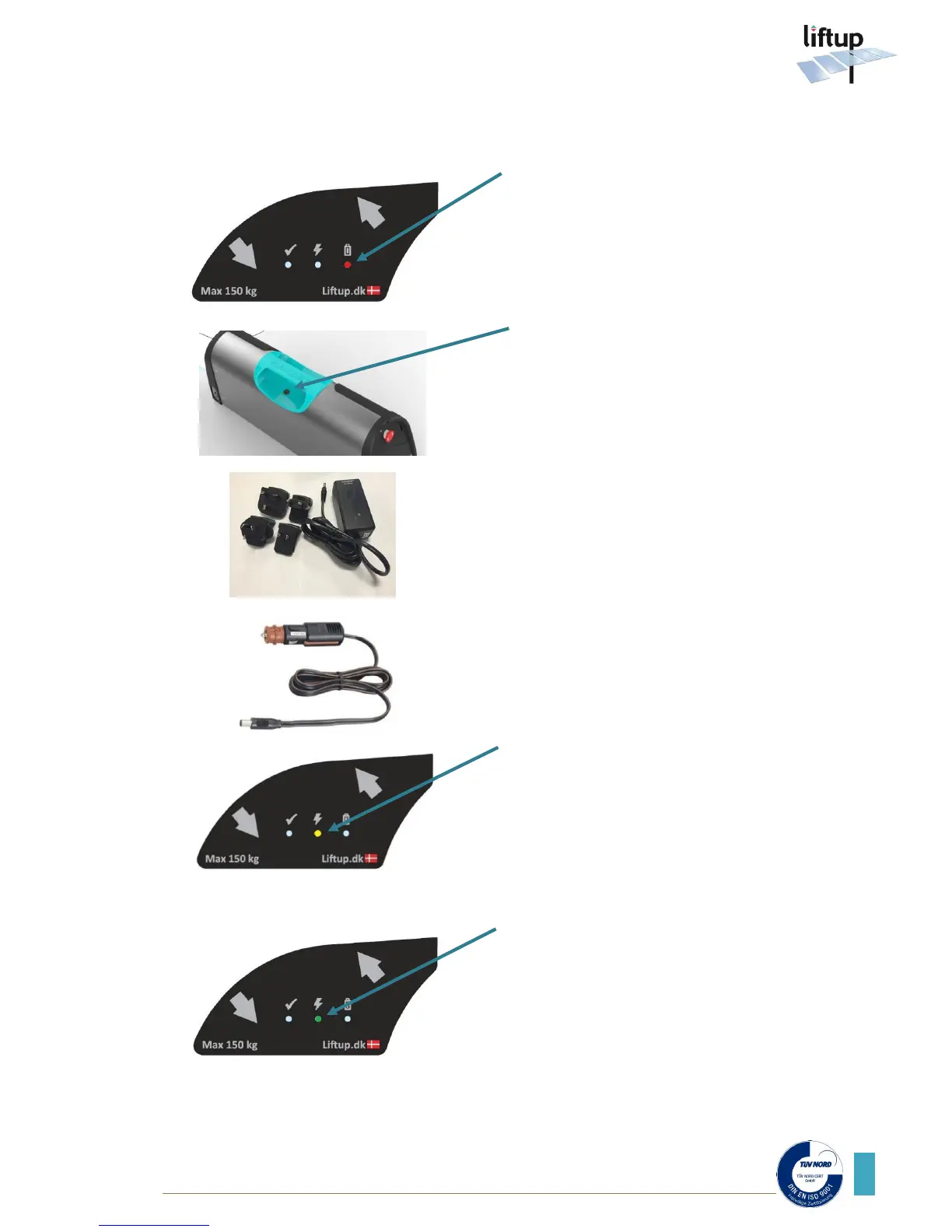
The LED will be lit red to indicate a
battery capacity of below 10%.
Attention: This will only light when the
chair is powered on.
The charger socket is located below the
handgrip of the seat.
Connect the charger to the socket on the
Raizer
Or connect the 12 VDC adapter to the
socket on the Raizer
The LED will be lit yellow to indicate
charging.
A green LED indicates a fully-charged
battery.
6
3
2
1
5
4

Other manuals for liftup RAIZER

Related product manuals