
 Need help?
Do you have a question about the LIFX A21 and is the answer not in the manual?
Details required for running LIFX, including OS version, Wi-Fi, security, and placement guidelines.
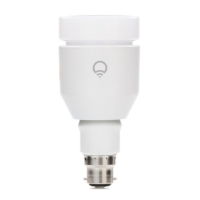
Overview of LIFX smart bulb features: Wi-Fi enabled, multi-color, controlled via app for lighting adjustments.
Details on communication, end cap, lumens, power, and input current for LIFX A21 bulbs.
Provides physical dimensions (diameter, height) and model numbers (E27, B22) for LIFX bulbs.
Step-by-step guide for initial LIFX bulb setup: screwing in, powering on, and app download.
In-depth instructions for connecting LIFX bulbs via Wi-Fi, app setup, and troubleshooting connection issues.
Explains app interface for controlling lights: color, brightness, on/off, effects, and grouping.
Instructions on how to add more LIFX bulbs to the network and app after initial setup.
Guide on how to rename individual LIFX bulbs within the app for better organization.
Steps to create custom groups of LIFX bulbs for simultaneous control.
How to configure and save custom lighting scenes (color, brightness, groups) for quick recall.
Instructions on selecting and applying various dynamic lighting effects available in the LIFX app.
Enables controlling LIFX lights from multiple iOS or Android devices on the same network.
Information on the recommended maximum number of LIFX bulbs that can operate on a single network.
Explains the importance of Wi-Fi security for LIFX bulb access and control.
Highlights upcoming features and recommendations for keeping the LIFX app updated.
Guide on how to perform a hardware reset on LIFX bulbs to resolve issues.
Steps to follow if encountering errors during the initial setup process.
Troubleshooting steps for issues related to controlling bulbs after setup, including adding new ones.
Discusses the factors affecting LIFX bulb network range and mesh capabilities.
Provides contact information and resources for ongoing support and assistance with LIFX products.
Details on LIFX® compliance with global certification requirements and FCC rules.
Important warnings regarding LIFX bulb usage, including emergency exits and fixture stability.
Guidelines for optimal installation, including fixture types, airflow, and placement for LIFX bulbs.
Information on minimizing interference with other devices and troubleshooting potential radio interference.
Precautions for safe operation, including power supply, cleaning, and keeping away from children.
Specifies the three-year warranty period for LIFX bulbs against defects in materials and workmanship.
Procedure for obtaining warranty service, including product delivery and required documentation.
Defines limitations on warranty application, including product identification and non-LIFX® trademarks.
Outlines limitations on liability for incidental, indirect, or consequential damages related to the product.
Details exclusive warranties, exclusions, and consumer protection rights under state laws.
Specifies the governing law and arbitration procedures for warranty disputes.
 General
| Product Name | LIFX A21 |
|---|---|
| Category | Work Light |
| Brightness | 1600 lumens |
| Wattage Equivalent | 100W |
| Color Temperature | 2500K-9000K |
| Color Rendering Index (CRI) | 80 |
| Type | Smart Light Bulb |
| Color Capability | 16 million colors |
| Wi-Fi Connectivity | 2.4GHz Wi-Fi |
| App Control | Yes |
| Voice Control | Amazon Alexa, Google Assistant, Apple HomeKit |
| Lifespan (Hours) | 25, 000 hours |
| Dimming | Yes |
| Voltage | 100-240V |
| Base Type | E26 |
| Operating Temperature | 32°F - 104°F |

 To Next Page