Using the App with LIFX
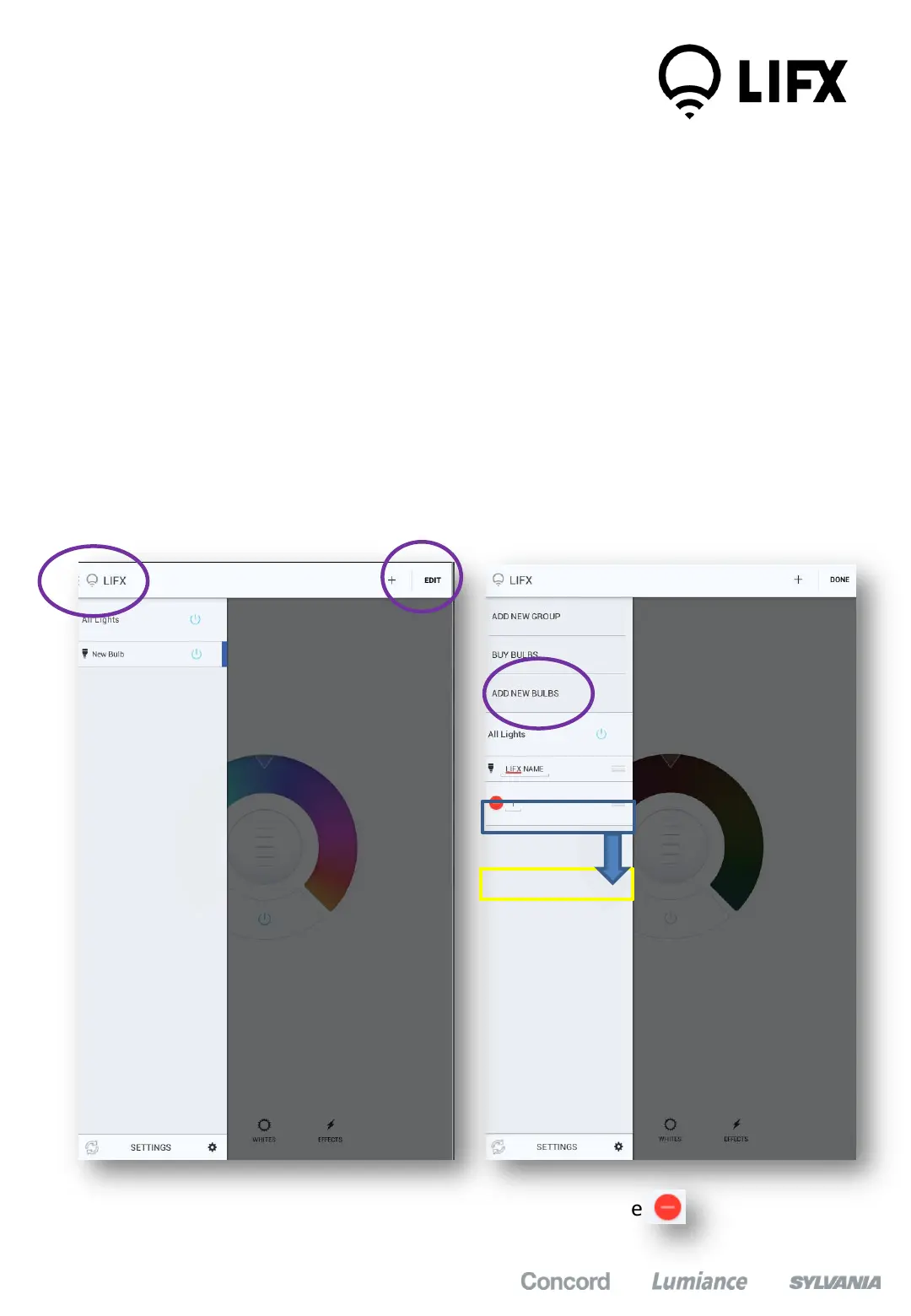
Creating Groups
1. In the app, Select “All Lights” on the top left part of the screen
2. Click on the ‘+’ icon at the top right of the screen
3. Select “Add New Group”
4. Name the new group you are creating
5. To add lamps to the group drag and drop the bulb from list down into the
group
6. Select ‘DONE’ when you have finished
7. To delete a group select the ‘EDIT’ icon and click on the
1
2
3
9


 To Next Page