Using the App with LIFX
Creating Preset Scenes
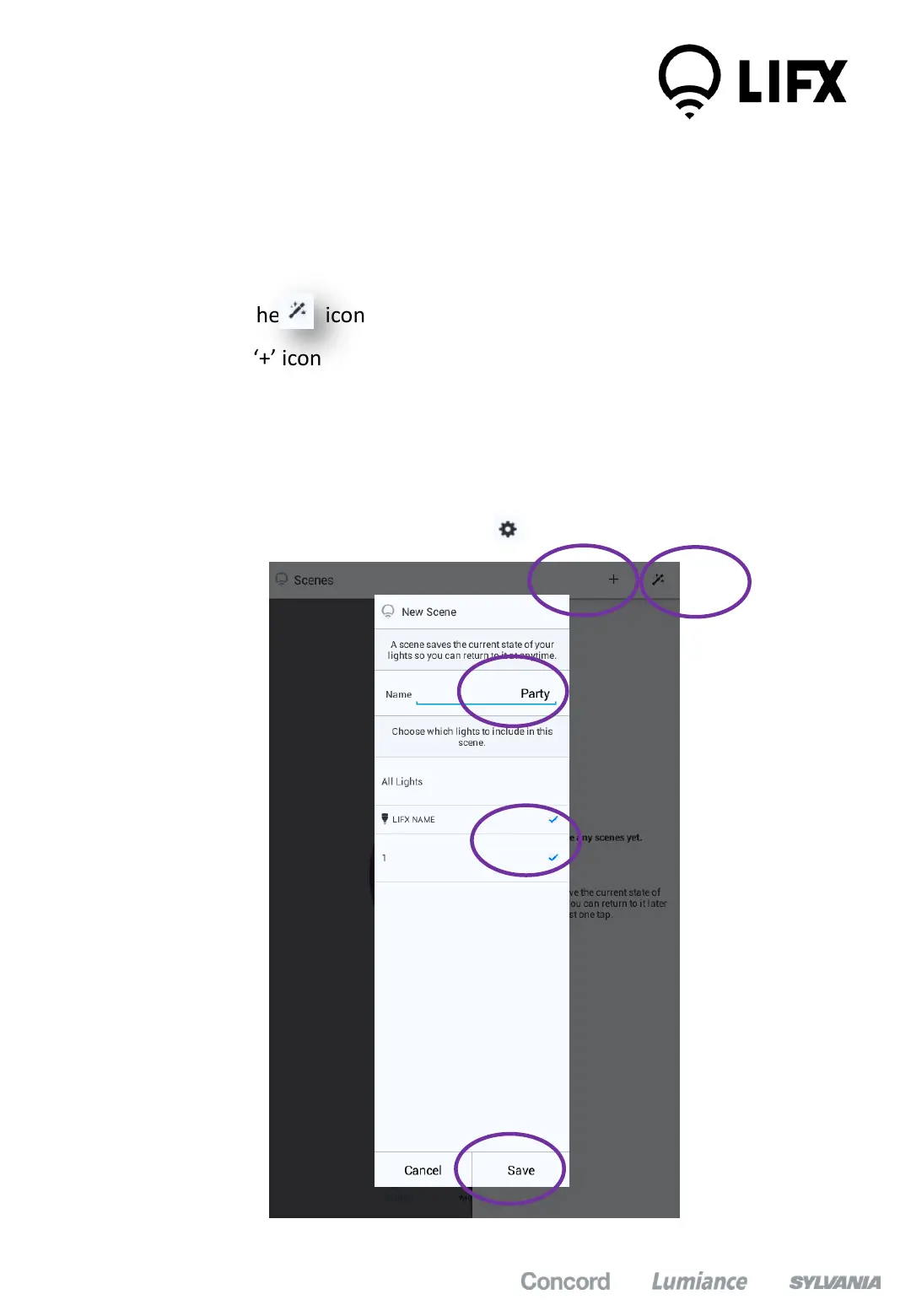
1. In the app, configure the colour, brightness, groups of each bulb first
2. Then Click on the ‘+’ icon at the top right of the screen
3. Then click the ‘+’ icon
4. Enter the name of your scene and select which lamps / groups to include
in the scene
5. Click ‘Save’
6. To delete the scene simply click on the icon
1
2
3
4
5
10


 To Next Page