Using the App with LIFX
Adding additional bulbs
1. Switch on additional bulbs
2. Wait until new lights flash. This indicates they have been found on the
same network
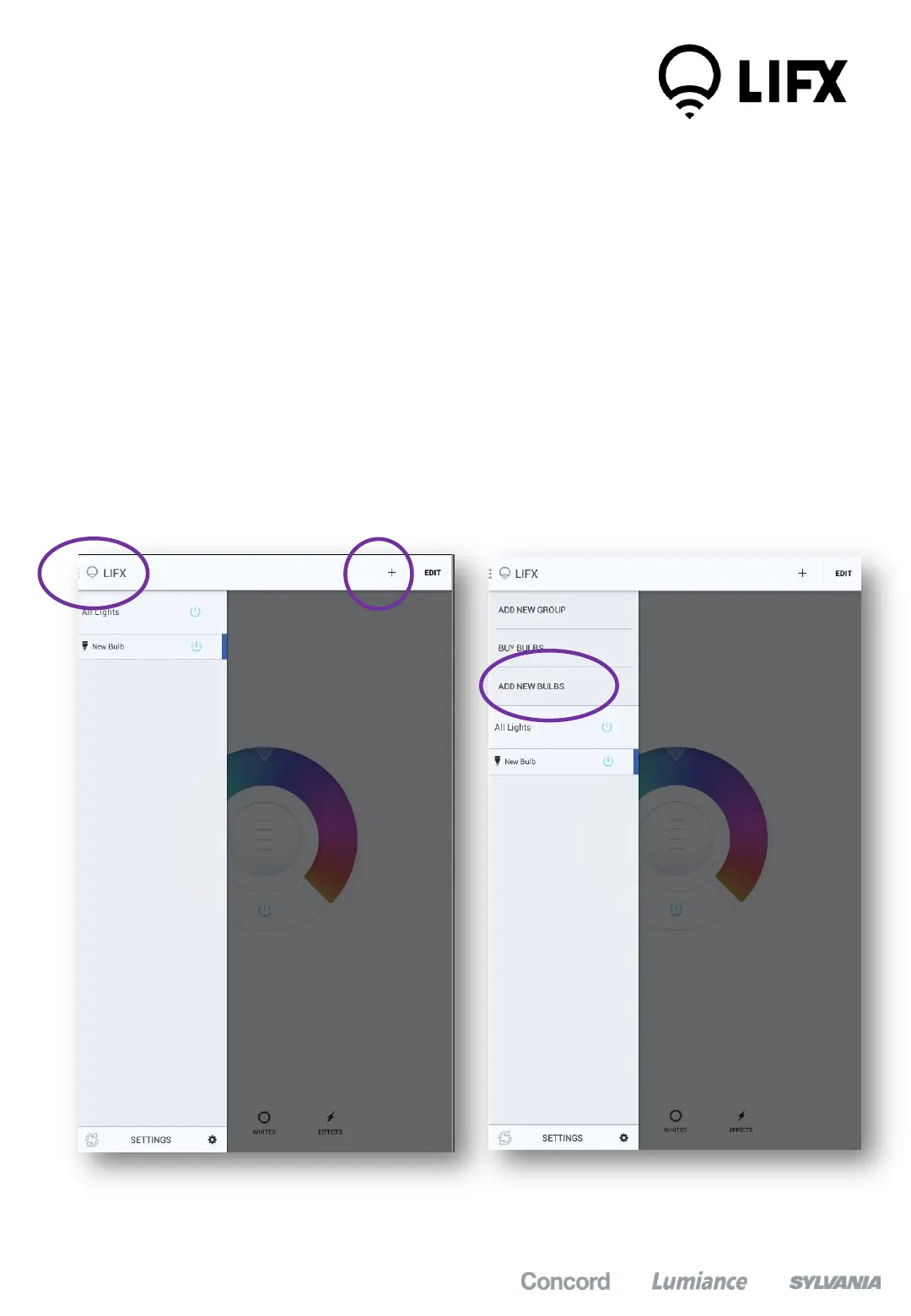
3. In the app, Select “All Lights” on the top left part of the screen
4. Click on the ‘+’ icon at the top right of the screen
5. Select “Add new bulbs” – The app will add new bulbs to the list
3
5
4
7


 To Next Page