Classic Digital Keypad User’s Guide 9
Basic Setup
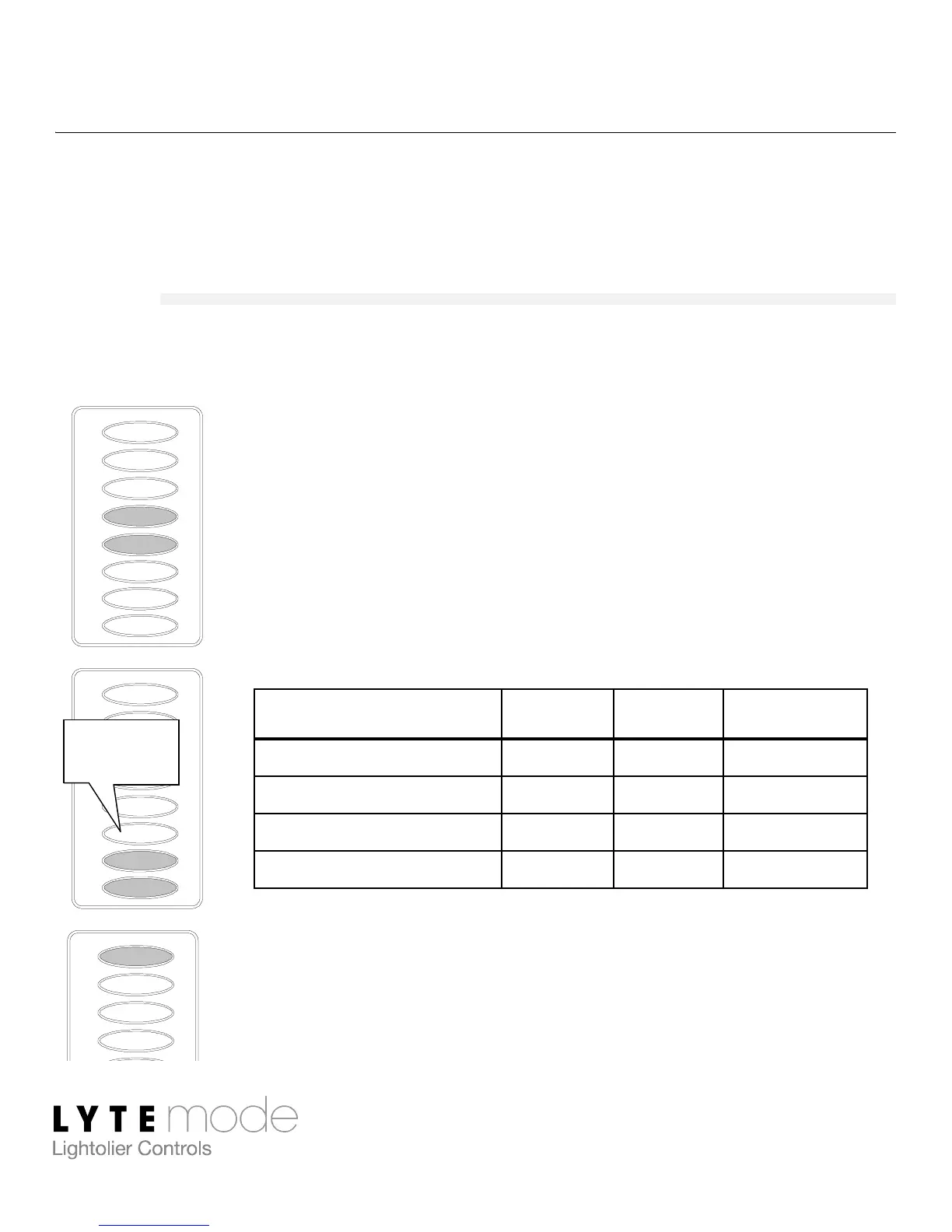
This section describes how to program the unit’s Mode, Address,
and LED Brightness.
Mode
The unit can be set to function in one of several Modes as follows:
Step 1. Press and hold H and I for 3 or more
seconds. (E LED will blink rapidly.)
Step 2. Enter Mode by setting J, K and L buttons
as either Off or On as shown in the
following table. (LEDs will blink for any
Mode not supported.)
Step 3. Press E to save and exit.
Mode J K L
0 – Remote Off Off Off
1 – Global Remote Off Off On
2 – Remote Keypad Off On Off
3 – IntelliSight (ITS) Off On On
L
G
H
I
J
K
F
E
L
G
H
I
J
K
F
E
G
H
F
E
Example:
Mode 3


 To Next Page