Using Your Zulu Headset
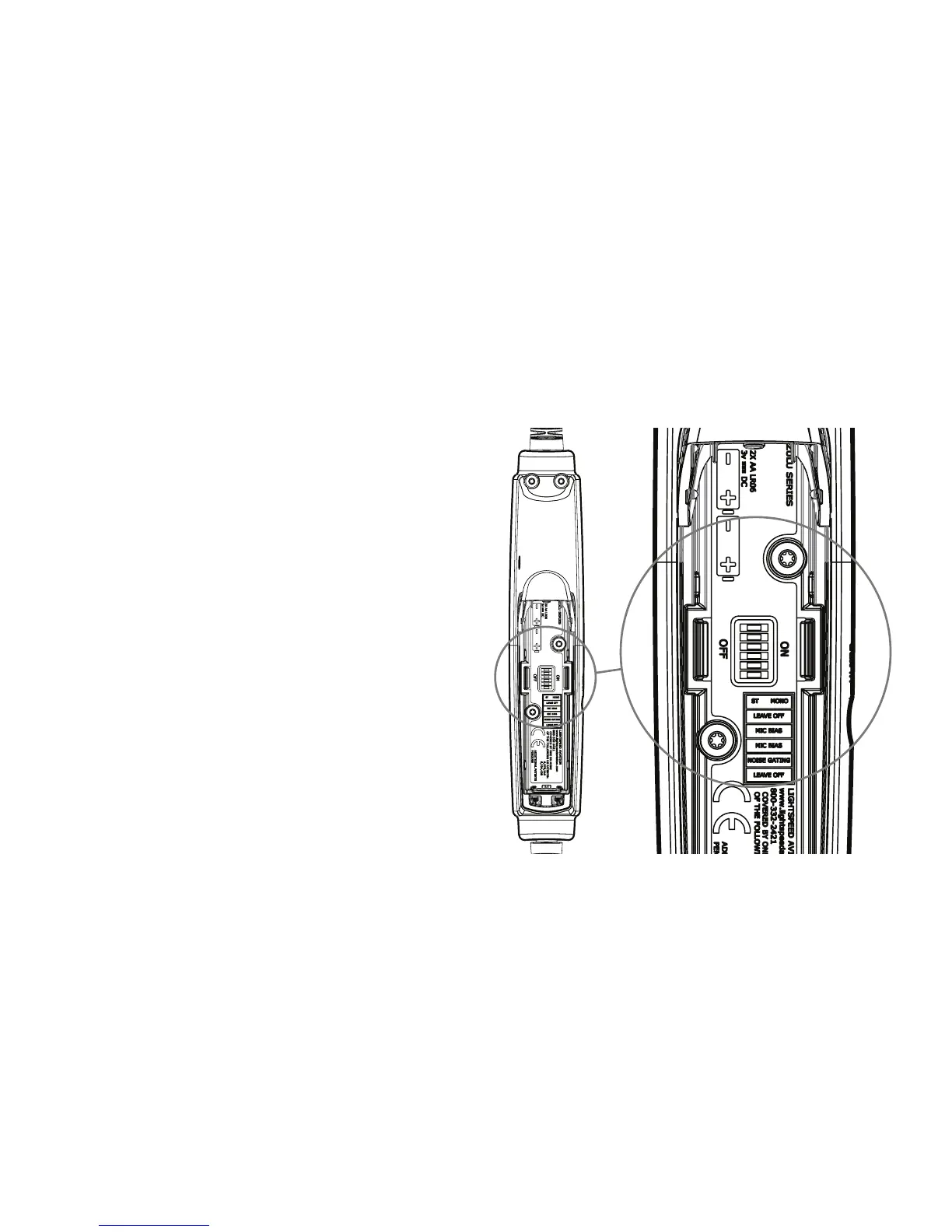
Setting DIP Switches
DIP switches are factory set to match most
aircraft audio panels. To change a DIP switch
setting open the controller battery/DIP switch
door.Useasmallpointedobjectlikeawood
toothpick to slide the DIP switch to ON or OFF
depending on your preference. Changes to other
DIP switches should only be adjusted as directed
by Lightspeed Aviation technicians.
10


 To Next Page