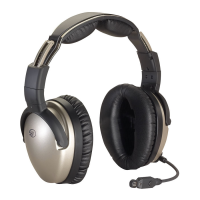
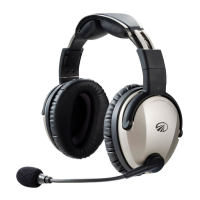
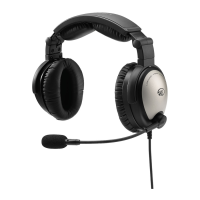
Need help?
Do you have a question about the Lightspeed Zulu.2 and is the answer not in the manual?
Proper headset fitting is key for comfortable use and superior Active Noise Reduction (ANR).
Instructions for installing AA batteries, types recommended, and battery life expectations.
Explanation of the Zulu.2 headset controller buttons, LEDs, and features.
Steps to power the headset on and off, including auto-shutoff features.
Matching Stereo/Mono DIP switch to audio panel for optimal communication.
Utilizing Front Row Center, ComPriority, and wired auxiliary device connections.
How to connect and control Apple devices using the auxiliary input cord.
Guide to adjusting the headset's DIP switches for various audio panel configurations.
Details on Stereo/Mono and Cell mic bias DIP switch settings and their recommended use.
Details on Noise gating and FlightLink DIP switch settings and their recommended use.
Step-by-step guide for pairing your Bluetooth cell phone with the Zulu.2 headset.
Using Bluetooth buttons for voice dialing, answering, and disconnecting calls.
Instructions for enabling and disabling the Bluetooth mode on the Zulu.2 headset.
Recording cockpit communications with the FlightLink app and activating the feature.
How to switch between FlightLink and other apps without interrupting recording.
Tips for proper fitting, DIP switch settings, and maintaining audio quality.
Advice on conserving battery life and using auxiliary devices effectively.
Guidance on headset maintenance and the importance of product registration.
Troubleshooting why radio communications might only be heard in one ear.
Addressing issues when a Bluetooth phone cannot connect or accept the passcode.
Tips to minimize static noise during cell phone calls by managing phone placement.
Identifying the cause of warbling noise, often related to ear cup seal.
Instructions on how to find the serial number on the headset.
Overview of different Zulu.2 models, power sources, cord types, and connectors.
Detailed technical data for headset components including General, Headphone, ANR, and Microphone.
Details of the limited warranty for new aviation headsets, including terms and conditions.
Encouragement to register the headset online for customer experience optimization.
 General
| Type | Aviation Headset |
|---|---|
| Bluetooth | Yes |
| Microphone | Noise-canceling |
| Speaker Type | Dynamic |
| Frequency Response | 20 Hz - 20 kHz |
| Connector | Dual GA Plugs |
| Warranty | 5 years |
| Audio Input | 3.5mm jack |
| Battery Type | AA batteries |
| ANR | Active Noise Reduction |
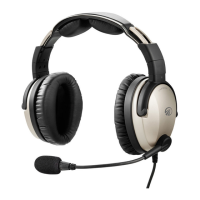

 To Next Page