16
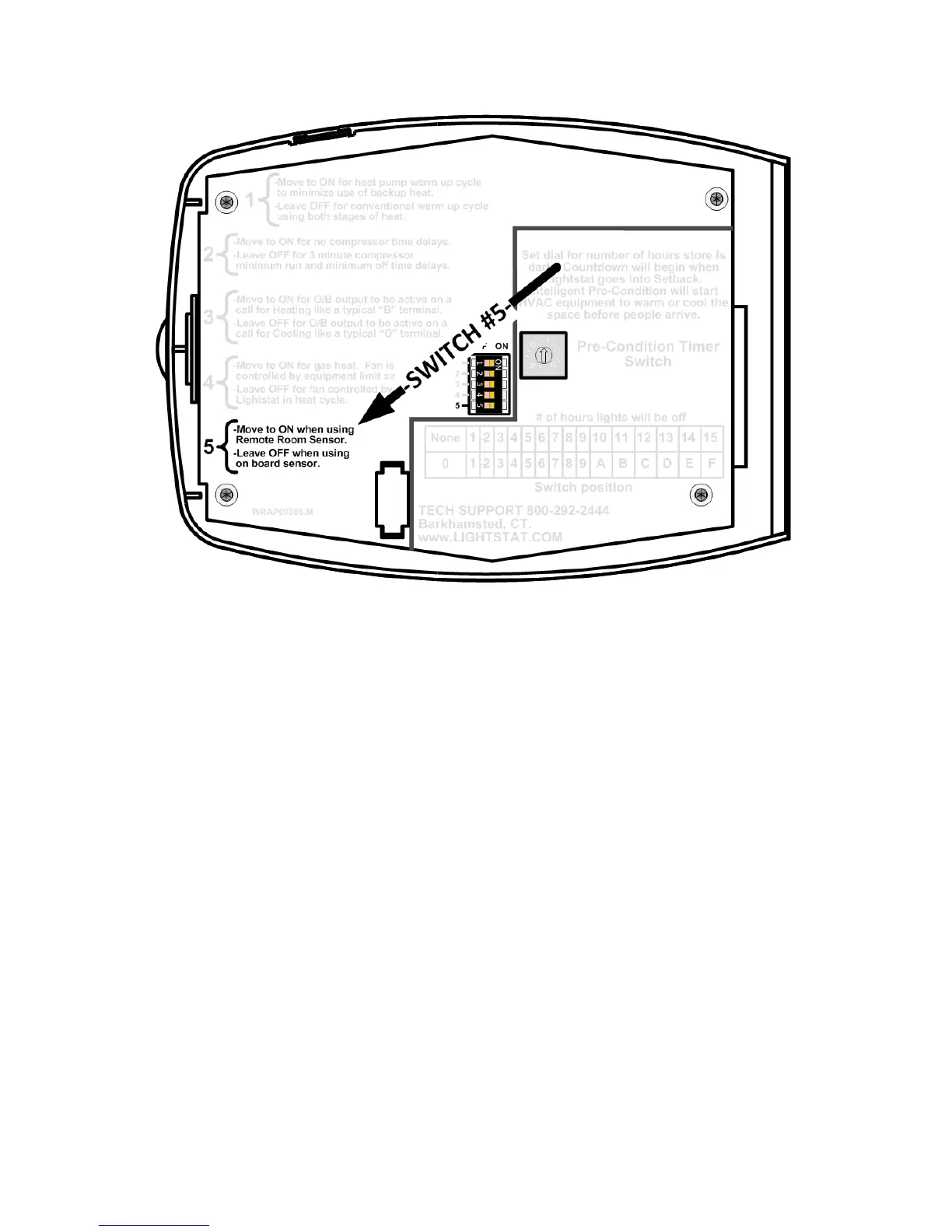
Setting the Remote Room Sensor Switch (#5)
Note: The Lightstat TME must be powered Off and On in order to “read” a
change of switch settings.
This will tell the Lightstat TME to ignore the on-board temperature sensor.
You will see the word REMOTE appear in the display indicating the Remote
Room Sensor switch has been moved to ON.
A “00” in the display indicates no remote sensor is connected.
A “99” in the display indicates there is a short (the two wires are touching) in the
Remote Room Sensor wiring.


 To Next Page