20
Using the Lightstat TME
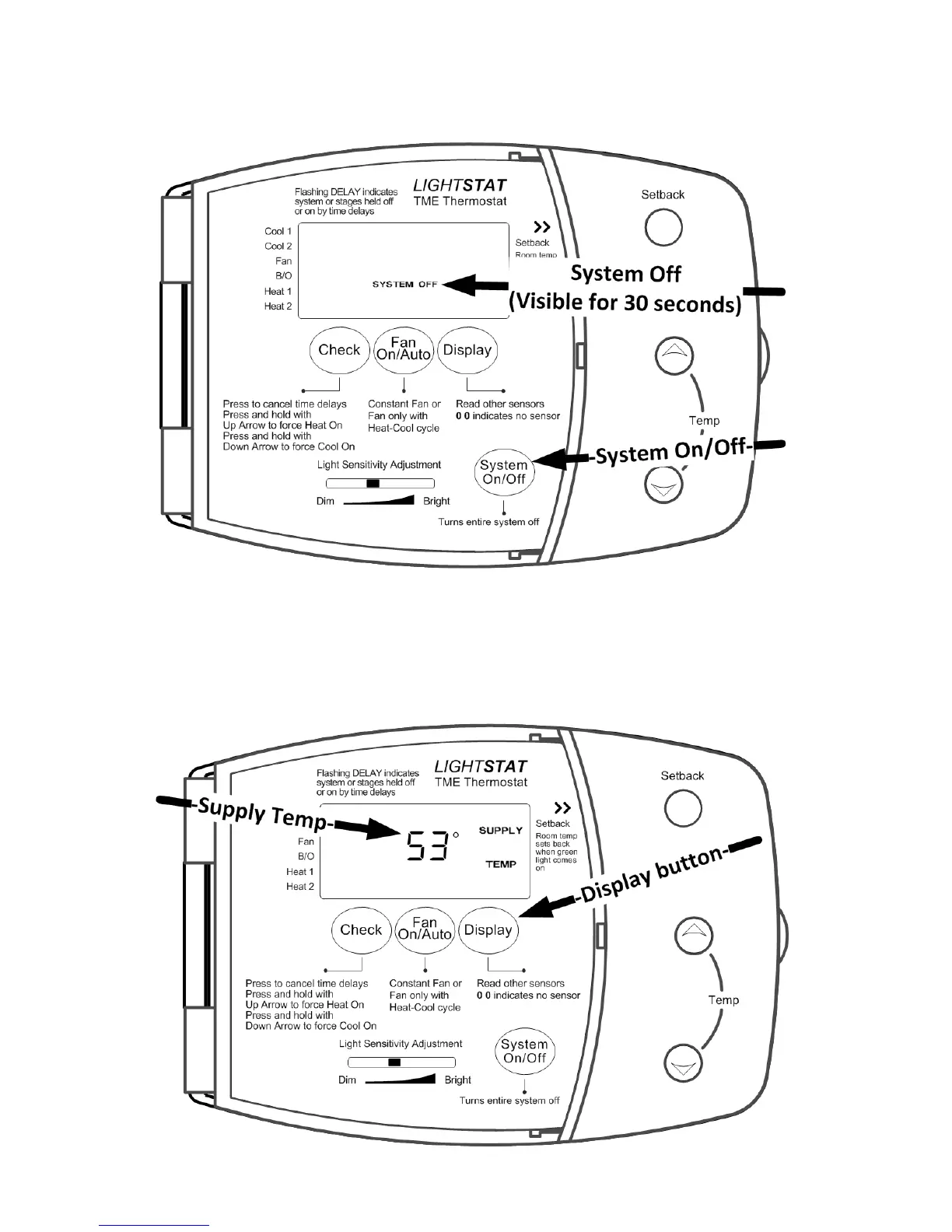
Use the SYSTEM ON/OFF button to turn your HVAC equipment On and Off.
Use the DISPLAY button to shift the temperature display from ROOM
temperature to SUPPLY temperature. The SUPPLY temperature is the air
temperature coming from your HVAC system. You will have to install a Supply Air
Sensor in order to read this temperature. If you do not have this sensor installed,
then the display will read “00”.


 To Next Page