Page 14
Controls and Features
Secondary Features
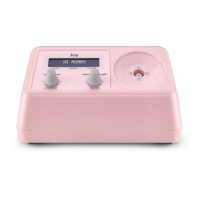
Dry Mode: Push Cycle Speed knob to turn pump on. Once pump is
on, hold cycle speed knob down until Dry Mode appears on display.
(This will take about 5 [ve] seconds). Release knob. Attach lter and
tubing without breast cup assembly and press power to start drying
mode. Pump will turn on for 5 (ve) minutes and display remaining
time. If vacuum level gets too high, the pump will stop and briey
display “tubing not open try again”; display will return to “Start Dry
Mode.” To cancel drying, press cycle/power knob while pump is
running, then the pump will turn off and reboot.
Favorite Setting: The pump has the ability to store one set of
preferred pumping settings. To activate the favorite setting, press and
release the vacuum/favorite knob while pumping. Once activated,
the display will show “Loading Preset” and the pump will gradually
go to the saved settings. The pump comes with a preset for cycle and
vacuum at a setting of 30 (thirty) for both. The preset settings can
be changed while/when pumping by setting to the desired settings
by adjusting the knobs and then press and hold vacuum/favorite
knob for approximately 5 (ve) seconds or until the display shows
“Saved Preset.” The favorite setting has been set and will return when
vacuum/favorite knob is pressed while pumping. The favorite settings
can be changed as often as you like by following the instructions
above.
Find your comfort settings
Recommended settings for rst-time use:
Cycle speed of 30 (thirty) and a vacuum setting of 1 the pump will
automatically start up with these settings after being unplugged in
or if the pump has been off for more than 5 minutes.
Adjusting vacuum strength and cycle speed


 To Next Page