EasyManua.ls Logo

Lincoln 2500 Series - User Manual

Lincoln 2500 Series
48 pages
Print Icon
To Next Page IconTo Next Page
Loading...
Domestic and International Service Manual
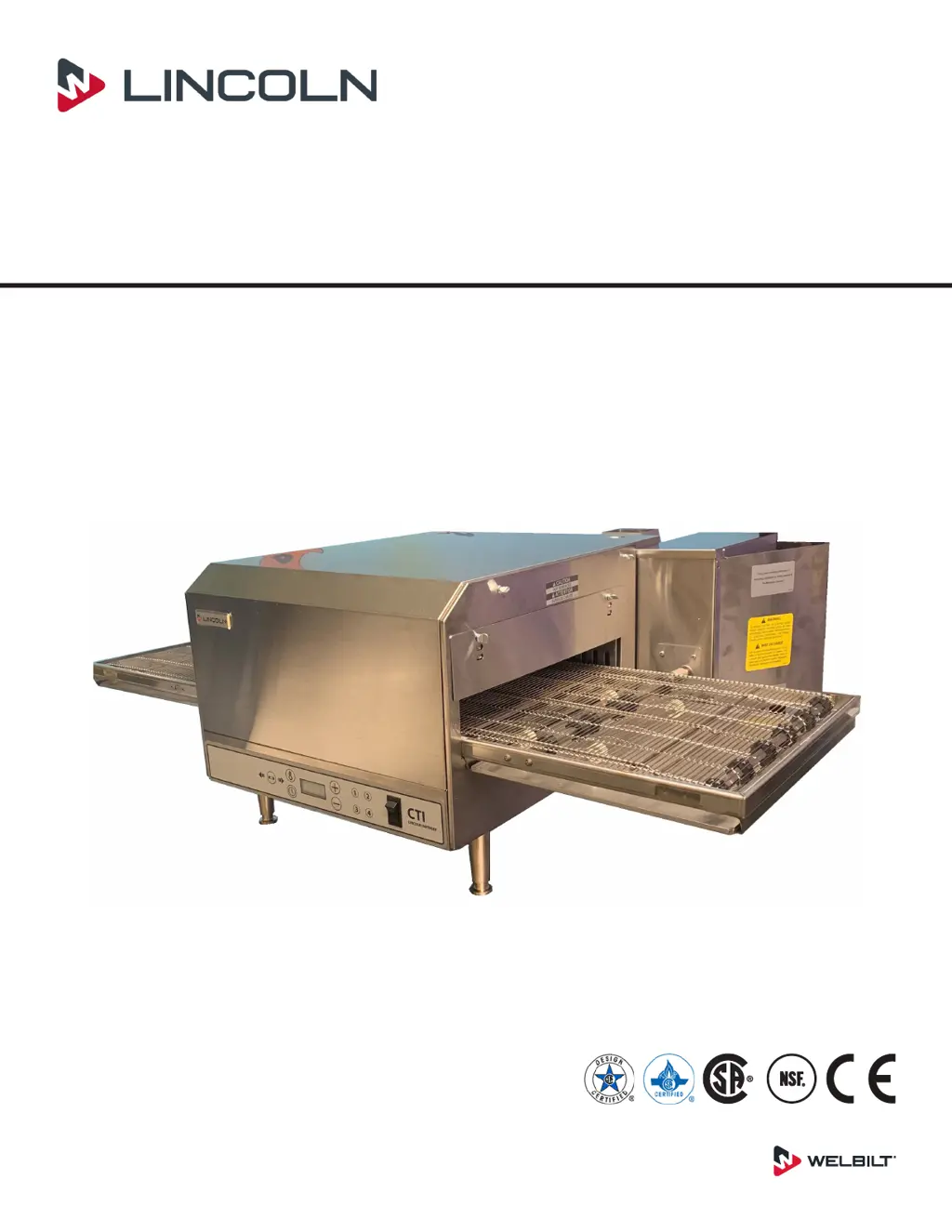
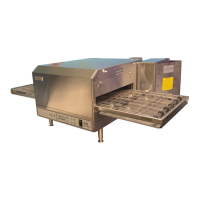
Digital Countertop Conveyor Oven
Series 2500
Consistency You Can Count On
Document #: LIN_EO_SM_DIGCT_S2500_DOM&INTL_4606010 – 11/20
Original Document
C US

Table of Contents

Other manuals for Lincoln 2500 Series

Questions and Answers

  • C
    cameron08Jul 31, 2025
    Why does the Lincoln 2500 cooling fan continue to run?
    • S
      shahscottAug 1, 2025
      If the cooling fan in your Lincoln Oven continues to run, the control box thermostat may be the issue. The thermostat should close at 120°F (49°C) and open at 100°F (38°C). Keep in mind that the thermostat will remain closed if the control box temperature stays above 120°F (49°C). Check the cooling fan thermostat.
  • J
    jessicahermanAug 13, 2025
    Why does the conveyor motor on my Lincoln Commercial Food Equipment run, but the speed control is not working?
    • J
      Jacob KnoxAug 14, 2025
      If the conveyor motor on your Lincoln Commercial Food Equipment runs but the speed control is intermittent or non-existent, check the following: 1. **Transformer:** Verify the 208/240 input voltage to the transformer. If there's no voltage, check the On/Off switch (S) and the Control Box Hi-Limit (T1) for continuity. Also, check the 5 amp fuses (F1, F2) for continuity. If voltage is present, check for 24VAC output from the transformer. If no voltage is present, check the circuit breaker (CB) on the output of the transformer; if there's still no secondary voltage from the transformer, replace it. 2. **Conveyor Control:** Check for 2-29VDC output from the conveyor control at J3-2 and J3-1. If there's no voltage present but 24 VAC input at J1 and J2, replace the main control board.
  • M
    Michael JohnstonAug 18, 2025
    What should I do if my Lincoln Commercial Food Equipment has no digital display?
    • J
      James HodgesAug 18, 2025
      If there is no digital display on your Lincoln Commercial Food Equipment, check the following: * **Transformer:** Check the 208/240 input voltage to the transformer. If no voltage is present check the On/Off switch (S) and the Control Box Hi-Limit (T1) for continuity. Also check 5 amp fuses (F1, F2) for continuity. Check for 24 VAC at J1 and J2 power into the digital control. Check circuit breaker (CB) on output of transformer. If no secondary voltage from transformer replace transformer. If secondary voltage is present then replace main control board.
  • S
    stephen18Aug 22, 2025
    Why does the cooling fan on my Lincoln Commercial Food Equipment keep running?
    • R
      Rodney LarsonAug 22, 2025
      If the cooling fan on your Lincoln Commercial Food Equipment continues to run, check the cooling fan thermostat. The thermostat should close at 120°F (49°C) and open at 100°F (38°C). Keep in mind that the thermostat will remain closed if the control box temperature stays above 120°F (49°C).
  • K
    Kimberly JonesOct 26, 2025
    What to do if the Lincoln 2500 Oven fan will not run?
    • R
      Roger SchneiderOct 26, 2025
      If the Lincoln Oven fan isn't running, start by checking the circuit breaker and resetting it if needed. Ensure the power plug is securely in the receptacle. Measure the incoming power; if it's insufficient, contact the power company. Also, inspect the 5 Amp fuse for continuity and replace if necessary, checking the fuse holder for line voltage. Check the oven power switch for a 208-240 VAC supply; if absent, trace the wiring back to the fuse holder and high limit thermostat. Verify continuity between switch terminals, replacing the switch if necessary. Finally, check the main fan motor for a 208-240 VAC supply; if present but the motor doesn't turn, with the power off, manually turn the fan blade to check for a locked rotor. Check the capacitor with a multimeter and inspect the motor for ...
  • S
    Sonia CarsonNov 3, 2025
    How to fix a Lincoln 2500 Oven with no control box cooling fan?
    • T
      Thomas NguyenNov 3, 2025
      If the control box cooling fan in your Lincoln Oven isn't working, begin by checking the circuit breaker and resetting it if necessary. Ensure the power plug is firmly in the receptacle and measure the incoming power; contact the power company if needed. Also, check the 5 Amp fuse for continuity, replacing it if necessary. Inspect the control box hi-limit thermostat for continuity through the switch (T2); reset the thermostat if it's open and test the oven. If the thermostat won't hold and the control box temperature isn't exceeding 140°F (60°C), replace it. Check the oven power switch for a 208-240 VAC supply; if absent, trace the wiring back to the fuse holder and high limit thermostat (T2). Verify continuity between switch terminals, replacing the switch if needed. Finally, check the co...
  • D
    Debra OlsonNov 7, 2025
    How to troubleshoot a Lincoln Commercial Food Equipment oven fan that won't run?
    • A
      Amanda TannerNov 8, 2025
      If the oven fan in your Lincoln Commercial Food Equipment isn't running, check the following: * **Incoming Power Supply:** Verify the circuit breaker and reset if needed. Ensure the power plug is securely in the receptacle. Measure the incoming power. * **5 Amp Fuse and Fuse Holder:** Check the fuse for continuity and replace if necessary. Check the fuse holder for line voltage. * **Hi-Limit Thermostat:** Ensure terminals are normally closed and opens at 140°F(60°C), if open, reset thermostat and test oven for proper operation. Replace thermostat if it will not hold, and control box temperature is not exceeding 140°F(60°C). * **Oven Power Switch:** Check for 208/240VAC supply to switch. If no voltage is present, trace wiring back to fuse holder and Control Box High Limit Thermost...

Summary

General Information

Model Number Key

Decode the model number structure for product identification.

Installation

Exterior Dimensions

Physical measurements and specifications of the oven.

Installation Requirements

Prerequisites for safe installation including codes, spacing, and ventilation.

Electrical Grounding Instructions

Procedures for safe electrical connection and grounding.

Assembly Instructions

Steps for assembling the oven, including leg installation.

Stacking Instructions

Guidelines for stacking ovens, including analog and digital units.

Mounting Instructions

Procedures for securely mounting the oven to a countertop.

Installation Checklist

A checklist to ensure all installation steps are correctly completed.

Operation

Sequence of Operation

Step-by-step explanation of the oven's functional sequence.

Maintenance

Operator Maintenance and Cleaning

Safety precautions and guidelines for daily and weekly cleaning.

Conveyor Removal & Reinstallation

Detailed steps for removing and reinstalling the oven's conveyor assembly.

Finger Removal & Disassembly

Procedures for removing and disassembling oven finger components for cleaning.

Preventive Maintenance

Importance and recommendations for periodic maintenance for optimal performance.

Troubleshooting

Troubleshooting Guide

A comprehensive guide to diagnose and resolve common oven operational problems.

Controls

Operating Instructions

How to power up, shut down, and change belt direction on the oven.

Programming Menu Presets

Steps to program the four available menu preset buttons for custom settings.

Manual Mode Programming

Instructions for using the oven's manual mode for time and temperature settings.

Subset Menu Programming

Instructions for accessing and programming the technician-accessible subset menu.

Component Procedures

Oven Back and Hi-Limit Replacement

Procedures for replacing the oven back assembly and the oven hi-limit thermostat.

Thermocouple and Power Switch Replacement

Steps for replacing the thermocouple sensor and the main power switch.

Motor Capacitor and Fan Replacement

Procedures for replacing the motor capacitor, main fan, and fan motor.

Air Pump and Heating Element Replacement

Steps for replacing the air pump assembly and the heating element.

Conveyor System Procedures

Procedures for replacing conveyor belt, sprockets, and motor.

Transformer and Contactor Procedures

Replacing control transformer and contactor.

Main Control and Associated Components

Replacing main control, proportional controller, membrane, and cooling fan thermostat/motor.

Electrical Safety and Control Components

Replacing hi-limit, relays, switches, fuse holder, and DC power supply.

Charts

Utility Specifications

Technical specifications table detailing voltage, amps, Hz, phase, and wires for various models.

Diagrams

Wiring Schematics

Overall wiring diagram for the Model 2500.

Model 2500 Wiring Diagram

Detailed wiring diagram specific to the Model 2500.

Model 2501-2502 Wiring Diagrams

Detailed wiring diagrams for Models 2501 and 2502.

Model 2504-2510 Wiring Diagrams

Detailed wiring diagrams for Models 2504 and 2510.

Model 2505 Wiring Diagram

Detailed wiring diagram specific to the Model 2505.

Model 2507 Wiring Diagram

Detailed wiring diagram specific to the Model 2507.

Model 2508-2509 Wiring Diagrams

Detailed wiring diagrams for Models 2508 and 2509.

Model 2512 Wiring Diagram

Detailed wiring diagram specific to the Model 2512.

Model 2514 Wiring Diagram

Detailed wiring diagram specific to the Model 2514.

Lincoln 2500 Series Specifications

General IconGeneral
BrandLincoln
Model2500 Series
CategoryOven
LanguageEnglish

Related product manuals