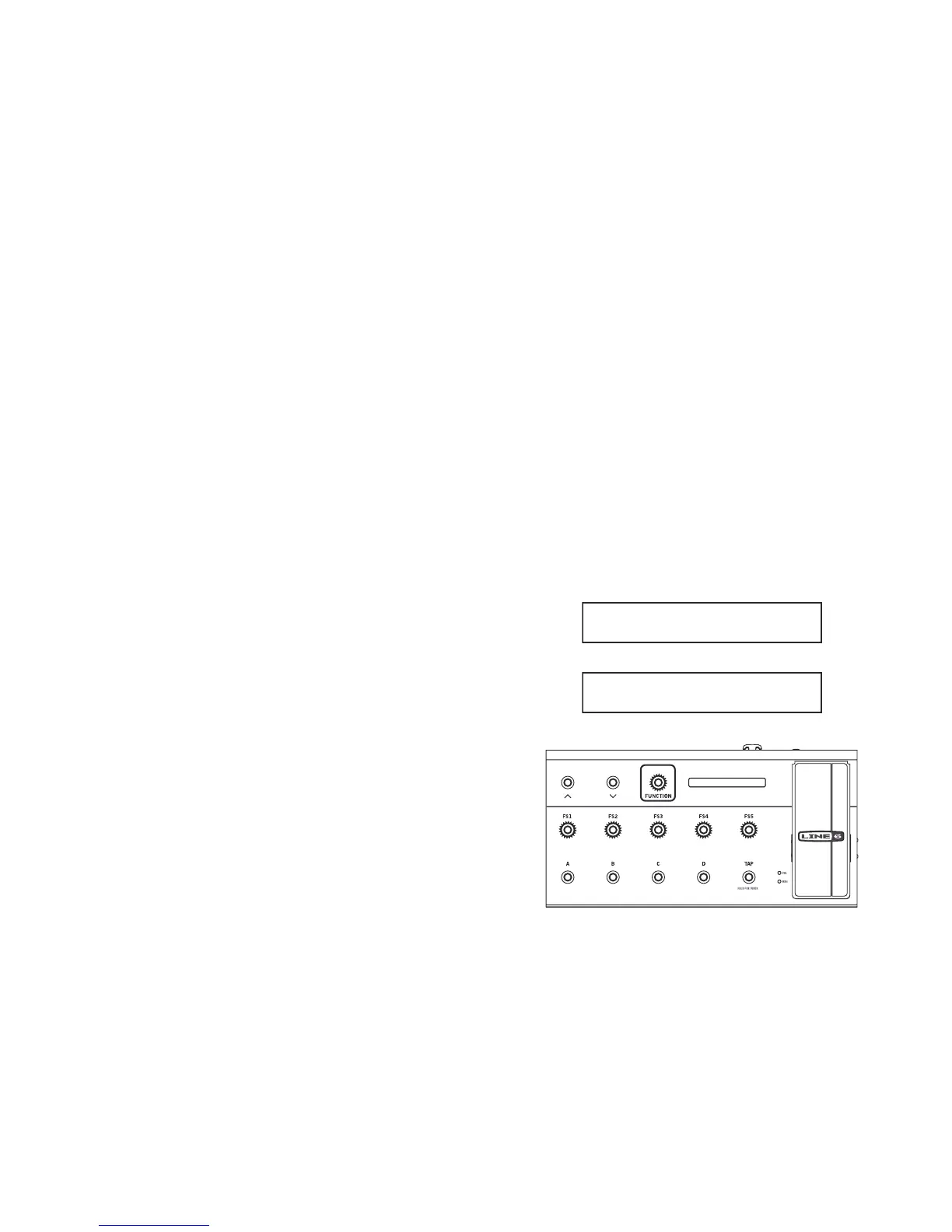
1. USB - Connect to Mac/ PC for USB Midi.
2. FBV Connector - Connect your Line 6 Amp or POD
3. ¼" Expression Pedal - Optionally add a 2nd pedal for even greater
control! The Line 6 EX-1 Expression Pedal is designed to work with
the FBV 3.
4. Bank Up / Down - Press the “Bank” buttons (labeled with the up and
down arrows) to scroll through the User Banks.
5. Function Assign Footswitch - Function Switch (with POD HD series
and USB connected PC) / Enter Live Edit mode (Firehawk 1500).
6. LED Display - This display shows your current Bank, Preset and
Preset Name or Tuner interface when activated.
7. Volume / Wah Pedal - Typically controls either the Wah or Volume of
the current preset - press the pedal forward to activate the toe switch
to toggle between Wah or Volume. The LEDs on bottom left shows
the active function of your on board expression pedal.
8. FS1–FS5 Footswitches - User dened footswitches. Press to
toggle the assigned eect on/o in the current preset.
9. Channel A,B,C,D Footswitches - Select to call up one of the four
“Channels” in the current Bank.
10. Ta p Tem po - Tap in a tempo for your active Delay or Modulation
eects of the current preset to follow. Press and hold TA P to activate
the chromatic tuner. The Tap button is also used to exit menus in Live
Edit mode.
Line 6 FBV Control Application Installation
If you plan on using your FBV 3 to control software on your Mac
®
or
Windows
®
computer, then you’ll also want to install the latest Line 6 FBV
Control application. This free software provides you with the ability to
create, load, edit and store FBV presets - full sets of customized MIDI
controller congurations - all in an easy-to-use application!
The FBV Control App can be downloaded from line6.com/software/
Live Edit Mode with Firehawk 1500
Note: Both Firehawk 1500 and FBV 3 reect Live Edit mode, regardless
of how the user engages it; that is, pressing FUNCTION on FBV 3 will
also change the UI state of Firehawk 1500’s top panel.
Pressing FS1-FS5 will display the model assignment for ~1 second, and
then time out:
Analog Chorus



 To Next Page