18
The Blocks
Input
The Input block has a dedicated noise gate. Threshold and Decay parameters are
grayed out unless Knob 1 (Gate) is turned on.
The vast majority of the time, you'll want the Input block to be fed from the Main L/
MONO and RIGHT inputs. However, you can instead feed the Return L/MONO and
RIGHTinputsintothesignaloworevenUSBIn5/6forre-ampingpurposes.
From Edit view, turn the Upper Knob to select the Input block and
then turn the Lower Knob to change the input.
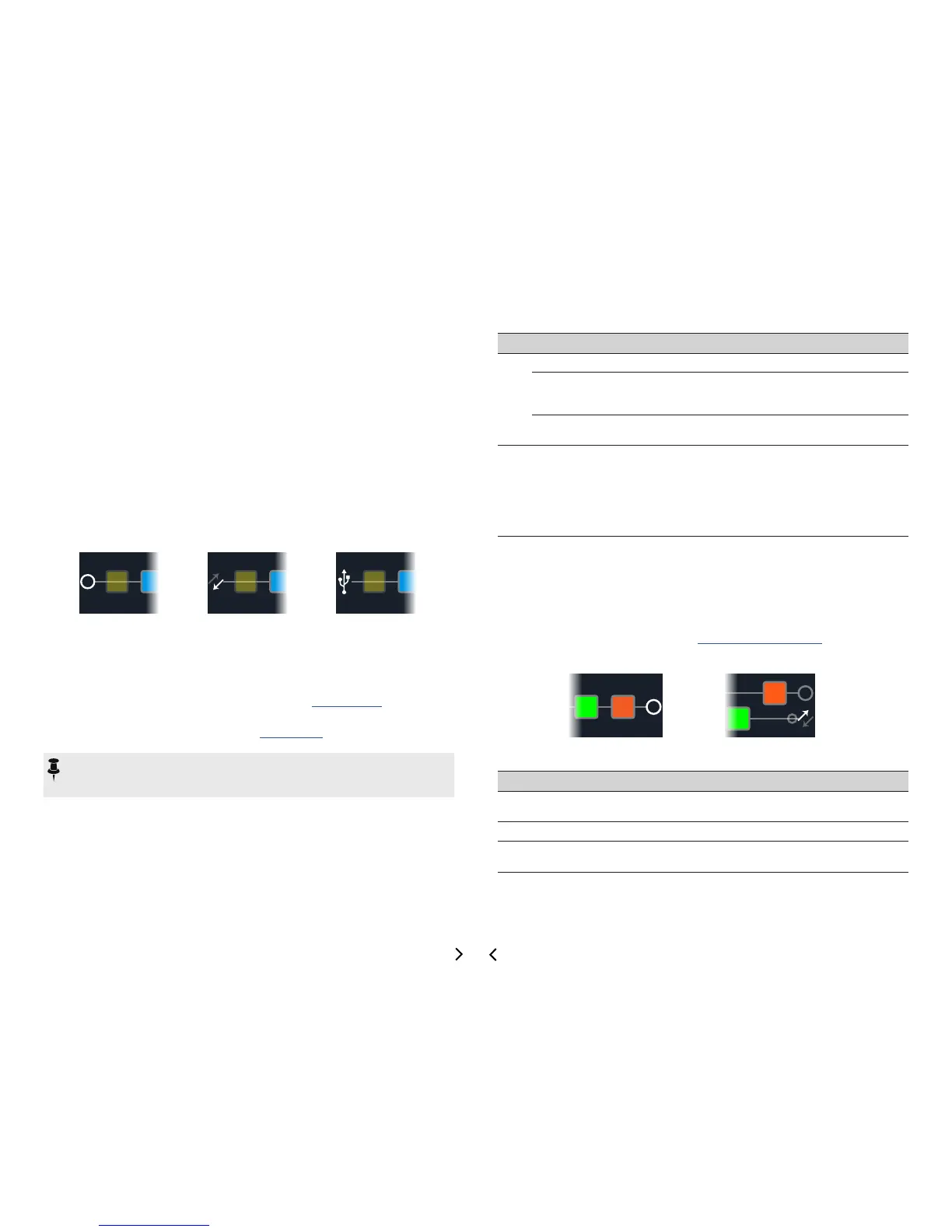
INPUT MAIN L/R INPUT RETURN L/R INPUT USB 5/6
Main L/R
Both the L/MONO and RIGHT inputs are active simultaneously. Nor-
mally, you should choose Input Main L/R.
Return
L/R
Return L/MONO and RIGHT can act as a stereo Input block for pro-
cessing keyboards, a drum machine, or even another modeler. If a
Return or FX Loop processing block exists in the preset, the utilized
Return input will be non-selectable. See "Send/Return".
USB 5/6
USB inputs 5/6 can be used for processing tracks from your Mac or
Windows DAW software. See "USB Audio".
NOTE: HX Stomp also receives input from USB 1/2 and 3/4, but they're dedicat-
ed for monitoring audio from your computer (or iPad device) and bypass all pro-
cessing blocks. As such, USB 1/2 or 3/4 are not available as input block sources.
Input Settings
Page Knob Parameter Description
1
1 Gate
TurnstheInputnoisegateonando.
2 Thresh[old]
Sets the input level at which the noise gate acts on
thesignal.Ifyourguitargetscutoabruptly,turnthe
Threshold up.
3 Decay
Determines how abruptly the noise gate is applied
once the signal drops below the threshold level.
2 1 In-Z
HX Stomp has an impedance circuit on its Main L/R
inputsthataectstoneandfeelbyloadingyour
guitar'spickupsastheywouldbyaneectpedalor
amplier.Alowervaluewilltypicallyresultinsome
high frequency attenuation, lower gain, and an overall
"softer" feel. A higher value provides full frequency
response, higher gain, and an overall "tighter" feel.
Outputs
Most presets have one Output Main L/R block, which is used to adjust its overall level
andbalancebetweenstereospeakers.When a parallelpathcongurationexists,if
you route the Mixer block to path B, a second Output block appears for routing path B
signals from the stereo Send output. See "Setting Path B's Output".
OUTPUT MAIN L/R OUTPUT MAIN L/R+SEND L/R
Output Settings
Knob Parameter Description
1 Pan
Sets the balance between the left and right outputs. If you're
only running the L/MONO output, leave this set to Center.
2 Level
Sets the overall level of the entire preset.
3
Type (Send
only)
Determines whether the Send L/R Output (appears when the
Mixer block is routed to Path B) is mono or stereo.



 To Next Page