SETTING UP IN THE STUDIO: OUTPUTS
3 • 4
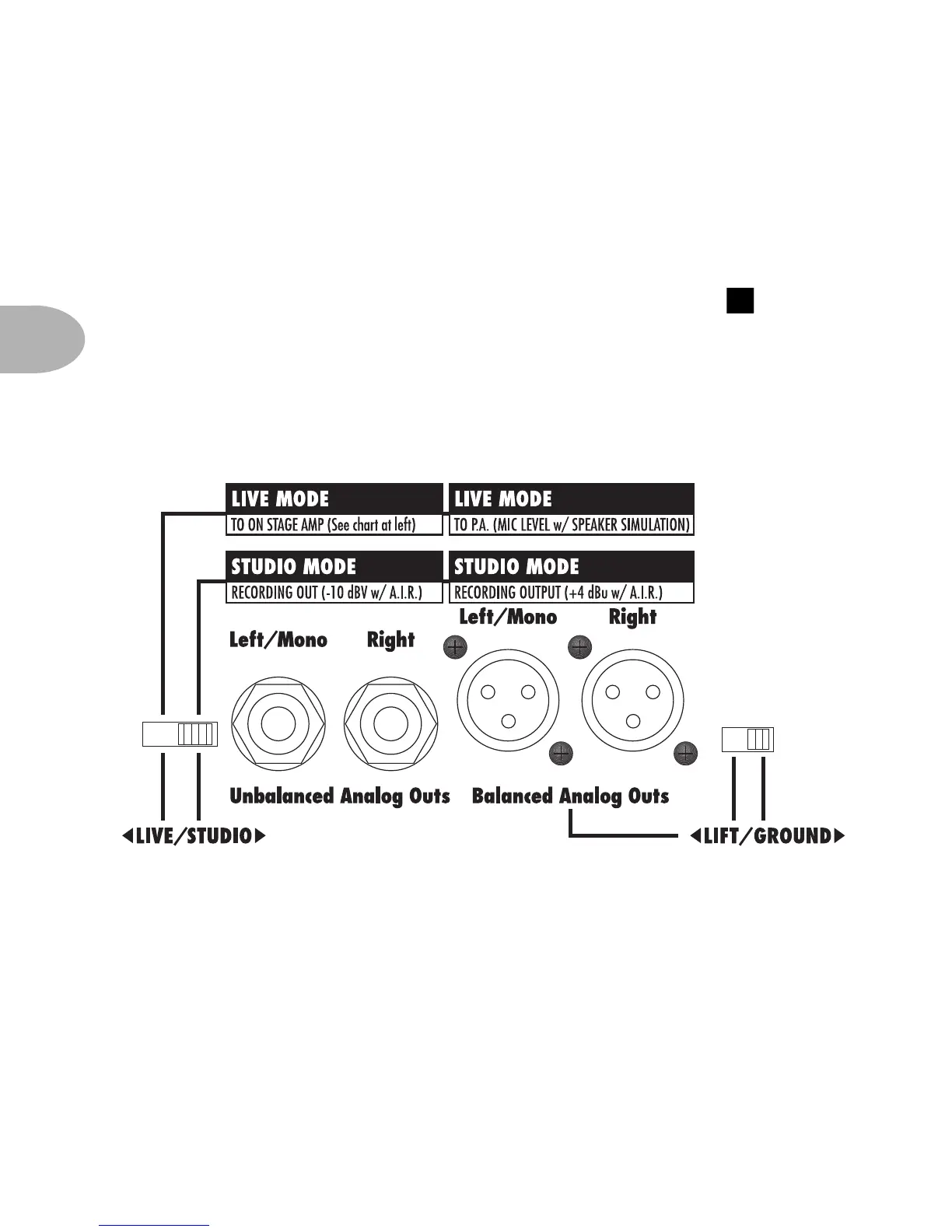
Analog Stereo Outputs – Your POD gives you two pairs of analog stereo
outputs. The XLR connections give you a +4dBu balanced signal with the
Line 6 A.I.R. processing for speaker/mic/room simulation. The 1/4 inch
connections give you this same signal unbalanced at -10dBv for connecting
to equipment that prefers these levels. The front panel Output knob
determines the levels at these outputs (note it does not affect the level of the
XLR outs in the Live Mode which is described in the next chapter). In
general, you want to set this knob, as well as the Channel Volume control,
to maximum in order to get the best signal quality. Be sure that you have set the
Live/Studio switch to the Studio position.
2



 To Next Page