Creating & Storing Sounds • Inside the Edit Menu
4 • 5
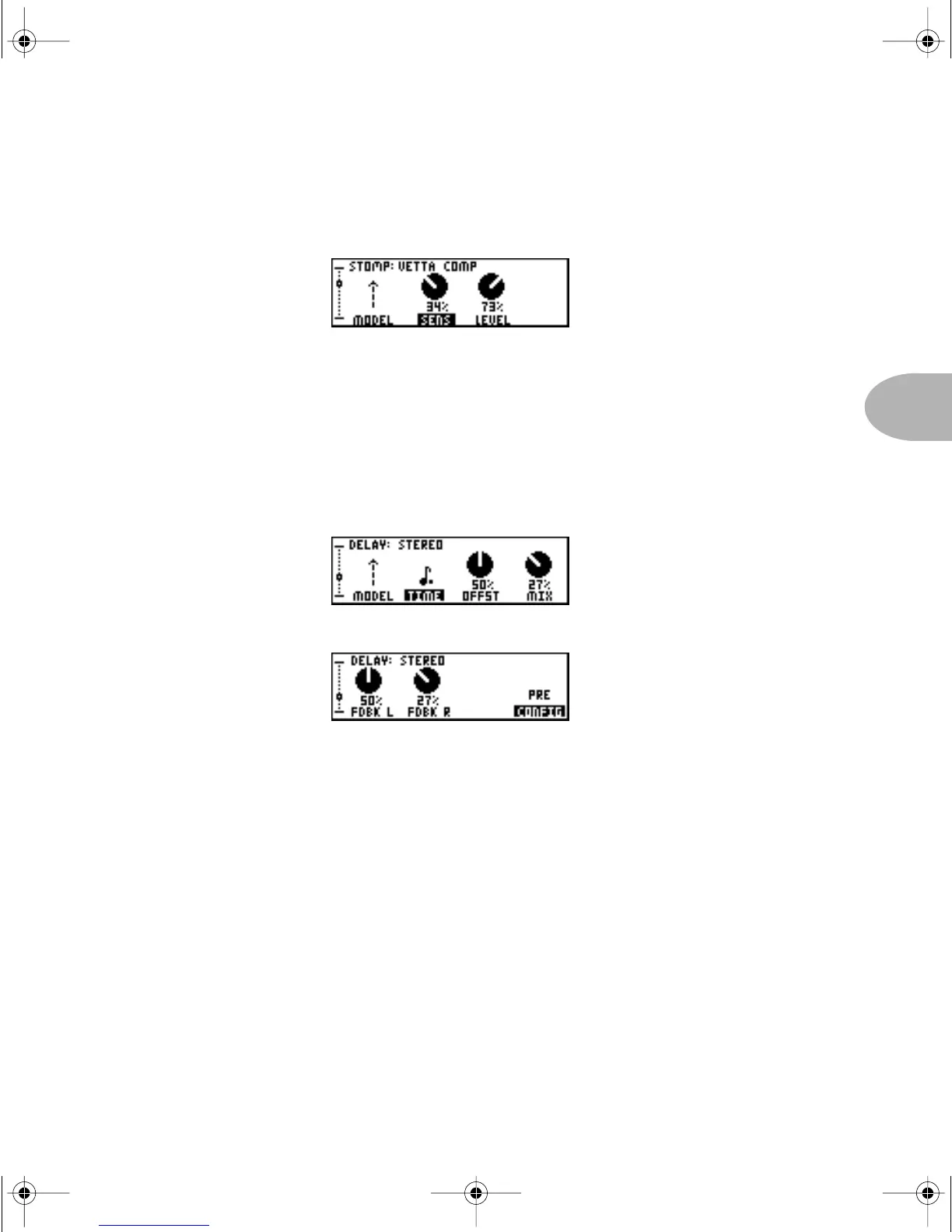
Here’s an example. Double-press the S
TOMP button. The Stompboxes only have one
E
DIT page that looks something like this:
As with all of the effects, the first button from the left below the display allows you to
choose the effect model. You can also see that the Vetta Comp has ‘knobs’ for
Sensitivity, and Level. Pressing the button under
SENS selects it for tweaking via the
E
FFECT TWEAK knob.
Other effects, such as D
ELAY and MOD, have 2 pages of parameters:
Delay Edit Page 1
Delay Edit Page 2
CONFIG, on page 2, is available for PODXT’s volume pedal, Delay, and Mod. It lets you
position each one either:
PRE – in front of the amp, where you’d place a stompbox, or
POST – after the amp, where you’d put a rack type effect.
A picture is worth a thousand words. Turn the page for a few good ones that illustrate
this pre/post stuff.
PODxt Manual Book RevC.book Page 5 Friday, August 29, 2003 5:43 PM



 To Next Page