Creating & Storing Sounds • Inside the Edit Menu
4 • 4
Cabinet and Mic settings (There’s magic in the A.I.R.!)
From the Amp Knob display, turn Select one click to the right (you can also get here
directly by pressing the C
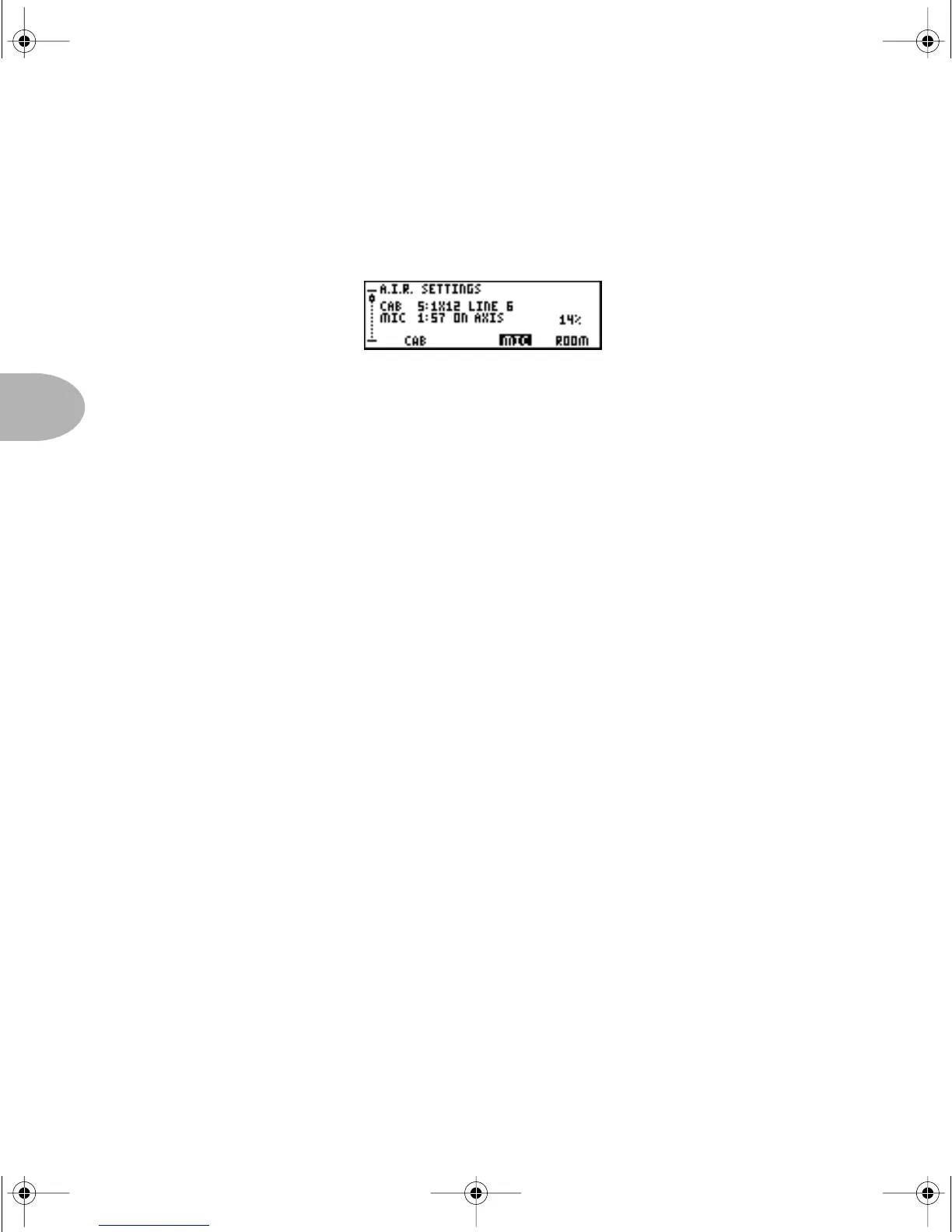
AB/A.I.R. button). You’re now looking at something like this:
These are the advanced A.I.R. settings where you can mix and match any cabinet
model with any amp, as well as dial in the perfect microphone setup.
Press the button under the displayed word
CAB, then use the EFFECT TWEAK knob to
spin through the available Cabinet models.
You can change the microphone selection or spread of the room the same way. Press
the button under the displayed word
MIC, then use EFFECT TWEAK to spin through
the Mic options, or press the button under
ROOM and dial in more or less room.
These settings allow you to completely customize the sound of the virtual recording
environment we call A.I.R. — all without leaving the privacy of your own mind!
Remember, you can get to this page at anytime from anywhere with a single press of the
C
AB/A.I.R. button.
Effects Editing
You edit all of PODXT’s Effects the same way. Simply double-press any effect on/off
button to jump directly to the first page for that effect, press a button beneath the
display to select a parameter, and twiddle the E
FFECT TWEAK knob to tweak what’s
selected. To get to any other page, whether for Reverb or whatever, turn the S
ELECT
knob while the E
DIT button is lit. And your handy “scrollbar” on the left of the display
lets you know where you are. See? We knew you were a power user, deep down inside.
In general, most effects only have two pages worth of parameters to keep it simple, and
the most common parameters are on the first page. So if you can’t find what you’re
looking for on the first page, turn S
ELECT one click clockwise and you’ll probably see
what you need there.
PODxt Manual Book RevC.book Page 4 Friday, August 29, 2003 5:43 PM



 To Next Page