Note:
For stable performance, it is recommended that you format the memory
card every 1-2 months.
There are two ways to format Micro-SD card
1. Press and hold WiFi button for 10 seconds to format and default settings,
you will hear sound “di” when format successfully.
2. Please connect to LINGDU APP, using the function menu named
“Format” to do
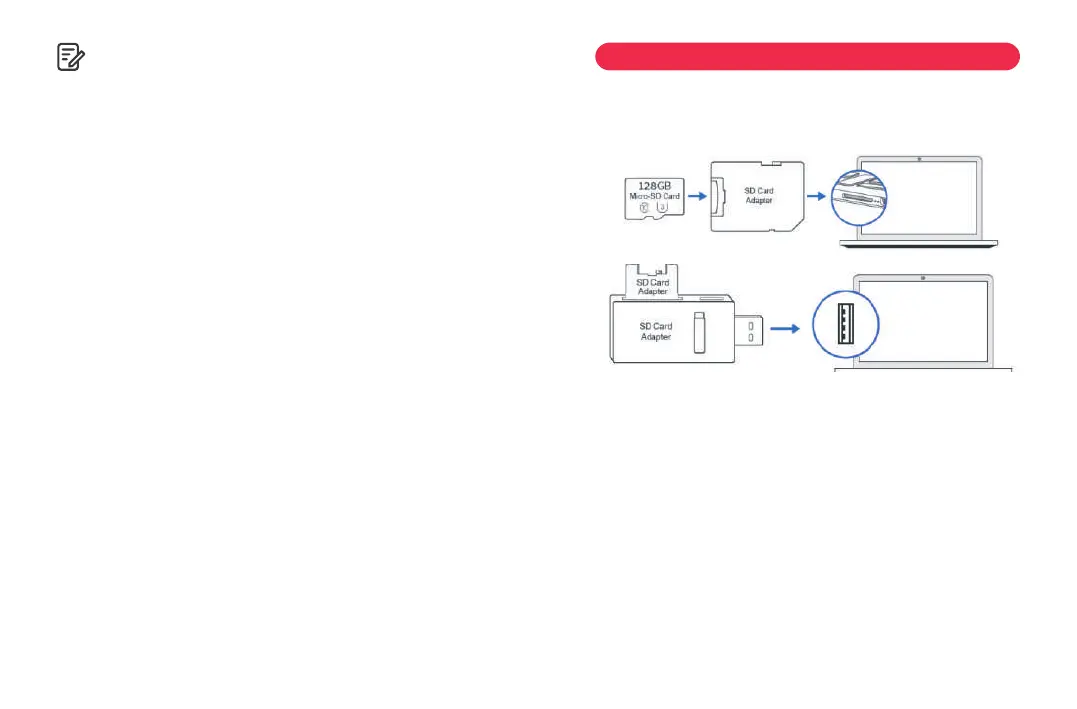
1. Remove the microSD card from the dashcam.
2. Insert the card into a microSD card reader and connect it to your computer.
3. Depending on the pre-installed hard drives, you should be able to locate
the added flash drive as drive "D," "E," or another name. Once you have
located the drive, double-click it to access the file folders, which include
Normal, Event, and Photo.
Normal:Normal recording mode saves video files in a loop, allowing them
to be overwritten when storage space is needed.Event:In Event recording
mode, the video file will be locked and protected from deletion by the
loop recording function.
Photo:This is the folder for storing captured photos.To play the videos,
simply double-click on them.
We recommend using VLC Media Player, which can be downloaded for
free at: www.videolan.org .
WiFi Name
Here you can change the WiFi Name in APP, the default name: D500_*******
WiFi Password
Here you can change the WiFi Password in APP, the default password:
12345678
Default Settings
Reset the Dash Cam to default settings. Your recordings will not be
affected.
Firmware Version
Here you can check the current firmware version installed on your camera.
You will need this information in the future to check if newer version of
firmware is available.
10. Playing Video Files Using Your Computer
EN-31 EN-32



 To Next Page