EasyManua.ls Logo

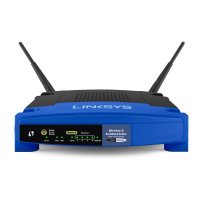
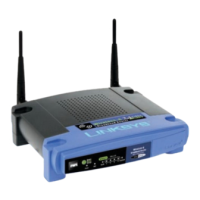
Linksys easyHOTSPOT WRT54GL - User Manual

Linksys easyHOTSPOT WRT54GL
17 pages
Print Icon
To Next Page IconTo Next Page
Loading...
Installation Manual

Questions and Answers

  • M
    Mr. Douglas HahnJul 26, 2025
    Why is the power light off on my Linksys easyHOTSPOT WRT54GL Wireless Router?
    • C
      Christopher LopezJul 26, 2025
      If the power light on the front panel of your Linksys Wireless Router is off, it could be due to several reasons. Ensure the power pack is properly plugged into both the router and a working power socket. Other potential causes include a faulty power supply or a faulty easyHotspot.
  • R
    Raymond CisnerosJul 31, 2025
    Why can't I connect to my Linksys Wireless Router network?
    • N
      Nicole SampsonAug 1, 2025
      If you're unable to connect to your Linksys Wireless Router's wireless network, the issue might stem from your PC's configuration. A faulty or disconnected Range Extender could also be the cause, or there might be a problem with the easyHotspot.
  • S
    Sherri MullenAug 6, 2025
    Why is the internet light off on my Linksys easyHOTSPOT WRT54GL?
    • K
      Kevin Thompson DVMAug 6, 2025
      The Internet light on the front panel of your Linksys Wireless Router may be off if the LAN cable isn't correctly plugged into the Internet socket. Another reason could be a faulty LAN cable, or that the other end of the LAN cable is not plugged into a functioning Ethernet device.
  • S
    sergiosingletonAug 10, 2025
    Why is the WLAN light off on my Linksys easyHOTSPOT WRT54GL Wireless Router?
    • C
      Christian NelsonAug 10, 2025
      If the WLAN light is off on the front panel of your Linksys Wireless Router, the cause might be a faulty easyHotspot.
  • J
    Joseph GarzaAug 16, 2025
    What to do if I can't read email after connecting to Linksys easyHOTSPOT WRT54GL?
    • D
      Donna CopelandAug 16, 2025
      If you can't read email after connecting to the Linksys Wireless Router, it might be because you have been logged off due to inactivity. To resolve this, log in again via your web browser.
  • S
    samanthaweissAug 20, 2025
    Why does my login fail on Linksys easyHOTSPOT WRT54GL Wireless Router?
    • Q
      qhansonAug 20, 2025
      If your login fails on the Linksys Wireless Router, it could be due to an expired or invalid ticket. Ensure you are not making any typing mistakes, as tickets are case-sensitive. The AAA server being down could also be a reason.

Summary

Introduction

Features for the easyHotspot Owner

Details owner-specific features like ticket-controlled access, no onsite PC requirement, and network expandability.

Features for the easyHotspot Customer

Outlines customer benefits such as WiFi access, no special software needed, and a simple login/logoff procedure.

Installation

How easyHotspot Fits in Your Network

Illustrates the easyHotspot's placement between the broadband router and controlled devices, acting as a traffic controller.

Installation Requirements

Specifies the need for a LAN connection and a DHCP server providing IP, Subnet Mask, DNS, and Gateway addresses.

Installation Procedure

Guides through connecting the CAT5 LAN cable to the 'Internet' port and the power pack to the 'Power' socket on the device.

Testing

Details expected LED states and button functions on the easyHotspot front panel for verification after installation.

Range Extenders

AAA Server

Tickets

Instructions for Customers

Troubleshooting

Linksys easyHOTSPOT WRT54GL Specifications

General IconGeneral
ModelWRT54GL
CategoryWireless Router
Frequency Band2.4 GHz
Wireless Standards802.11b, 802.11g
Ports4 x 10/100 Ethernet LAN, 1 x 10/100 Ethernet WAN
SecurityWEP, WPA, WPA2
StandardsIEEE 802.3, IEEE 802.3u
ButtonsReset
LEDsPower, Internet
Operating Temperature32°F to 104°F (0°C to 40°C)
Storage Temperature-4°F to 158°F (-20°C to 70°C)
Operating Humidity10% to 85% non-condensing
Storage Humidity5 to 90% Non-condensing

Related product manuals