Dot Clock: Dot Clock adjustments correct the
interference that appear as vertical banding in
dot intensive presentations like spreadsheets or
paragraphs or text in smaller fonts.
Phase: Depending on the resolution and scan
frequency that you input to the TV set, you may see
a hazy or noisy picture on the screen. In such a case
you can use this item to get a clear picture by trial
and error.
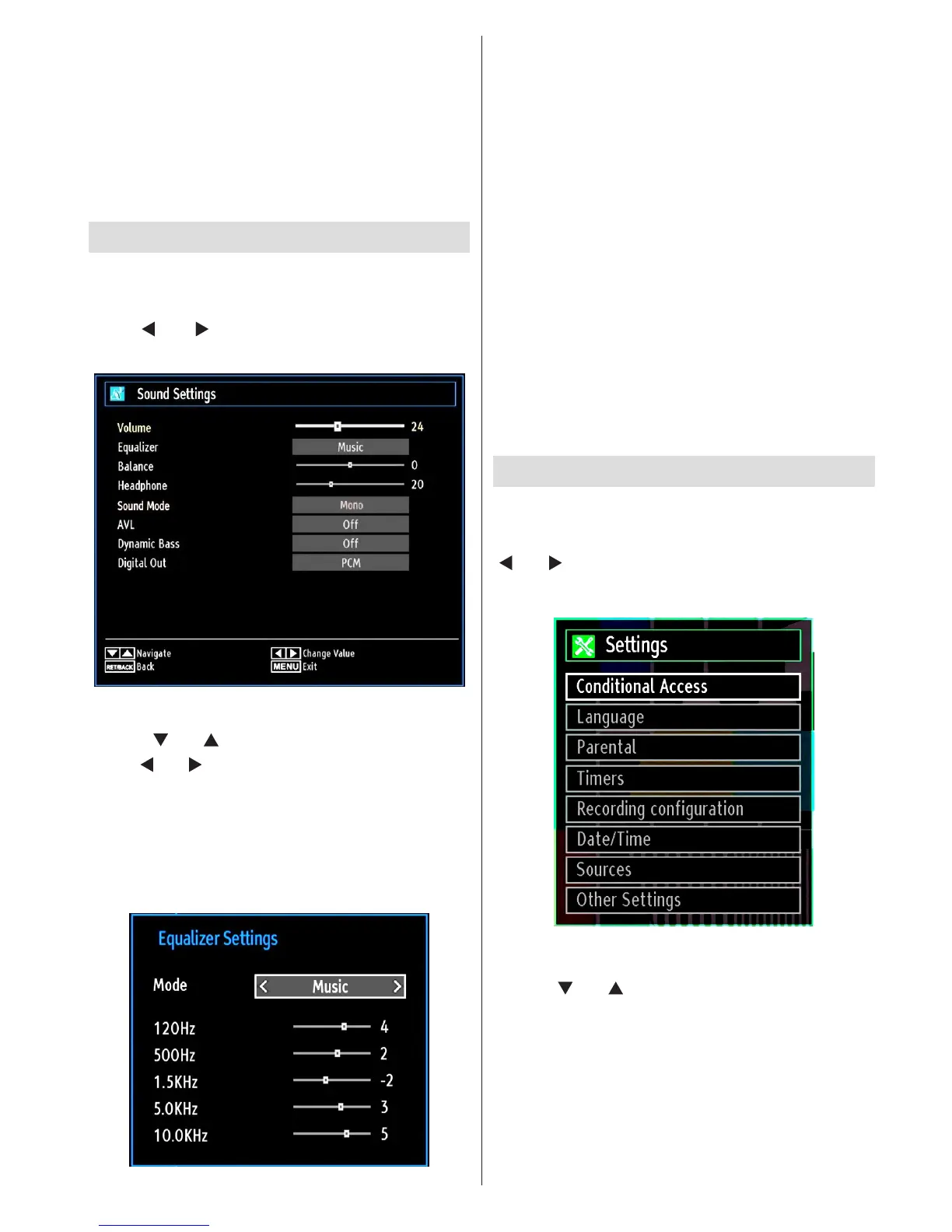
Conguring Sound Settings
Soundsettingscanbeconguredaccordingtoyour
personal preferences.
Press MENU button and select the Sound icon by
using “ ” or “ ” button. Press OK button to view
Sound Settings menu.
Operating Sound Settings Menu Items
Press “• ” or “ ” button to highlight a menu item.
Use “• ” or “ ” button to set an item.
Press • MENU button to exit.
Sound Settings Menu Items
Volume: Adjusts volume level.
Equalizer: Press OK button to view equalizer sub-
menu.
In the equalizer menu, the preset can be changed
to Music, Movie, Speech, Flat, Classic and User.
Press the MENU button to return to the previous
menu.
Note: Equalizer menu settings can be changed
manually only when the Equalizer Mode is in User.
Balance: This setting is used for emphasizing left or
right speaker balance.
Headphone: Sets headphone volume.
Sound Mode: You can select Mono, Stereo, Dual I
or Dual II mode, only if the selected channel supports
that mode.
AVL: Automatic Volume Limiting (AVL) function sets the
sound to obtain xed output level between programmes
(For instance, volume level of advertisements tend to
be louder than programmes).
Dynamic Bass: Dynamic Bass is used to increase
bass effect of the TV set.
Digital Out: Sets digital out audio type.
Conguring Your TV’s Settings
Detailed settings can be configured to suit your
personal preferences.
Press MENU button and select Settings icon by using
“ ” or “ ” button. Press OK button to view Settings
menu.
Operating Settings Menu Items
Press “• ” or “ ” button to highlight a menu item.
Press • OK button to select an item.
Press • MENU button to exit.
Settings Menu Items
Conditional Access: Controls conditional access
modules when available.
Language: Congures language settings.
Parental: Congures parental settings.



 To Next Page