EasyManua.ls Logo

Linsar 26LED906T - DVD Player Operation; Remote Control Functions; Basic Playback and Notes; DVD Setup Menu Options

Linsar 26LED906T
45 pages
Print Icon
To Next Page IconTo Next Page
To Previous Page IconTo Previous Page
Loading...
- 39 -
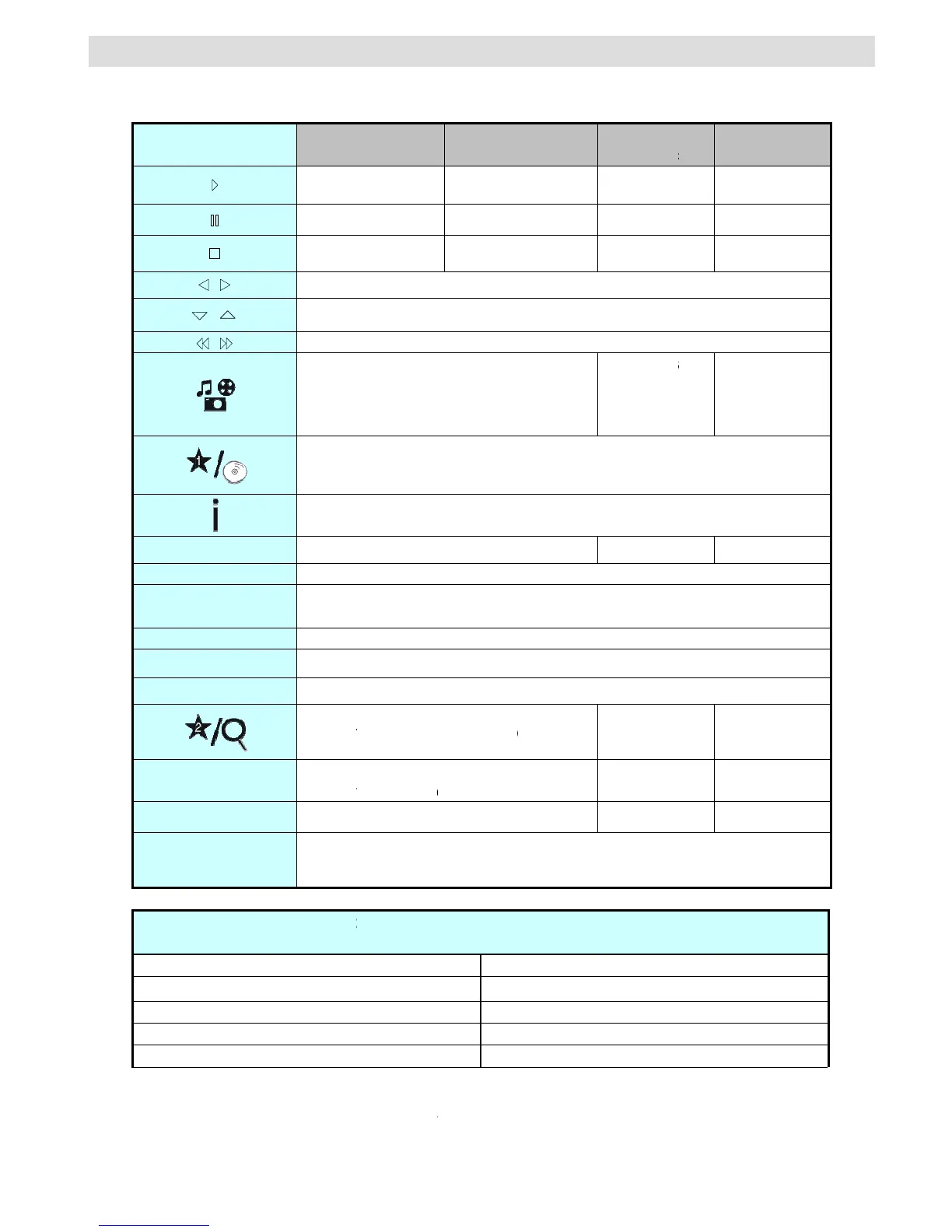
General Operation
You can operate DVD, movie CD, music or picture CD’s content by using the proper buttons on your remote
control. Below are main functions of commonly used remote control buttons.
Butt
o
Rem
o
L
M
GRE
E
R
E
Y
ELL
O
S
U
T
Z
+
[ +
+
+
+
(
*
)
You
c
switch o
n
o
ns on the
o
te Control
e/f
/
/
L
ANG
M
ENU
OK
E
N BUTTON
E
TURN
O
W BUTTO
N
U
BTITLE
T
ITLE
Z
OOM
] + 
c
an switch to
n
e di
g
it titles
D
Pl
a
P
S
Hi
g
hli
g
View
s
Time
N
Di
r
Subtitl
e
bet
w
Di
s
Z
O
t
title b
y
pres
s
(
example: t
o
D
VD
ay
back
Pla
y
P
ause
S
top
Shift
s
g
hts a menu
s
the scene
f
(
if a
v
Di
s
counter mo
d
A
udio
Ret
u
G
r
ect selectio
n
e
on-off. Pre
s
w
een subtitle
o
s
pla
y
s disc
m
Z
ooms pictur
e
t
her Functio
(D
s
in
g
numeri
c
o
select 5, p
r
M
o
Pla
y
P
l
Pa
S
t
s
the zoome
d
item. / Shift
s
Rapid a
d
f
rom differen
v
ailable
)
s
pla
y
s time /
d
e selection
(
b
lan
g
ua
g
e
Dis
p
E
n
Disp
l
u
rns back to
t
G
oes back to
n
of scenes
o
s
s repeatedl
y
o
ptions
(
if a
v
m
enu
(
if avai
l
e
. Press rep
e
ns – Button
D
urin
g
pla
y
b
a
Slo
w
Sets
Sets
Sets
Con
f
c
ke
y
s directl
y
r
ess 0 and 5
)
o
vie
y
back
l
a
y
use
t
op
d
picture left
o
s
the zoome
d
d
vance / Ra
p
t an
g
les
V
iews DVD
m
(
durin
g
pla
y
b
b
etween mo
d
p
la
y
s main
m
n
ter / View /
P
l
a
y
s repeat
o
t
he previous
the root fol
d
o
r time
y
to switch
v
ailable
)
l
able
)
e
atedl
y
to s
w
Combinati
o
a
ck
)
w
forward
slow forwar
d
rapid advan
rapid rever
s
f
irms stop c
o
y
. You need
.
Pictur
e
Pla
y
ba
c
Play
Pause
Stop
o
r ri
g
ht
(
if av
a
d
picture up
o
p
id reverse
Chan
g
es s
effect
(
depends
the conte
n
m
ain setup
m
ack
)
. Press
r
d
es
X
m
enu.
P
la
y
o
ptions
menu
(
if av
a
d
er
(
if availa
b
X
X
X
w
itch betwee
n
o
ns
d
speed
ce speed
s
e speed
o
mmand
to press 0 a
n
e
c
k
M
Pl
a
P
P
S
a
ilable
)
o
r down
(
if a
v
s
lide
on
n
t
)
m
enu
r
epeatedl
y
t
o
a
ilable
)
b
le
)
n
zoom opti
o
n
d then di
g
it
M
usic
ay
back
P
la
y
P
ause
S
top
v
ailable
)
X
o
switch
X
X
X
X
o
ns
ke
y
to

Table of Contents

Related product manuals