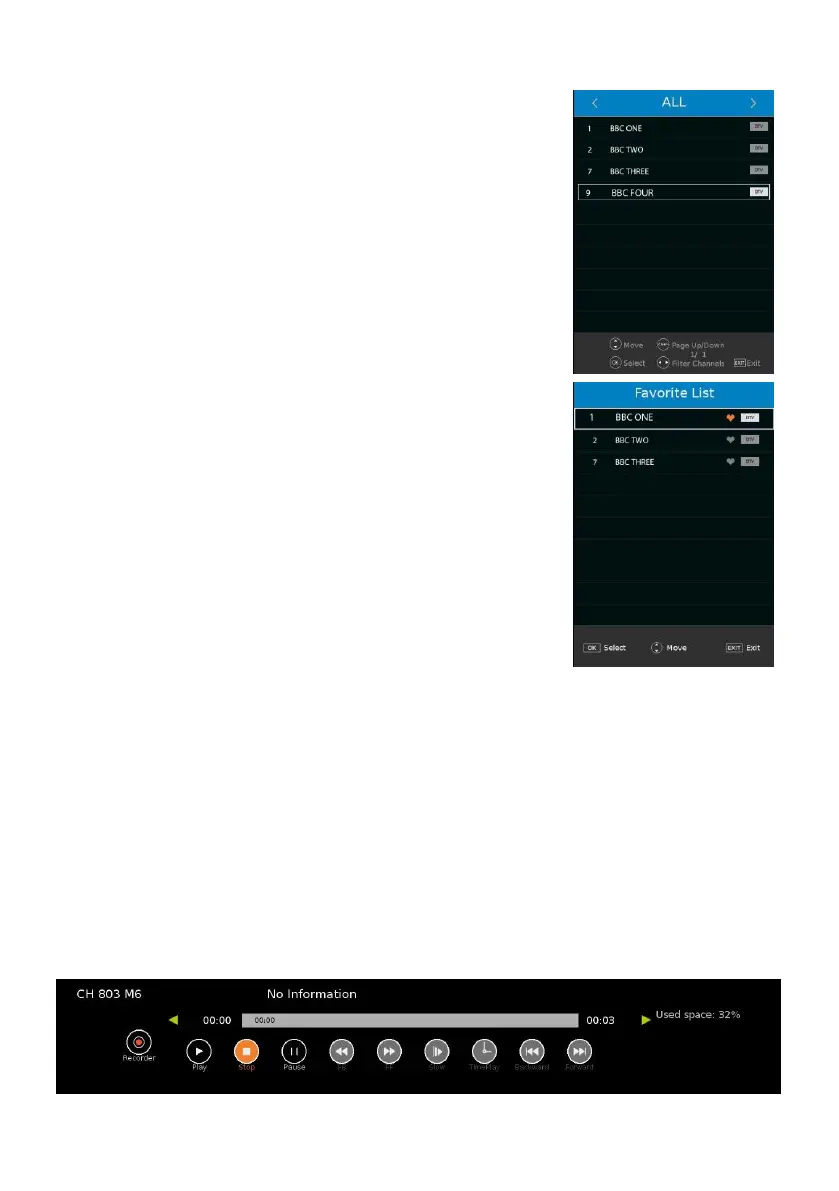
QUICK SELECT
When watching an available channel, press OK button on
remote control to enter Channel List menu page.
- Press UP or DOWN navigation button to select preferred
channel.
- Press OK button to confirm selection.
FAVORITE LIST
When watching an available channel, press FAV button on
remote control to enter Favorite List menu page.
- Press UP or DOWN navigation button to select preferred
channel.
- Press OK button to confirm selection.
TELETEXT
- Press TEXT button on remote control to display the available
teletext information and press it repeatedly to stop playing the
teletext.
TV/RADIO (FOR DTV MODE ONLY)
- Press TV/RADIO button on remote control to switch the unit
between TV and radio mode.
SUBTITLE
- Press SUBTITLE button on remote control repeatedly to
select desired subtitle.
NOTE: To enable this function, make sure that the channel you are viewing supports
multi-subtitle.
FREEZE
- During normal playing, press FREEZE button on remote control to hold the picture, and
press it again to resume normal playing.
RECORDER (FOR DTV MODE ONLY)
- Insert your USB memory device into USB slot first.
- When watching digital programs, press REC button on remote control and below tool bar
will appear on the screen:



 To Next Page