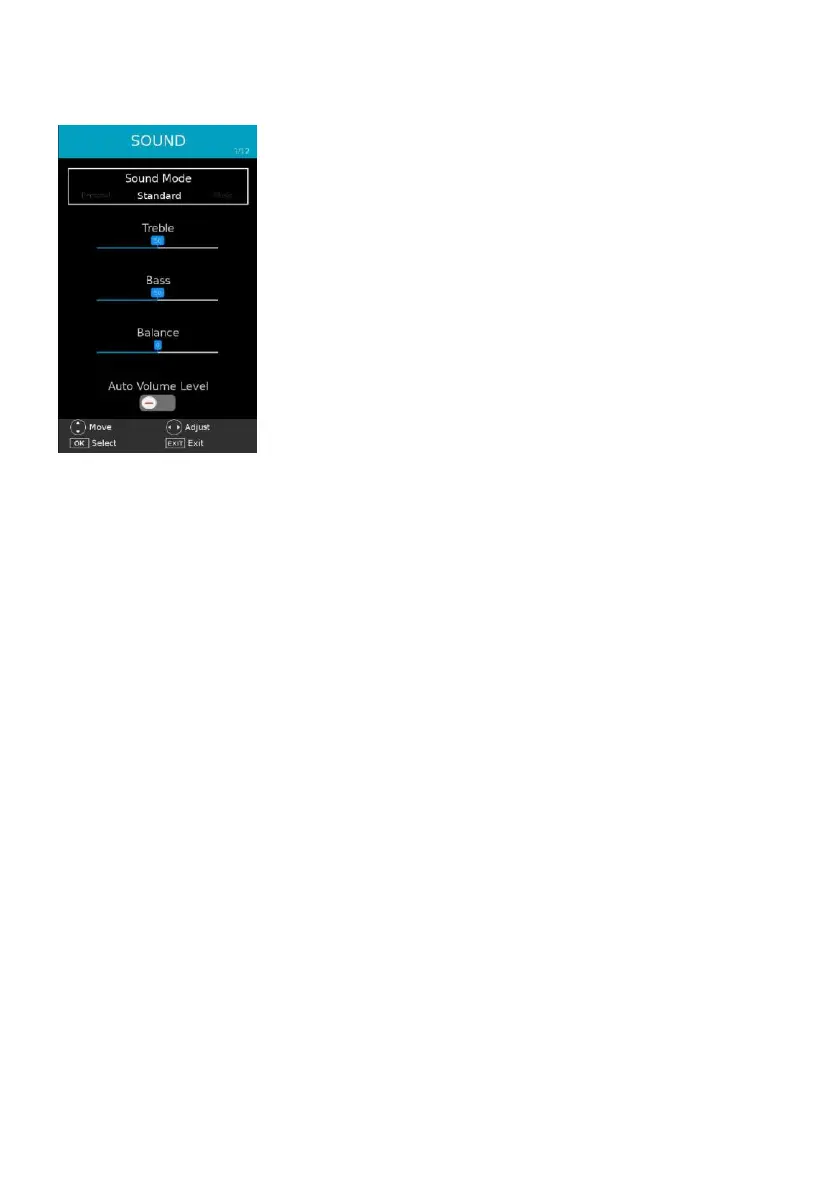
2. SOUND
2.1 Sound Mode
- Press LEFT/RIGHT navigation button to select an option.
Available options: Standard, Movie, Music, News, Personal.
Treble / Bass: adjustable value: 0-100.
NOTE: When the value of Treble or Bass is changed, Sound Mode will turn to “Personal”
automatically.
2.2 Balance
This item is used to adjust the audio output between left and right speaker from -50 to 50.
2.3 Auto Volume Level
This item is used to turn on/off Auto Volume Level function.
2.4 Digital Output
Available options: Auto, PCM, Off.
2.5 Audio Description
This item is used to turn on/off Audio Description function.
NOTE: For Visually Impaired users, this function can help to know a certain scene or action
through the narration, instead of see it. This function works only when you are viewing
programs that contain related narration information.
When “Audio Description” is turned on:
AD Volume: Select desire volume level.
Audio Language: Select audio language if available for current program.



 To Next Page